Date: 08.01.2015 Page 5 / 16
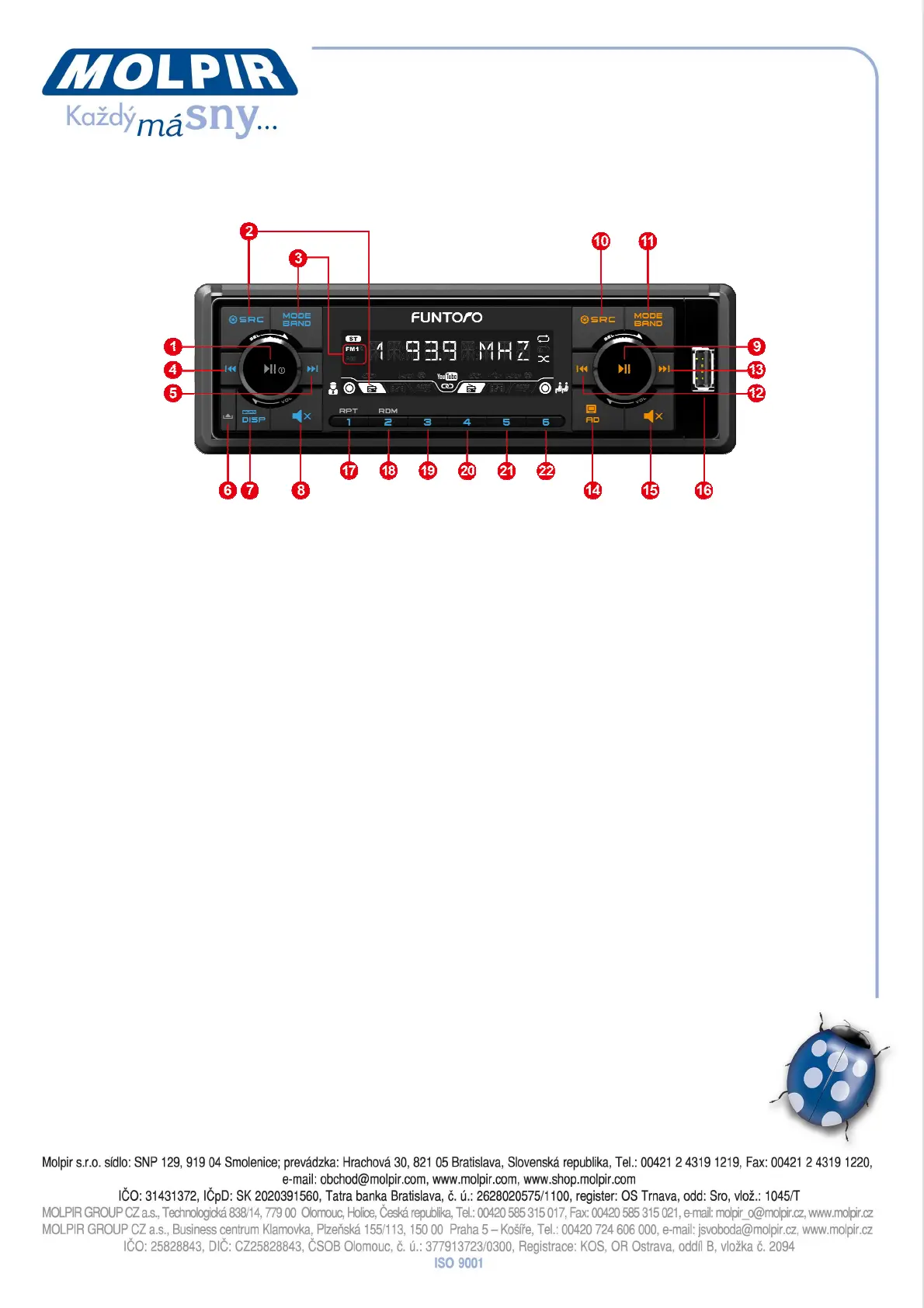
Panel Description
Please change the above picture to English version
1. Power on/Power off/Play/Pause/VOL/SETTING/SEL
Short press: you can play or pause in state of Media; adjust or finish the setting of
the item in state of Setting; select specified media file in state of Media List mode.
Long press: you can power on in state of Power off; power off in state of Power on.
Turn: in general state, turn left to volume down and turn right to volume up; in
setting mode, you can adjust or select BASS / TREBLE / BLA / FAD / LOUD / EQ /
UPDATE / DIAGNOSIS; in Media list mode, you can quickly select the file in play
list.
2. SRC/Setting
Short press: switch to RADIO/MEDIA/AUX/OFF
Long press: enter to setting mode or exist from setting mode
3. MODE/BAND
Short press: in state of Media, you can select to switch Movie/Music/Photo (in
SSD/SD/USB)/Internet Radio or YouTube; in state of Radio, you can switch to
FM1/FM2/AM.
Long press: no action
4. Turn Back
Short press: in state of Media, short press to the previous file (movie music, photo,
youtube and e-radio); in state of radio, short press to decrease 0.1MHz of FM band
and 100 Hz of AM band; in state of Turn Back, you can switch to
(2X/4X/8X/16X/20X/32X); in state of Media list mode, select the previous media
file in play list.
Long press: in state of Media, long press to turn back; in state of Radio, long press
to backward search the nearest available radio channel. Press any key to stop long
press action.
5. Fast Forward
Short press: in state of Media, short press to the next file (movie music,


 To Next Page