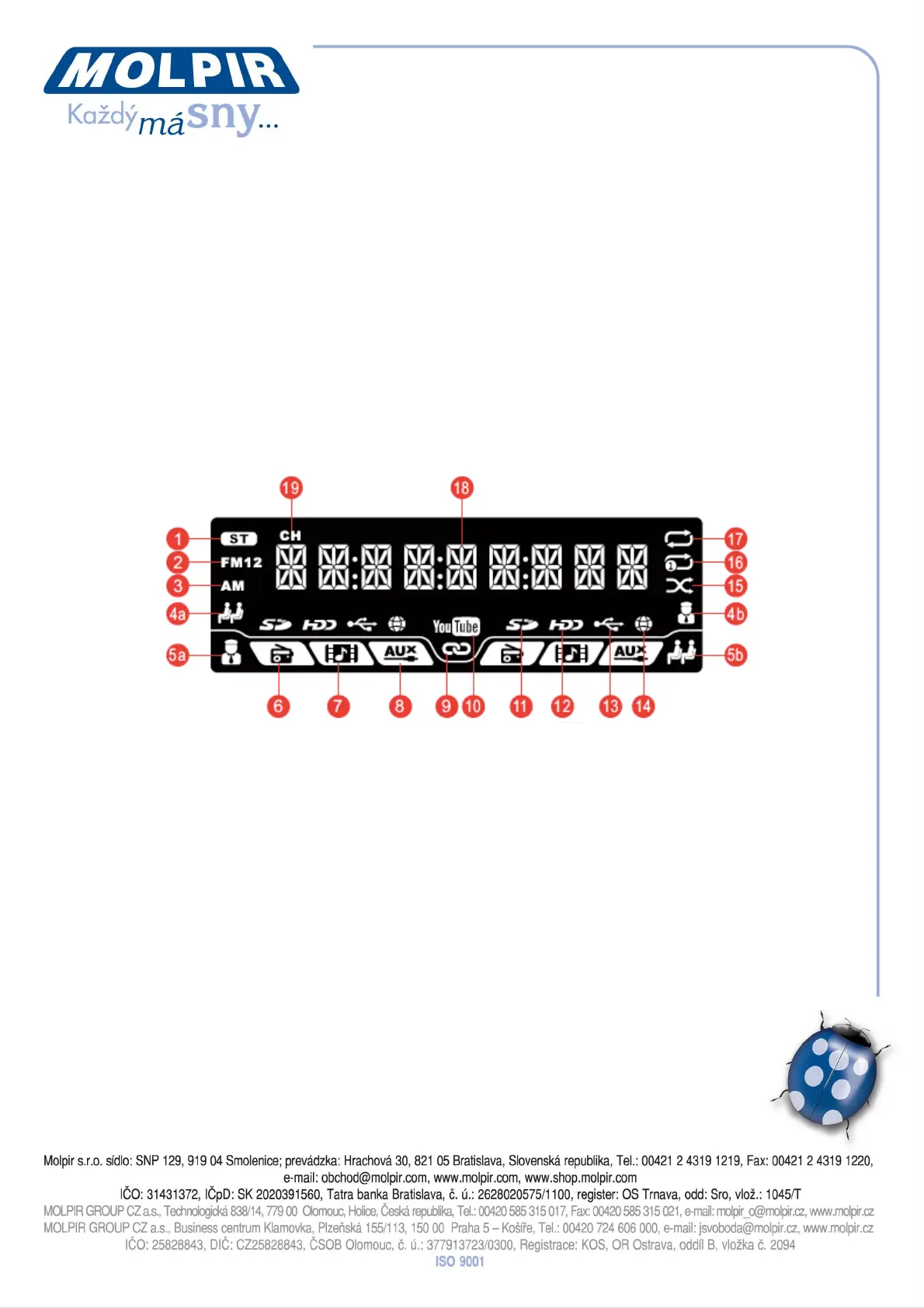
Panel Display
There are 3 kinds of display modes, Driver Mode, Passenger Mode and Time Display
Mode. As for display function, it’s mainly based on Driver Mode while Passenger Mode
subsidiary.
1. In normal status, the function of panel display is mainly based on Driver Mode.
2. If the driver needs to operate some functions for passengers, like play content
(movie or music), the panel display will show information of Passenger Mode.
However, if no any function in Passenger Mode is operated within 8 seconds, the
function of panel display will be returned to Driver Mode.
3. Press “DISP” key, then the driver can switch to Passenger Mode or Time Display
Mode. However, if no any function in Passenger Mode is operated within 8
seconds, the function of panel display will be returned to Driver Mode.
1 – Stereo / mono broadcasting
2 – FM1 / FM2 Radio
3 – AM radio
4 – Present the passenger zone is on the left side and the driver zone is on the right
side. It is not default setting, so the icon is hidden unless modified the setting.
5 – Present the driver zone is on the left side and the passenger zone is on the right
side. It is default setting, so the icon is showed up.
6 – Source: Radio
7 – Source: Multi media
8 – Source: AUX in
9 – When the 2 zones are set in the same source, they are synchronized and this icon
will be showed up
10 – Current media mode is YouTube
11 – Current media content is from SD card
12 – Current media content is from hard disc
13 – Current media content is from USB drive
14 – Current media mode is internet radio


 To Next Page