24
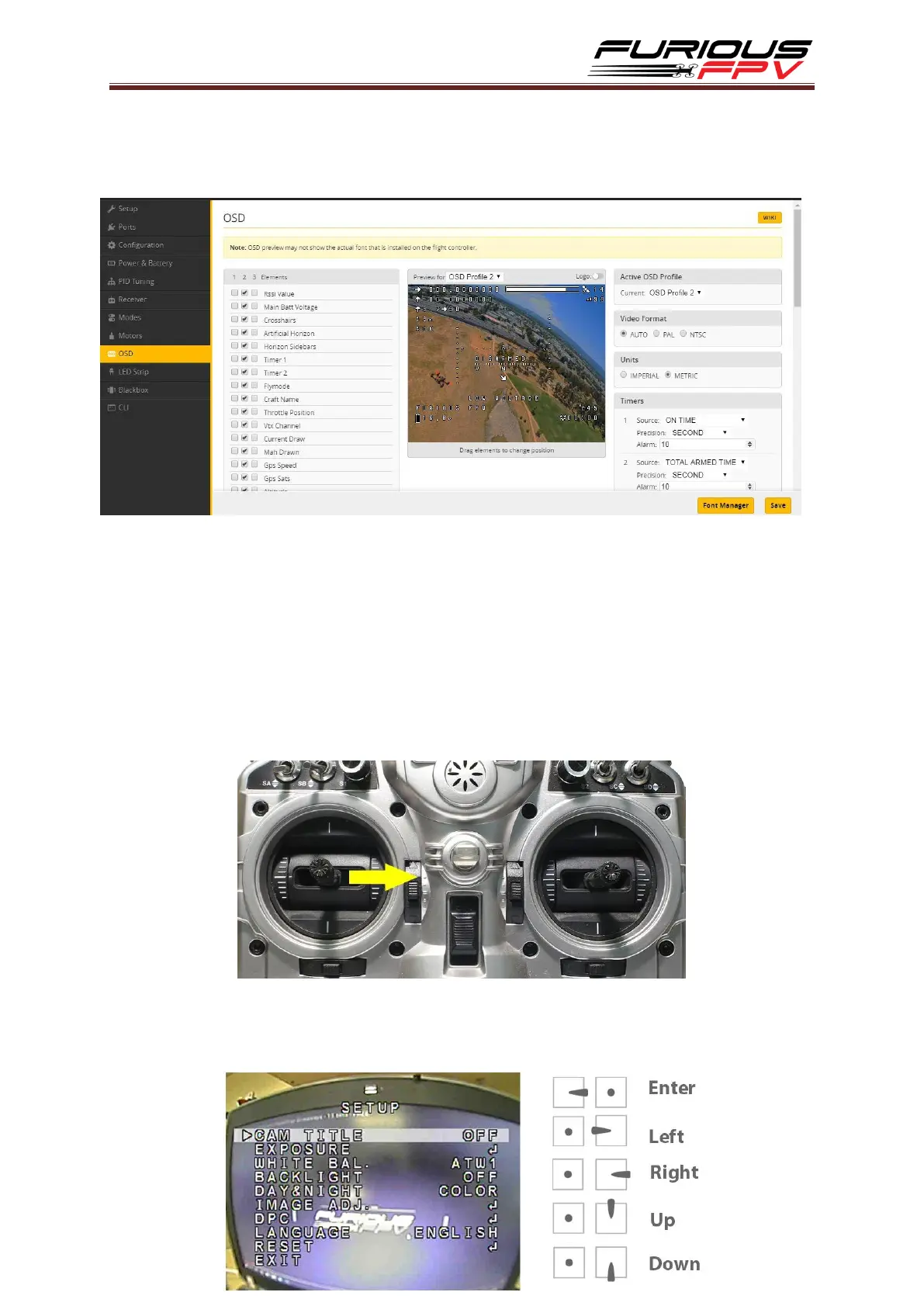
Step 3: Click Connect on Betaflight interface then go to OSD tab. Enable the
elements that you wish to use and drag them to a desired position on the preview
display.
Step 4: After configuring OSD please click Save to save your configuration.
How to access camera settings by Transmitter
Stick command:
THROTTLE MIDDLE
YAW RIGHT
PITCH MIDDLE
ROLL MIDDLE
To navigate through menu:
PITCH/ROLL sticks are used to navigate
YAW stick is used to adjust / change values


 To Next Page