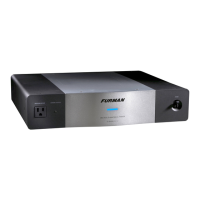
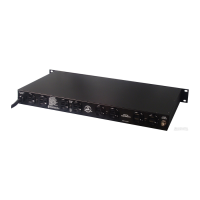
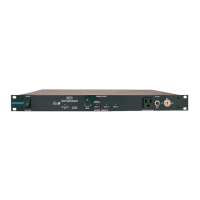
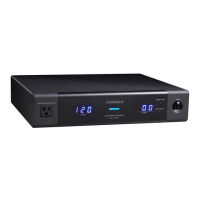
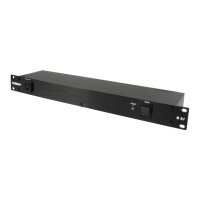
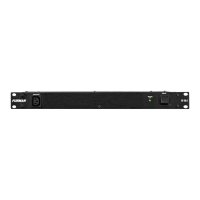
Balanced power is a technology whose time has come. Balanced, or "technical" power, is now
recognized by the US National Electrical Code (Article 530) for critical, low noise applications.
Installation -
The power source to which the IT-1 210 is connected must be adequate for use at 10 amps, and a
dedicated 15 amp circuit is recommended. Consult a qualified electrician if in doubt. The IT-1210 is
designed for mounting in a standard 19-inch equipment rack. Because of its weight, the best position
for it is the bottom slot of the rack. Its toroidal transformer minimizes magnetic leakage, but
nevertheless, due to its high capacity, it will radiate an appreciable magnetic field. Therefore, we
recommend that it not be positioned adjacent to sensitive, low level signal processors, especially mic
preamps, mixers, tape recorders, etc. Power amps may be more suitable "rack neighbors."
The maximum benefit is derived from balanced power when ALL equipment in an installation is
powered with it. Therefore, try to position the IT-1210 in a central location so its power can be easily
distributed everywhere it's needed. If the total power consumption of all equipment exceeds 10 amps
at 120 volts, delete high level or mechanical devices first (such as power amps, motors). If possible,
physically isolate any such equipment that has to be powered with conventional power through a
different circuit, and route their AC cords away from all other cabling.
The balanced power produced by the IT-1210 is restricted to use with electronic equipment only.
Balanced power may not be used for lighting equipment, and access must be limited to use by
qualified personnel only.
If you are installing the IT- 1210 in a rack that has rear as well as front mounting rails, you may
wish to order adjustable rear rack ears from Furman. They allow the IT-1210 to be securely attached
both in front and in back. Order model RRM-2.
Operation
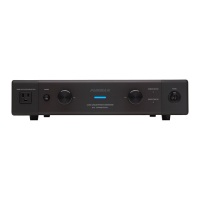
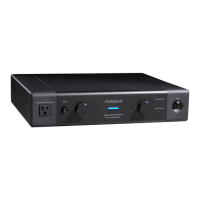
Circuit Breaker/Switch: The IT-1210 has just one control: the large blue switch on the front panel
that is both a precision magnetic circuit breaker and an on-off switch. This breaker will trip (snap to
the "off" position) if the current drawn through the IT-1210 exceeds 10 amps. If this occurs, reduce
the load by unplugging some equipment, then flip the switch back to the "on" position.
Soft Start/Outlets On/Off Indicator: When power is first applied to the IT-1210, the Soft Start
feature is activated, indicated by a steady yellow color. Soft Start limits the inrush current to the
IT-1210's transformer, which would otherwise be excessive. The result is that the IT-1210's output
voltage does not reach its full level until several seconds have elapsed. When it has reached its
maximum level, the LED color turns to green, indicating that all outlets are fully powered.
Should the power at the IT-1210's outlets go off for any reason-either because the power switch is
in the "off" position or because an Extreme Voltage Shutdown has occurred, the LED will light up red.
Extreme Voltage Shutdown: This LED status indicator is normally off. It monitors a hazard
particularly common in the entertainment industry: wiring faults-for example, accidental connection to
220V. The IT-1210 senses voltages that are so high or low that operation would be impossible
(under 80V or over 140V) and shuts the power down before damage can occur. Upon initially
applying power to the IT-1210, this indicator will be lit if the input is receiving less than 80 volts or



 To Next Page
 Loading...