5
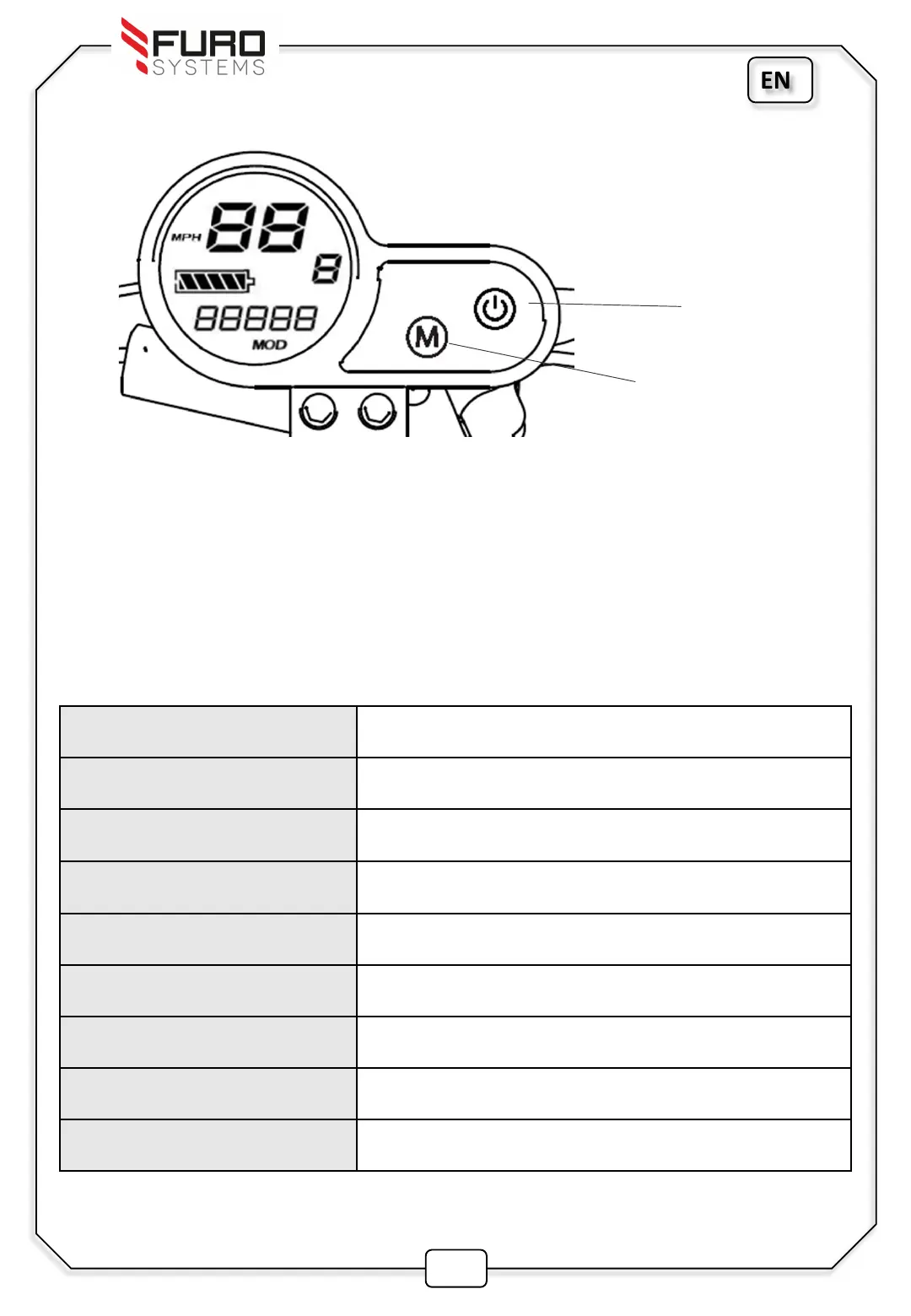
Changing the settings
To access and change the settings:
Press and hold the Power button (2-3s) to switch on the Fuze Display.
Press both the Power and Mode button together to gain access to the settings.
Tap the power button to cycle through the different settings
Hold the Mode button (1-2s) to select the settings to change
Tap the Mode button to change the settings, and hold mode button to confirm
Hold Mode and Power button together to save and exit the settings page.
Settings Description
P02 Units (miles / km)
P03 Voltage level (48 v)
P04 Automatic shutdown time after inactivity (mins)
P06 Wheel diameter in Inches (10.0 )
P07 Hall sensor number (30)
P09 Zero start (0)
P15 Speed Limit (in chosen units, mph/kph)
P16 ODO settings (0)
EN
Power Button
Mode Button


 To Next Page