EasyManua.ls Logo

Furrion DV1230 - User Manual

Furrion DV1230
112 pages
Print Icon
To Next Page IconTo Next Page
Loading...
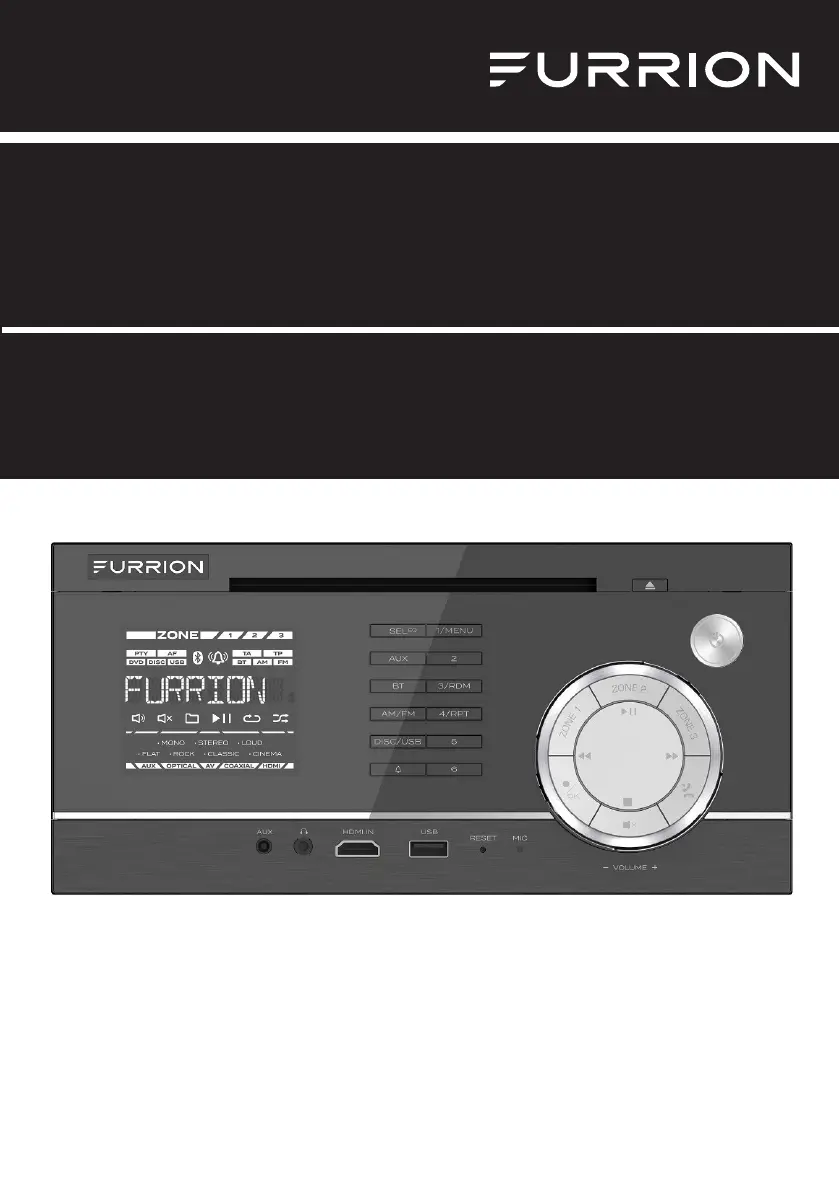
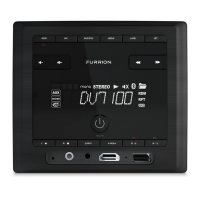
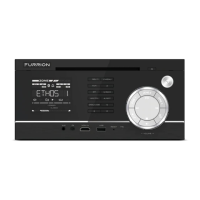
Product picture is for reference only.
La photo du produit est aux fins de référence seulement.
La imagen del producto es solo de referencia.
Entertainment System DV1230
Système de divertissement DV1230
Sistema de entretenimiento DV1230
Instruction Manual
Manuel d'instructions
Manual de instrucciones
Model/Modèle/Modelo:
DV1230

Table of Contents

Questions and Answers

  • E
    Elizabeth McdowellAug 16, 2025
    What to do if Furrion Home Theater System has no picture but sound is OK?
    • Y
      Yvonne HenryAug 16, 2025
      If your Furrion Home Theater System shows no picture but the sound is still working, make sure the video output of the unit is properly connected to your TV's video input. Also, ensure your TV is set to the correct AV input channel for the unit. Check the video connector for any damage and verify that the VIDEO setup of the unit is correct.
  • D
    Debra CastroAug 18, 2025
    Why is there no sound but picture OK on my Furrion Home Theater System?
    • J
      Joseph VegaAug 18, 2025
      If you're getting no sound from your Furrion Home Theater System but the picture is fine, ensure the unit's audio output is properly connected to your TV's audio input. Check the audio connector for any damage. Make sure you haven't accidentally turned the volume down or muted the audio. Finally, verify that the AUDIO setup of the unit is correct.
  • V
    vbartlettAug 21, 2025
    How to fix Furrion DV1230 Home Theater System when the radio does not work?
    • D
      David MasonAug 22, 2025
      If your Furrion Home Theater System's radio isn't working, check that the antenna cable is firmly connected. You can also try manually tuning for a station.
  • K
    kristi50Aug 25, 2025
    How to troubleshoot Furrion DV1230 Home Theater System with no picture, sound, and indication?
    • E
      edwardsbrookeAug 25, 2025
      If your Furrion Home Theater System has no picture, sound, or indication, first, check that the power switch is turned on. Next, verify that the wall power outlet is working correctly. Also, check the power cord for any damage and ensure the fuse hasn't blown. Finally, confirm that the power connection is secure.
  • M
    Michael WilliamsAug 27, 2025
    How to fix flaws in picture or sound on Furrion Home Theater System?
    • D
      Dr. Jose Soto MDAug 27, 2025
      If your Furrion Home Theater System is showing flaws in the picture or sound, verify that the AUDIO setup is correct. Inspect the disc for scratches or stains. Also, check the AV connector and output terminal for any stains. If there's condensation inside the lens, turn the unit off for about an hour before trying again. Finally, make sure the installation angle is less than 30 degrees.
  • N
    Nicole ThomasAug 30, 2025
    What to do if Furrion Home Theater System remote control does not work?
    • K
      Kenneth MurphyAug 30, 2025
      If your Furrion Home Theater System remote control isn't working, start by checking the remote's batteries to ensure they aren't dead. Then, make sure you're pointing the remote directly at the unit's IR sensor, and that there are no obstructions blocking the signal.
  • T
    Tammy LeeSep 3, 2025
    Why does my Furrion DV1230 say no disc or bad disc?
    • R
      Rachel LopezSep 3, 2025
      If your Furrion Home Theater System isn't recognizing the disc or indicates a bad disc, first, ensure the disc is correctly inserted into the disc slot. Check that the disc isn't inserted upside down and that it's not distorted, badly scratched, or stained. Make sure the disc format is compatible with the unit. If the temperature inside the car is too high, let the unit cool down. Finally, try inserting a different disc.
  • J
    Jackson MooreSep 5, 2025
    How to fix a black and white picture or screen rolling on Furrion Home Theater System?
    • L
      Luke WilliamsSep 5, 2025
      If your Furrion Home Theater System displays a black and white picture or the screen is rolling, ensure that the TV SYSTEM (e.g. PAL, NTSC) setup is configured correctly.
  • M
    mendozajenniferSep 8, 2025
    What to do if some function buttons do not work on Furrion Home Theater System?
    • M
      Mary MartinezSep 9, 2025
      If some function buttons on your Furrion Home Theater System aren't working, try turning the power off and then back on. If that doesn't work, reset the unit and turn it on again. As another option, remove the front panel from the unit, then put it back and turn it on again.
  • T
    tsmithSep 12, 2025
    What to do if Furrion Home Theater System functions are locked or Bluetooth is not responding?
    • H
      hillloriSep 12, 2025
      If the functions on your Furrion Home Theater System are locked or the Bluetooth function is unresponsive, press the RESET button with a sharp object, like a clip, to reset the unit to its factory default settings.

Summary

Safety and Notice

Safety

General safety precautions for product operation and handling.

Introduction

Precautions

Important precautions to follow before operating and installing the unit.

Functional Overview

Control Panel

Detailed description of the unit's front panel controls and buttons.

Remote Control

Explanation of the functions of the remote control buttons.

Before Operation

Wiring Diagram

Diagram illustrating the wiring connections for the unit.

Operation

Quick Reference Guide

A summary of general operations and common functions for quick access.

Maintenance

Troubleshooting

Specifications

Furrion DV1230 Specifications

General IconGeneral
Playable MediaDVD, CD, USB, MP3
Zone OutputNo
HDMI OutputYes
AM/FM TunerYes
ConnectivityBluetooth
SubwooferYes

Related product manuals