EasyManua.ls Logo

Furrion dv5600 - User Manual

Furrion dv5600
30 pages
Print Icon
To Next Page IconTo Next Page
Loading...
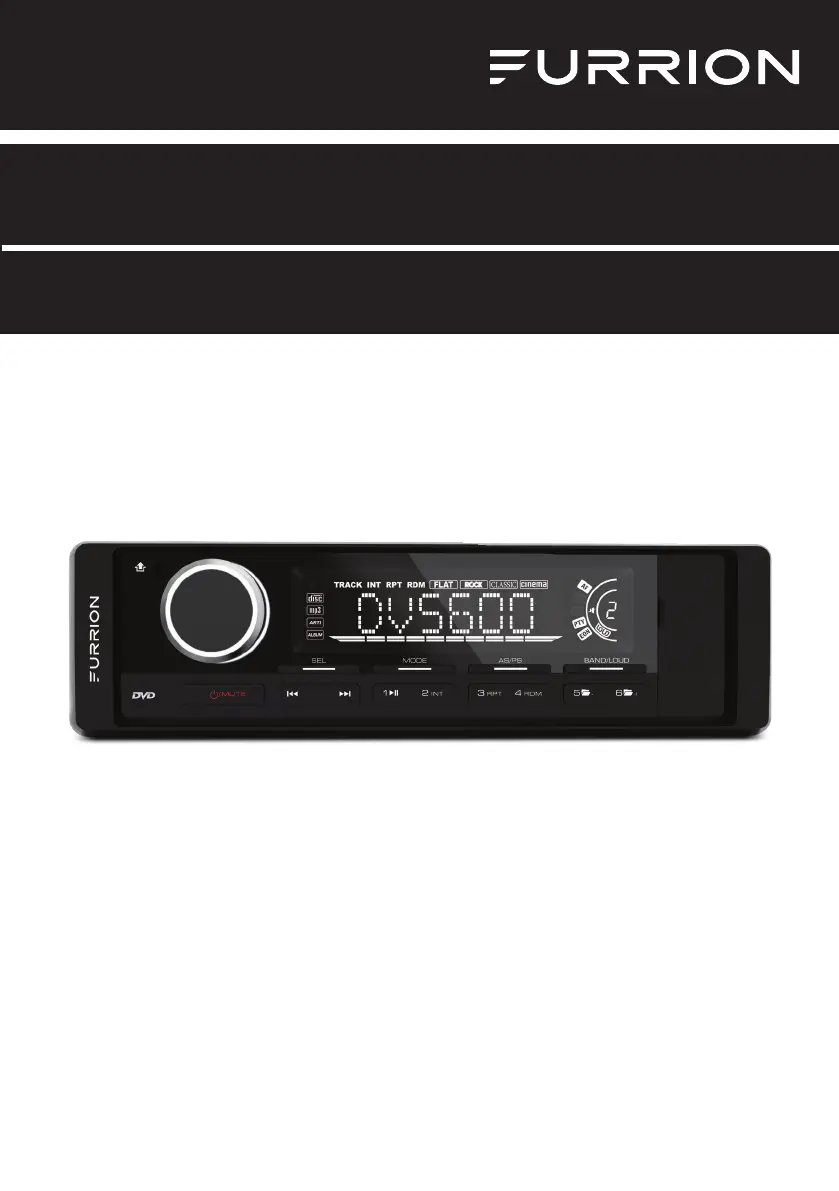
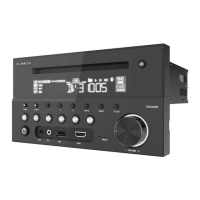
*Product picture is for reference only.
Entertainment System DV5600
Instruction Manual
Model: DV5600

Questions and Answers

  • S
    Stephanie StrongAug 14, 2025
    Why is my Furrion dv5600 Car Receiver remote control not working?
    • M
      Misty GarnerAug 14, 2025
      If the remote control for your Furrion Car Receiver isn't working, try these solutions: First, check the batteries in the remote to ensure they aren't dead. Then, make sure you're pointing the remote directly at the IR sensor on the unit. Finally, check for any obstructions between the remote control and the IR sensor.
  • T
    Travis JonesAug 17, 2025
    What to do if some function buttons do not work on Furrion dv5600?
    • G
      grayandrewAug 17, 2025
      If some function buttons on your Furrion Car Receiver aren't working, try these steps: First, turn the power off and then back on again. If that doesn't work, remove the front panel from the unit, then reattach it and turn the power on again.
  • K
    Kimberly GomezAug 20, 2025
    How to fix Furrion Car Receiver with no picture, sound and indication?
    • J
      James GutierrezAug 21, 2025
      If your Furrion Car Receiver shows no picture, sound, or indication, try these steps: First, ensure the power switch is turned on. Next, verify that the wall inlet is functioning correctly. Also, check the power cord for any damage and make sure the fuse hasn't blown. Finally, confirm that the power connection is secure and working.
  • J
    Jessica MorrisAug 25, 2025
    What to do if my Furrion dv5600 has no sound but picture is OK?
    • C
      Crystal GallegosAug 25, 2025
      If you have picture but no sound on your Furrion Car Receiver, here are a few things to check: * Make sure the audio output of the unit is properly connected to the TV's audio input. * Inspect the audio connector for any damage. * Verify that you haven't accidentally turned the volume down or muted the audio. * Confirm that the AUDIO setup of the unit is configured correctly.
  • M
    Melissa MeyersAug 27, 2025
    What to do if my Furrion dv5600 has no picture but sound is OK?
    • J
      Jennifer WilliamsAug 27, 2025
      If your Furrion Car Receiver has sound but no picture, check the following: Ensure the video output of the unit is properly connected to the TV's video input. Verify that your TV is set to the correct AV input channel for the unit. Inspect the video connector for any damage. Confirm that the VIDEO setup of the unit is correct.
  • A
    Ann CooperAug 30, 2025
    How to resolve flaws in picture or sound on Furrion dv5600?
    • D
      David RobinsonAug 30, 2025
      If you notice flaws in the picture or sound of your Furrion Car Receiver, consider the following: Check whether the AUDIO setup is correct. Inspect the disc for scratches or stains. Examine the AV connector and output terminal for any stains. If there's condensation inside the lens, turn the unit off for about an hour before trying again.
  • H
    Heidi TrevinoSep 3, 2025
    What to do if my Furrion Car Receiver says 'no disc' or 'bad disc'?
    • A
      andrewpayneSep 3, 2025
      If your Furrion Car Receiver is showing 'no disc' or 'bad disc', try these troubleshooting steps: 1. Ensure the disc is properly inserted into the disc slot. 2. Check that the disc isn't inserted with the reverse side up. 3. Inspect the disc for any distortion, stains, or severe scratches. 4. Confirm the disc format is compatible with the unit. 5. Ensure the car's internal temperature isn't too high; if it is, allow the unit to cool down. 6. Try inserting a different disc to see if the issue persists.
  • C
    Christopher DavisSep 6, 2025
    Why is my Furrion Car Receiver showing black and white picture or screen rolling?
    • K
      Kristina RussoSep 6, 2025
      If you're seeing a black and white picture or screen rolling on your Furrion Car Receiver, ensure that the TV SYSTEM setting (e.g., PAL, NTSC) is correctly configured.
  • N
    Nicholas CantrellSep 9, 2025
    How to fix Furrion dv5600 Car Receiver when the radio does not work?
    • R
      Ray SnyderSep 9, 2025
      If the radio on your Furrion Car Receiver isn't working, check that the antenna cable is firmly connected. You can also try manually tuning for a station.

Summary

Welcome

Safety and Notice

Safety Guidelines

General safety precautions and warnings for product usage.

Laser Product Information

Details regarding the Class 1 laser product classification and usage.

Compliance and Exposure Statements

FCC compliance and radiation exposure information.

Introduction

Whats Included

List of items included in the product package.

Important Precautions

Essential safety and operational precautions before use.

Product Features

Overview of the entertainment system's capabilities and functions.

Supported File Formats

List of video and audio formats compatible with the unit.

Functional Overview

Control Panel Layout

Identification and description of buttons and controls on the unit's front panel.

Remote Control Functions

Explanation of buttons and operations available via the remote control.

Before Operation

Wiring Diagram and Connections

Visual guide for connecting the unit's audio, video, and power cables.

Installation Location

Guidelines for selecting an appropriate and safe mounting location.

Unit Installation Procedure

Step-by-step instructions for physically installing the unit.

Front Panel Attachment

Instructions for detaching and attaching the unit's front panel.

Remote Control Preparation

Steps for preparing the remote control, including battery installation.

Operation

Quick Reference Guide

A summary of frequently used operations for quick access.

Common Operations

Details on basic functions like power, volume, mute, clock, and EQ settings.

Radio Operations

Instructions for tuning, scanning, and managing radio stations.

Disc and USB Media Playback

How to play audio, video, and image files from discs and USB devices.

DVD System Setup

Guide to configuring DVD player settings like TV system, language, and video.

Parental Control and Region Codes

Setting up parental restrictions and understanding region code limitations.

Maintenance

Disc Care and Cleaning

Proper methods for handling, cleaning, and maintaining discs.

Troubleshooting

Common Troubleshooting Scenarios

Solutions for common issues like no picture, no sound, or disc errors.

Specifications

General Product Specifications

Technical details on power, impedance, and output.

DVD Player System Specs

Technical performance metrics for the DVD playback system.

Radio System Specs

Technical details for AM and FM radio reception.

Audio;Video Output Specs

Technical specifications for audio and video output signals.

Warranty

Furrion dv5600 Specifications

DVD Player System IconDVD Player System
signal to noise ratio> 60 dB
channel separation> 50 dB (1kHz)
frequency response20 Hz - 20 kHz
FM Radio IconFM Radio
frequency range87.5-107.9 MHz
channel step200 kHz
sensitivity2.8 µV
stereo separation30 dB
signal to noise ratio50 dB
AM Radio IconAM Radio
frequency range530-1710 KHz
usable sensitivity32 dB
Audio/Video Output IconAudio/Video Output
output750 mV
impedance10k Ohm
General IconGeneral
power supply12V DC (10.8-15.6V allowable)
speaker impedance4 or 8 ohm
output power45W x 4CH
fuse10A

Related product manuals