EasyManua.ls Logo

Furrion DV3100S - User Manual

Furrion DV3100S
36 pages
Print Icon
To Next Page IconTo Next Page
Loading...
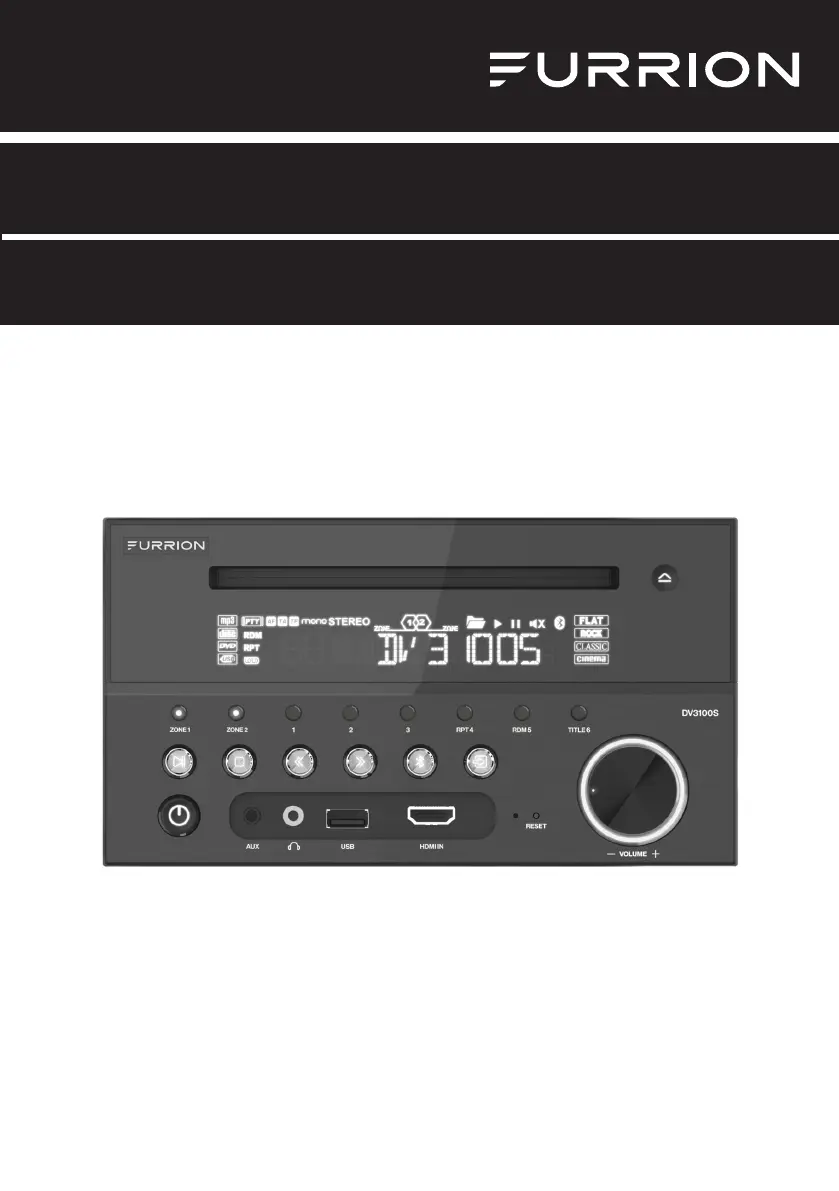
Entertainment System
Instruction Manual
Model: DV3100S
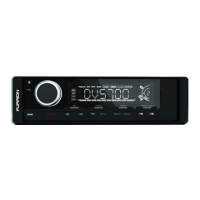
* Product picture is for reference only.

Other manuals for Furrion DV3100S

Questions and Answers

  • A
    Angel GainesSep 8, 2025
    How to fix flaws in picture or sound on Furrion Stereo System?
    • R
      Renee MyersSep 9, 2025
      To address flaws in the picture or sound on your Furrion Stereo System, start by checking that the AUDIO setup is correct. Inspect the disc for scratches or stains, and clean the AV connector and output terminal if they are stained. If there's condensation inside the lens, turn the unit off for about an hour before trying again. Finally, make sure the installation angle is less than 30 degrees.
  • L
    Lindsey WeaverAug 23, 2025
    How to fix Furrion DV3100S Car Receiver when functions are locked or there is no response for Bluetooth function?
    • J
      Jennifer BauerAug 23, 2025
      To unlock functions or resolve Bluetooth unresponsiveness on your Furrion Car Receiver, press the RESET button using a sharp object like a clip. This will reset the unit to its factory default settings.
  • A
    Amanda LutzAug 25, 2025
    What to do if my Furrion DV3100S Car Receiver has no picture but sound is OK?
    • L
      Lori BrooksAug 26, 2025
      If you're getting sound but no picture on your Furrion Car Receiver, make sure the video output is properly connected to your TV's video input. Also, ensure your TV is set to the correct AV input channel for the unit. Check the video connector for any damage and verify that the VIDEO setup of the unit is correct.
  • M
    Matthew PhelpsAug 27, 2025
    Why is my Furrion Car Receiver not producing any sound, even though the picture is fine?
    • J
      jameswashingtonAug 27, 2025
      If your Furrion Car Receiver has a picture but no sound, check these things: Ensure the unit's audio output is well-connected to the TV's audio input. Check the audio connector for damage. Make sure the volume isn't turned down or muted, and that headphones aren't plugged in. Also, ensure the AUDIO setup of the unit is correct.
  • D
    Dale MartinezAug 27, 2025
    What to do if my Furrion DV3100S has flaws in picture or sound?
    • P
      pcarneyAug 27, 2025
      If you're experiencing flaws in the picture or sound of your Furrion Car Receiver, check the following: Ensure the AUDIO setup is correct. Inspect the disc for scratches or stains, and check the AV connector and output terminal for stains. If there's condensation inside the lens, turn the unit off for about an hour before trying again. Also, make sure the installation angle is less than 30 degrees.
  • L
    Lisa SullivanSep 22, 2025
    What to do if Furrion Stereo System functions are locked or Bluetooth is not responding?
    • J
      julia39Sep 22, 2025
      To unlock functions or resolve Bluetooth unresponsiveness on your Furrion Stereo System, use a sharp object like a clip to press the RESET button. This will reset the unit and load its factory default settings.
  • H
    hfigueroaSep 16, 2025
    What to do if some function buttons do not work on my Furrion Stereo System?
    • T
      Troy PriceSep 16, 2025
      If some function buttons on your Furrion Stereo System do not work, try turning the power off and then on again. If that doesn't work, reset the unit and turn it on again. Alternatively, remove the front panel from the unit, then put it back and turn it on again.
  • A
    Amy RiveraSep 18, 2025
    How to fix Furrion Stereo System radio that does not work?
    • R
      Richard WhiteSep 18, 2025
      If the radio on your Furrion Stereo System is not working, check whether the antenna cable is firmly connected. You can also manually tune for a station.
  • N
    Norma ShieldsSep 7, 2025
    Why is there no sound but picture is OK on my Furrion Stereo System?
    • C
      Christina SimpsonSep 7, 2025
      If your Furrion Stereo System is not producing any sound but the picture is fine, first, make sure the unit's audio output is correctly connected to the TV's audio input. Check the audio connector for any damage. Also, verify that the volume isn't turned down or muted, and that headphones are not plugged into the unit. Finally, ensure the AUDIO settings of the unit are correctly configured.
  • C
    Cindy WardSep 4, 2025
    What to do if the radio on my Furrion DV3100S Car Receiver does not work?
    • A
      Ashley Ayers MDSep 4, 2025
      If the radio on your Furrion Car Receiver isn't working, check whether the antenna cable is connected firmly. You can also try manually tuning for a station.

Summary

Welcome

Important Safety Instructions

Safety Precautions

Essential safety guidelines for operating the system and avoiding hazards.

Class 1 Laser Product Safety

Information regarding the laser product classification and necessary precautions.

Regulatory Compliance

Statements on FCC and IC compliance, including interference and exposure information.

FCC Radiation Exposure Statement

Details on FCC radiation exposure limits for an uncontrolled environment.

Introduction

Whats in the Box

Lists all components included with the entertainment system.

Precautions for Use

Important warnings and advice before installing and operating the system.

System Features

Highlights the key functionalities and capabilities of the entertainment system.

Supported File Formats

Lists compatible video and audio file formats for playback.

Functional Overview

Control Panel Layout

Identifies and explains all buttons and indicators on the main unit.

Remote Control Functions

Details the functions of each button on the remote control.

LCD Display Icons

Explains the meaning of various icons displayed on the unit's screen.

Before Operation

Wiring Diagram and Connections

Illustrates how to connect speakers, power, and antenna using wiring sockets.

Mounting Installation Guide

Provides instructions for securely installing the unit in a vehicle or RV.

Prepare the Remote Control

Guides on inserting batteries and preparing the remote for initial use.

Operation

Quick Reference Guide

A concise summary of common operations and system functions.

Common Operation Tasks

Explains basic functions like power, volume, source selection, and mute.

Radio Operation

Instructions for tuning, scanning, and managing radio stations.

Disc and USB Operation

Covers playback, ejecting, and basic controls for discs and USB devices.

Advanced Disc; USB Features

Details advanced playback features like fast forward, slow, frame-by-frame, and repeat modes.

DVD System Menu Setup

Guides on configuring TV system, resolution, language, and parental controls.

Bluetooth Mobile Device Operation

Instructions for pairing, connecting, and operating mobile devices via Bluetooth.

Maintenance

Disc Maintenance and Cleaning

Provides guidelines for keeping discs clean and handling them properly.

Troubleshooting

Common Picture and Sound Issues

Lists problems like no picture/sound and their troubleshooting steps.

Remote and Functionality Problems

Addresses issues with remote control, buttons, radio, and system response.

Specifications

Technical Specifications Summary

Detailed technical specifications for General, DVD, Video, Audio, and Radio components.

Furrion DV3100S Specifications

General IconGeneral
BrandFurrion
ModelDV3100S
CategoryCar Receiver
LanguageEnglish

Related product manuals