Need help?
Do you have a question about the Furuno RO4800 and is the answer not in the manual?
Identifies and describes the controls on the front panel of the base station unit.
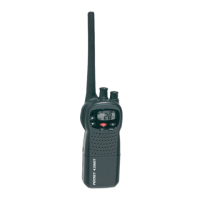
Describes the wired handset used for operating the radio.
Explains the various icons and information displayed on the base station's LCD screen.
Details how to connect power supply, external speaker, and GPS equipment.
Step-by-step instructions for physically mounting the radio base station.
Explains how to transmit and receive using the radio.
Step-by-step guide for pairing the wireless microphone with the radio.
Explains how to transmit and receive using the wireless microphone.
Using the scan function with the wireless microphone.
Using the watch functions with the wireless microphone.
Displaying GPS position information on the wireless handset.
Using the intercom feature with the wireless handset.
DSC configuration options available on the wireless handset.
Using the DSC menu on the wireless handset for making and receiving calls.
Introduces Digital Selective Calling (DSC) and its purpose in maritime communication.
Details the various types of DSC calls that can be sent and received.
Step-by-step guide for initiating a DSC distress call.
Instructions for sending an 'All Ships' DSC call (Urgency, Safety, Distress).
Procedure for sending a DSC group call to multiple vessels.
Instructions for initiating an individual DSC routine call.
Detailed steps for manually sending an individual DSC call.
Process for sending an individual DSC call using the Buddy List.
Feature to recall the details of the most recent incoming DSC call.
Method to send calls by selecting entries from the call log.
Method to send calls by selecting entries from the distress log.
Functionality for requesting and replying with vessel position information.
Procedure to request GPS position from a vessel in the buddy list.
General overview of how the radio handles incoming DSC calls.
Details how to handle incoming DSC distress calls and alarms.
Procedure for receiving distress acknowledgement from a coast station.
Handling of relayed distress calls and associated alarms.
Describes how to receive and respond to 'All Ships' DSC calls.
Manages a list of frequently contacted DSC stations with names and MMSI.
Configuration options for DSC functions, including MMSI and group setup.
Settings for the Automatic Identification System (AIS) receiver.
Instructions for manually inputting GPS position data.
Critical step to enter the user's MMSI for DSC functionality.
Describes the different classes of AIS transceivers (Class A and Class B).
Details how AIS data is displayed on the marine radio for navigation.
Initial setup procedures for the wireless microphone.
Provides solutions for common operational problems and symptoms.
 General
| Brand | Furuno |
|---|---|
| Model | RO4800 |
| Category | Marine Radio |
| Language | English |


 To Next Page