Need help?
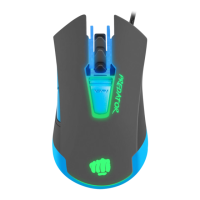
Do you have a question about the Fury Predator and is the answer not in the manual?
Provides instructions for the initial setup and use of the optical gaming mouse.
Highlights key attributes like optical sensor resolution, gaming software, and DPI switch.
Details how to connect the mouse and install the necessary software for customization.
Lists technical details including sensor type, resolution, polling rate, dimensions, and weight.
States the duration of the limited manufacturer warranty for the product.
Specifies the necessary hardware and operating system for the mouse to function.
Covers EU compliance, RoHS standard, and WEEE symbol explanation for proper disposal.
Provides essential guidelines for safe usage, handling, and environmental conditions.

 To Next Page
 General