Need help?
Do you have a question about the fuse AFS-AIRBUDZ-WHT and is the answer not in the manual?
Lists the items provided with the Fuse Airbudz Classic wireless earbuds.
Instructions on how to fully charge the earbuds before initial use.
Steps to pair the earbuds with a phone via Bluetooth.
Details on touch controls and functionality for playback and calls.
Guide to accessing the full user manual via QR code for further assistance.
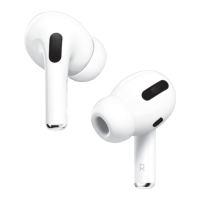
The Fuse Airbudz Classic are wireless earbuds designed for convenient audio playback and hands-free communication. These earbuds offer a blend of ease of use, touch control functionality, and a robust warranty, making them suitable for everyday listening.
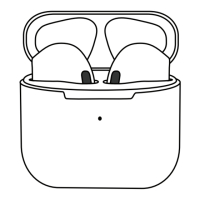
The primary function of the Fuse Airbudz Classic is to provide wireless audio. They connect to your smartphone or other Bluetooth-enabled devices, allowing you to listen to music, podcasts, and other audio content without the need for physical cables. Beyond audio playback, these earbuds also facilitate hands-free calling. Equipped with a built-in microphone, they enable users to answer, hang up, or reject incoming calls directly from the earbuds, enhancing convenience during activities like driving, exercising, or working. The earbuds come with a rechargeable case that not only stores them securely but also charges them, ensuring they are ready for use whenever needed. The case itself is charged via a USB-C port, a widely adopted standard for modern electronic devices, which means you can likely use existing chargers you already own.
Getting started with the Fuse Airbudz Classic is straightforward. The first step involves fully charging the earbuds and their case using the supplied USB-C cable. This initial charge ensures optimal performance from the outset. Once charged, connecting the earbuds to your device is a simple process: remove the earbuds from their rechargeable case, turn on Bluetooth in your phone's settings, and select "Fuse Airbudz" from the list of available Bluetooth devices. This one-time pairing establishes a wireless connection, allowing the earbuds to function seamlessly with your device.
A key feature of the Airbudz Classic is their intuitive touch control system, located on the surface of each earbud. This system allows users to manage various functions without needing to interact directly with their connected device. Here's a breakdown of the touch controls:
These touch controls are designed to be responsive and easy to remember, providing a convenient way to manage your audio and calls on the go. The inclusion of a microphone ensures clear communication during calls, making the earbuds a practical tool for both entertainment and productivity.
For further assistance and to access a comprehensive guide, users can download the full User Manual. This is made easy by scanning a provided QR Code, which directs users to the most up-to-date information about the product. This digital manual ensures that users always have access to detailed instructions and troubleshooting tips, enhancing their overall experience with the Airbudz Classic.
The Fuse Airbudz Classic comes with a robust 24-month warranty, demonstrating the manufacturer's confidence in the product's quality and durability. This warranty covers any faulty product at no cost to the consumer, provided it is returned to the retail store of purchase with proof of purchase. The warranty period begins from the date of purchase and extends for 24 months. It's important to note that the warranty specifically covers product defects and does not extend to consequential damages or costs that may be incurred as a result of a faulty product.
The warranty is provided by Pacific Optics in Australia and Signature Marketing NZ Ltd in New Zealand. For Australian customers, Pacific Optics can be contacted at 18 Taree St, Burleigh Heads, QLD 4220, by telephone at (07) 5593 4222, or via email at info@fuseaudio.com.au. For New Zealand customers, Signature Marketing NZ Ltd is located at 25a Triton Drive, Rosedale, Auckland 0632, and can be reached by telephone at (09) 479 5524 or email at sales@signaturenz.com.
The benefits provided under this warranty are in addition to other rights and remedies available to consumers under Australian laws, particularly the Australian Consumer Law. This means that consumers are entitled to a replacement or refund for major failures and compensation for any other reasonably foreseeable loss or damage. Furthermore, if the goods fail to be of acceptable quality but the failure does not amount to a major failure, consumers are still entitled to have the goods repaired or replaced. This comprehensive warranty and consumer protection framework ensure that users can purchase and use the Fuse Airbudz Classic with confidence, knowing that they are covered against manufacturing defects and have recourse in case of product issues. Regular charging using the provided USB-C cable and storing the earbuds in their case when not in use will help maintain their battery life and overall condition.
 General
| Brand | fuse |
|---|---|
| Model | AFS-AIRBUDZ-WHT |
| Type | In-ear |
| Connectivity | Wireless |
| Wireless Technology | Bluetooth |
| Bluetooth Version | 5.0 |
| Battery Life | 4 hours |
| Water Resistance | IPX4 |
| Color | White |

 To Next Page