EasyManua.ls Logo

fuse AIRBUDZ II - User Manual

fuse AIRBUDZ II
2 pages
Print Icon
To Next Page IconTo Next Page
Loading...
– 24 MONTH WARRANTY
Fuse will replace the faulty product at no cost to the
consumer. The warranty does not extend to any
consequential damages or cost that may be incurred
and is valid for 24 months from date of purchase. The
consumer must return the faulty product to the retail
store it was purchased from together with
proof of purchase.
The warranty is provided by:
Pacific Optics (in Australia)
18 Taree St, Burleigh Heads, QLD 4220
Telephone: (07) 5593 4222
Email: info@fuseaudio.com.au
Signature Marketing NZ Ltd (in New Zealand)
25a Triton Drive, Rosedale, Auckland 0632
Telephone (NZ): (09) 479 5524
Email (NZ): sales@signaturenz.com
The benefits to the consumer under this warranty are
in addition to other rights and remedies of the
consumer under Australian laws in relation to the
goods to which the warranty relates. Our goods come
with guarantees that cannot be excluded under the
Australian Consumer Law. You are entitled to a
replacement or refund for major failure and for
compensation for any other reasonably foreseeable
loss or damage. You are also entitled to have the
goods repaired or replaced if the goods fail to be of
acceptable quality and the failure does not amount to
a major failure.
WIRELESS EARBUDS
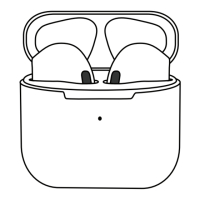
AIRBUDZ II
WHAT’S INCLUDED:
1 CHARGE YOUR AIRBUDZ II
Fully charge before using the first time using the
supplied cable or a wireless charger (not included).
i
.
USB-C
Charging Port
QUICK START GUIDE
Question and Answer IconNeed help?

Do you have a question about the fuse AIRBUDZ II and is the answer not in the manual?

Summary

Fuse 24 Month Warranty

Fuse Airbudz II Quick Start Guide

Charge Your Airbudz II

Instructions to fully charge the earbuds before first use with the supplied cable or wireless charger.

Connect Your Airbudz II

Guide to pairing the earbuds with your phone via Bluetooth settings.

Use Your Airbudz II

Details on touch controls for playback, calls, and voice assistant functions.

Download User Manual

Instructions to scan a QR code to access the full user manual for assistance.

Overview

The Fuse Airbudz II are wireless earbuds designed for a seamless audio experience. They come with a 24-month warranty, ensuring replacement of faulty products at no cost to the consumer. This warranty covers the product for 24 months from the date of purchase and requires the consumer to return the faulty product to the retail store with proof of purchase. The warranty does not extend to consequential damages or costs incurred.

Warranty Providers:

  • Australia: Pacific Optics, 18 Taree St, Burleigh Heads, QLD 4220. Telephone: (07) 5593 4222. Email: info@fuseaudio.com.au.
  • New Zealand: Signature Marketing NZ Ltd, 25a Triton Drive, Rosedale, Auckland 0632. Telephone (NZ): (09) 479 5524. Email (NZ): sales@signaturenz.com.

The benefits provided under this warranty are in addition to other rights and remedies available to consumers under Australian laws. The product includes guarantees that cannot be excluded under the Australian Consumer Law, entitling consumers to a replacement or refund for major failures and compensation for foreseeable loss or damage. Consumers are also entitled to repair or replacement if the goods fail to be of acceptable quality and the failure does not constitute a major failure.

Key Features and Usage:

Charging:

Before first use, the Airbudz II must be fully charged. This can be done using the supplied USB-C cable or a wireless charger (not included). The charging case features battery indicator lights displaying charge levels: 25%, 50%, 75%, and 100%.

Connectivity:

To connect the earbuds:

  • Remove the earbuds from the rechargeable case.
  • Turn on Bluetooth in your phone's settings.
  • Select "Fuse Airbudz II" from the list of available Bluetooth devices.

Touch Controls:

The earbuds feature intuitive touch controls for various functions:

  • Play/Pause: Tap on either the left (L) or right (R) touch control.
  • Volume Down: Tap and hold the L touch control.
  • Volume Up: Tap and hold the R touch control.
  • Previous Track: Double tap on the L touch control.
  • Next Track: Double tap on the R touch control.
  • Activate Voice Assistant: Triple tap on the L or R touch control.
  • Answer/Hang Up Call: Tap on the L or R touch control.
  • Reject Incoming Call: Double tap on the L or R touch control.

Design and Components:

The Airbudz II feature a sleek design with interchangeable ear tips for a comfortable and secure fit. Each earbud includes a microphone for calls and voice assistant interaction.

User Manual:

For the most up-to-date assistance and detailed instructions, a full User Manual can be downloaded by scanning the provided QR Code.

The Fuse Airbudz II are designed for convenience and high-quality audio, backed by a comprehensive warranty and user-friendly features.

fuse AIRBUDZ II Specifications

General IconGeneral
Brandfuse
ModelAIRBUDZ II
CategoryHeadphone
LanguageEnglish

Related product manuals