Installation ___________________________ 7
Wiring diagram _______________________ 8
Trouble shooting ______________________ 9
Specifications ________________________ 10
2
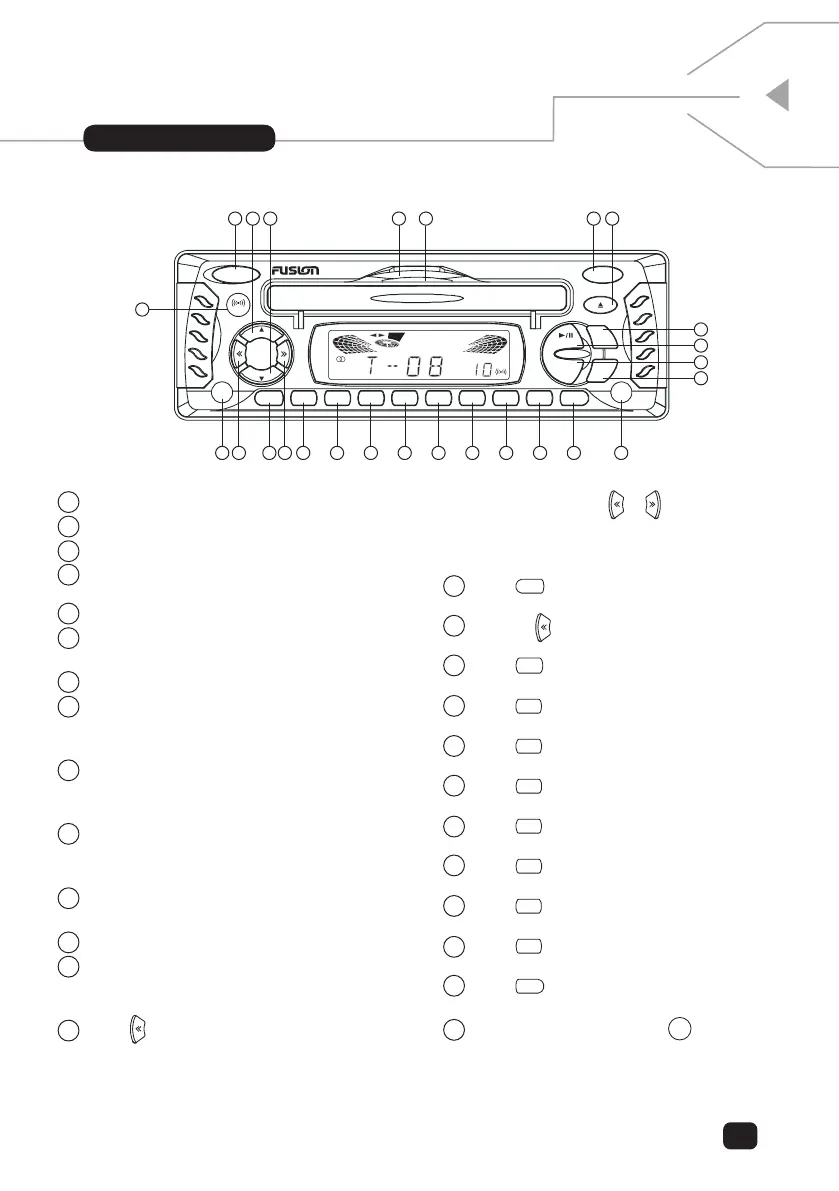
1 power: Main Power ON/OFF Key.
2 vol up: Master Volume Increase Key.
3 vol down: Master Volume Decrease Key.
4 reset: Master RESET button behind the fold
down waterproof CD Loader Door.
5 Latch to Open the Waterproof CD Loader Door.
6 mode: Press to change Listening MODE.
RADIO, CD, AUX or CD Changer (optional).
7 eject: Press to eject the CD if loaded.
8 sel: Press to enter the audio adjustment menu,
VOL, BAS, TRE, BAL and FAD Settings. Adjust
Using Volume the VOL UP/DOWN Keys.
9 loud (dimmer): Short Key Press for LOUD
ON/OFF Function or 3 Second Long Key for
DIMMER ON/OFF.
10 play/pause (mute): In CD Mode press to
PLAY or PAUSE the CD. In RADIO and AUX
Mode Press to Mute the Sound.
11 band: In Radio mode press to select which
Radio Band (FM1, FM2, FM3, MW1 and MW2).
12 disp: Press to momentarily display the time.
13 scan: Press to SCAN for the best Radio
Stations, once found the until will pause for 5 secs
then continue to the next strongest.
14 Press automatically SCAN in reverse for a
station. Press and hold for 3 seconds until “MAN”
appears in the screen to indicate manual SCAN
mode. Then use the
or buttons to search for
a station. If no button is press within 5 seconds then
“AUTO” will be displayed and automatic scanning
mode will resume.
15 Press
to RECALL Preset 1, 3 second press to
STORE into Preset 1.
16 Same as scanning direction but in the forward
direction.
17 Press
in radio mode to recall a preset
station or press for 3 seconds to store a preset.
18 Press
in radio mode to recall a preset
station or press for 3 seconds to store a preset.
19 Press
in radio mode to recall a preset
station or press for 3 seconds to store a preset.
20 Press
in radio mode to recall a preset
station or press for 3 seconds to store a preset.
21 Press
in radio mode to recall a preset
station or press for 3 seconds to store a preset.
22 Press
in radio mode to recall a preset
station or press for 3 seconds to store a preset.
23 Press
in radio mode to recall a preset
station or press for 3 seconds to store a preset.
24 Press
in radio mode to recall a preset
station or press for 3 seconds to store a preset.
25 Press
in radio mode to recall a preset
station or press for 3 seconds to store a preset.
26 as/ps (elapse): Press
for 3 seconds
to commence Auto Store proceedure. See Page 4
for more information.
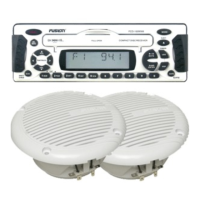
unit layout


 To Next Page