Need help?
Do you have a question about the Fusion5 FWIN232 and is the answer not in the manual?
Steps to turn the tablet on and off.
Instructions for connecting Bluetooth accessories.
Steps for setting up and signing in with a Microsoft account.
Managing passwords, PINs, and sign-in methods.
Solutions for when the device fails to start up.
Procedures for unresponsive states and overheating.
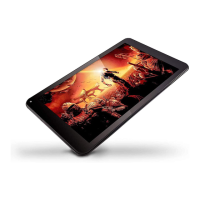
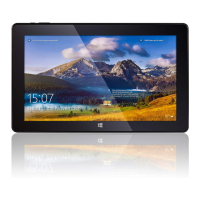
This document serves as a user manual for the FWIN232 TABLET PC, a portable device designed to offer both tablet and laptop functionalities. It emphasizes micro-mobility and direct interaction through touch input, along with wireless connectivity via Wi-Fi and Bluetooth, catering to both study and entertainment needs.
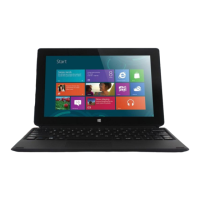
The FWIN232 TABLET PC is a versatile device that operates on the Windows platform. Its primary function is to provide a flexible computing experience, allowing users to switch between a tablet and a laptop form factor as needed. This is achieved through an optional docking keyboard, which transforms the tablet into a laptop. The device supports various applications and programs, including Windows Store apps like Music, Mail, and Weather, as well as desktop apps such as Notepad and Office. Users can access these applications through the Start screen, search function, or by creating shortcuts on the desktop and pinning them to the taskbar.
The tablet's core operations include turning the device on and off, which can be done by pressing and holding the power button or through the Windows interface. It supports external storage expansion via TF/Micro SD™ cards, with capacities ranging from 128MB to 128GB. The manual provides clear instructions on how to install and remove these storage cards, emphasizing the importance of unmounting the SD card before physical removal to prevent data loss.
Connectivity is a key feature, with built-in Wi-Fi for wireless network access and Bluetooth for connecting to other devices. The manual guides users through finding their wireless network password, whether it's on the router hardware or through a Windows PC that is already connected. For Bluetooth, it explains how to make the device discoverable, search for devices, and complete the pairing process, including handling pairing codes.
Account management is also detailed, covering new account setup and sign-in using a Microsoft account. Users can create multiple user accounts, including Administrator, Standard User, or Child accounts, and leverage Family Safety features to manage children's device usage, setting limits on websites, apps, and games. The manual also describes how to unlock and sign in to the device, and how to create or change passwords, including options for Picture password and PIN.
The FWIN232 TABLET PC offers a rich interactive experience through its touchscreen and optional keyboard.
Docking Keyboard: The docking keyboard is an optional accessory that enhances the device's versatility. To use it, the cover is opened with the docking pin connector facing upward. The tablet is then gently aligned with the two notches and the pin with the docking connector until a snap or click is heard, indicating a secure connection. The cover can be folded to create a stand for the tablet, ensuring a good magnetic contact. It is recommended to use the tablet and docking keyboard on a flat horizontal surface to prevent damage.
Gestures: The device supports a variety of touch gestures for intuitive navigation and interaction:
Troubleshooting: The manual includes a troubleshooting section to address common issues:
Proper maintenance ensures the longevity and optimal performance of the FWIN232 TABLET PC.
Safety Notice: The manual provides crucial safety guidelines:
Cleaning Procedures: The manual outlines safe cleaning practices:
 General
| Operating System | Windows 10 |
|---|---|
| Screen Size | 10.1 inches |
| RAM | 2 GB |
| Internal Storage | 32 GB |
| Screen Resolution | 1280 x 800 pixels |
| Rear Camera | 2 MP |
| Front Camera | 2 MP |
| Battery Capacity | 6000 mAh |
| Display Type | IPS LCD |
| Connectivity | Wi-Fi, Bluetooth |
| Expandable Storage | Yes, up to 128GB |
| Ports | Micro USB, 3.5mm headphone jack |

 To Next Page