123
< Modelmenu(CommonFunctions) >
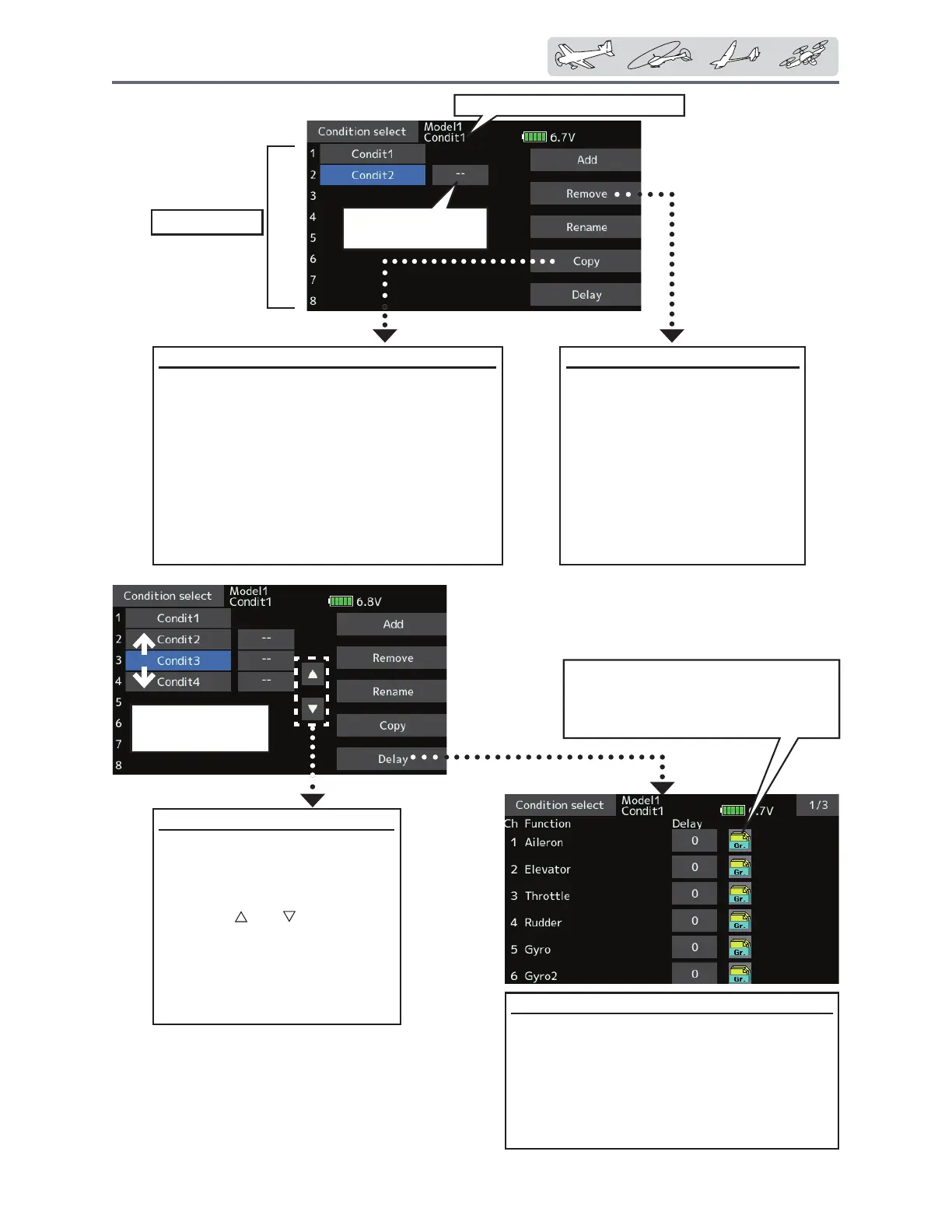
ConditionsList
Currentlyselectedconditionname
&RQGLWLRQ&RS\
7DSWKH>&RS\@EXWWRQ7KH&RS\VFUHHQ
appears.
2. Select the condition by tapping the button
of the copy source conditions.
3. Next, select the condition by tapping the
copy destination condition.
7DSWKH>&RS\@EXWWRQ
5. When the [Yes] button is tapped, the data
is copied. (To abort copying, tap the [No]
button.)
&RQGLWLRQ5HPRYH
1. Select the condition by
tapping the condition you
ZDQWWRUHVHWLQ&RQGLWLRQV
List.
2. Tap the [Remove] button.
3.
When the [Yes] button is
tapped, the condition is
reset. (To abort resetting, tap
the [No] button.)
3ULRULW\FKDQJH
1. Tap the condition whose
priority you want to change
LQ&RQGLWLRQV/LVW
&KDQJHWKHSULRULW\ZLWKWKH
priority [
] or [ ] button. (The
last condition has the highest
priority.)
*The initial setting condition
cannot be moved. It has the
lowest priority.
Lastconditionhas
thehighestpriority
&RQGLWLRQGHOD\VHWWLQJ
1. Switch to the condition you want to set.
7DSWKH'HOD\EXWWRQRIWKHFKDQQHO\RX
want to set.
3. Use the value input buttons to set the delay.
ŏ,QLWLDOYDOXH
ŏ$GMXVWPHQWUDQJHaPD[LPXPGHOD\
● Group/singlemodeswitching(Gr./Sngl)
(Foradescriptionoftheoperation
method,seethedescriptionatthe
backofthismanual.)
TheON/OFFswitchof
conditionischosen.


 To Next Page
 Loading...











