22
< BeforeUse >
ŷƒƘƆƋŃųƄƑƈƏ
ūŲŰŨŒŨŻŬŷŃƄƑƇŃŸőŰŨűŸŒŰŲűőŃ
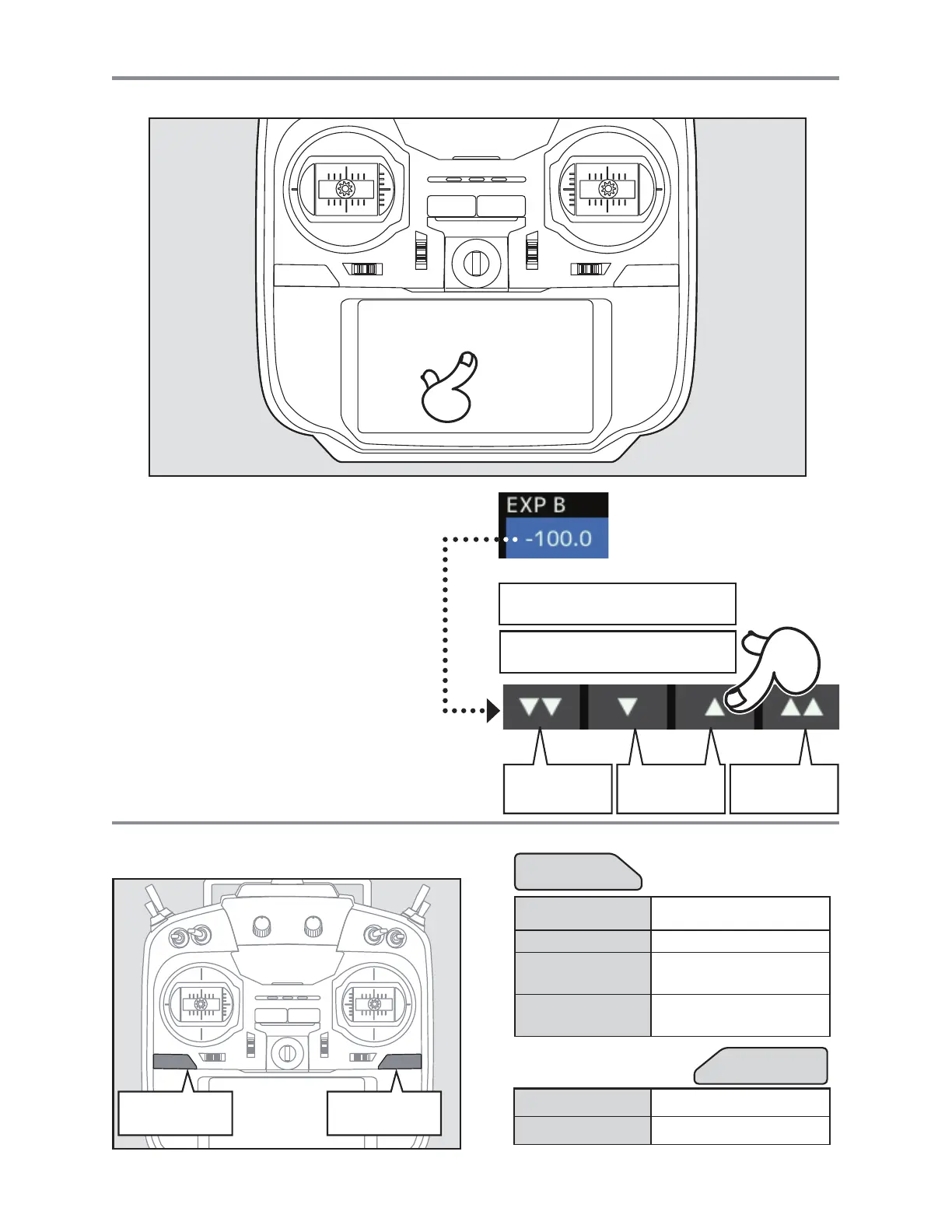
HOME/EXIT
Button
U.MENU/MON.
Button
7DSWKHSDQHOZLWK\RXUILQJHUWRHQWHU
data.
3ODVWLF¿OPLVDWWDFKHGWRWKH7RXFK3DQHO3OHDVH
be careful so that you don't scratch the Touch Panel
ZLWKDQ\WKLQJKDUGVXFKDVDPHWDOREMHFW'RQW
SXVKWKH7RXFK3DQHOZLWKH[FHVVLYHIRUFHRUGURS
anything on the panel.
$OWKRXJK\RXPD\¿QGVRPHDLUEXEEOHVXQGHUWKH
plastic panel due to environmental changes such
DVWHPSHUDWXUHLWLVQRWDGHIHFWDQGZLOOFDXVHQR
problems.
&RORU/('LVPDGHIURPPDQ\SL[HOV6RPH
pixels hold lighting. Moreover, some pixels go out.
And a screen may flicker. Such condition is the
FKDUDFWHULVWLFVRIFRORU/(',WLVQRWIDLOXUH
Press Tousermenudisplay
Pressandhold Toservomonitordisplay
HOME/EXIT
U.MENU/MON.
Press
Returntotheprevious
screen
Pressandhold Returntothehomescreen
PressfromHOME
screen.
ToTelemetrydisplay
Pressandholdfrom
HOMEscreen.
Panellock/Lockrelease
Tappingthesettingsbuttonsfor
eachvalueonthesettingsscreen
willcausevalueinputbuttonsto
appearatthetopofthepanel.
Valueinputbuttonsdisplayatthe
topofthepanel.
Pressingandholdingavaluewill
returnittoitsdefaultsetting.
Smallchange
invalue
Largechange
invalue
Largechange
invalue



 To Next Page