23
< BeforeUse >
ųƄƑƈƏŃƏƒƆƎ
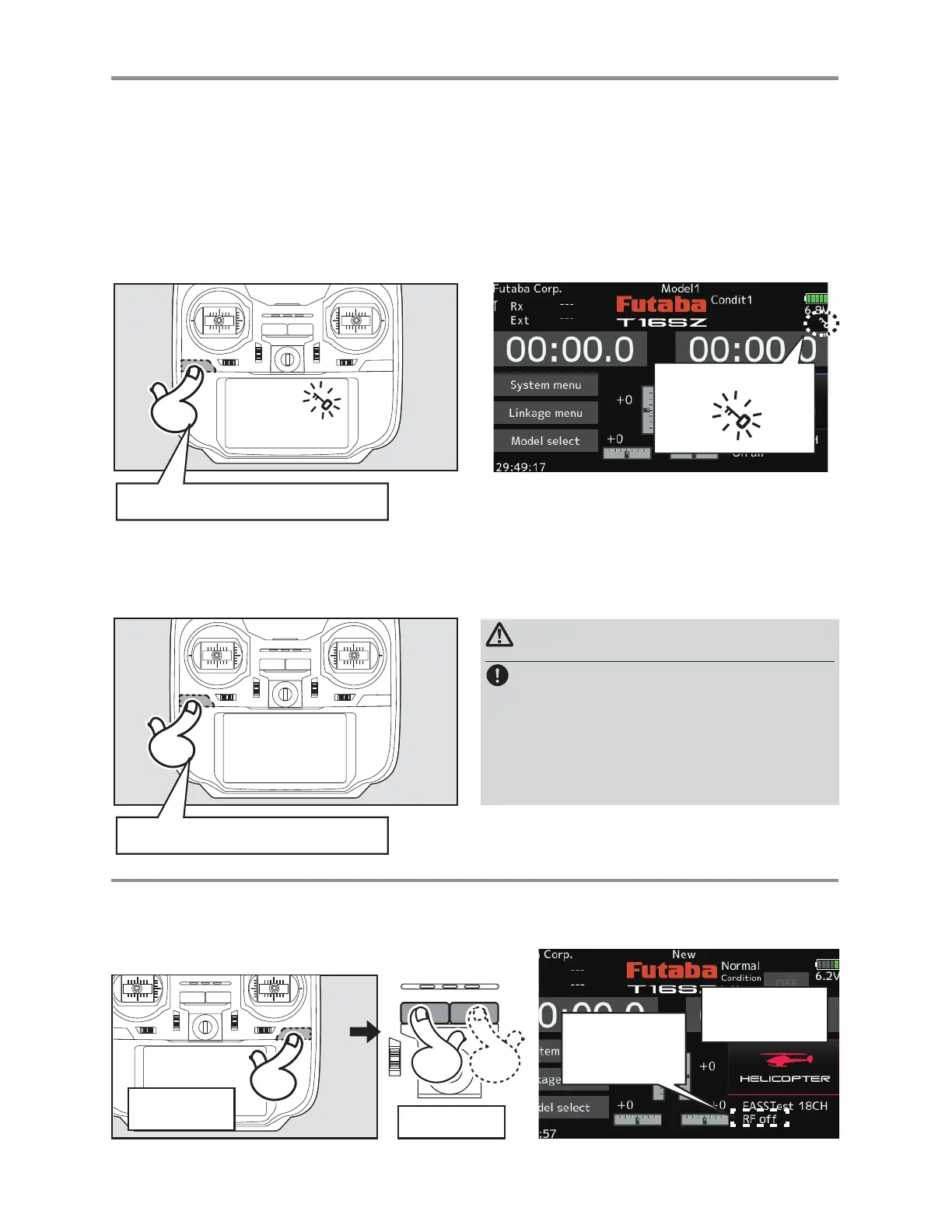
Temporarily activating this function makes it impossible to change data by mistakenly touching keys
GXULQJÀLJKW
ŵũŃƒȭŃƐƒƇƈ
0RGHORSHUDWLRQLVQRWSRVVLEOHEXWSDQHORSHUDWLRQZLWKRXW5)VLJQDOWUDQVPLVVLRQLVDOORZHG
5HGXFHVEDWWHU\SRZHUFRQVXPSWLRQGXULQJVHWXS
Panellock
Panelunlock
HOME/EXITPressandhold
Restartthepower
totransmitRF
signals.
"RFoff"Model
operationisnot
possible,butonly
paneloperationis.
U.MENU/MON.
Pressand
PowerON
ŃůƒƆƎŃŧƌƖƓƏƄƜ
How to lock
How to unlock
1. The home screen is displayed.
2. Press the HOME/EXIT button for about 1
second. "Key mark" is displayed and the
keys disabled.
1. Press the Home/Exit button for about 1
second, and the panel will then become
unlocked.
HOME/EXITPressandhold
CAUTION
TheT16SZ'stouchscreenisverysensitive.To
avoidaccidentallyactivatingitduringaflight,it
issuggestedthatitbelocked.Duetothetouch
screen'ssensitivity,allowingittobetouched
duringflightbyaneckstraphook,servoextension,
orevenyourhandcouldbedangerous.Pleaseuse
theTouchPanellockforaddedsafetyduringflight.



 To Next Page