EasyManua.ls Logo

Future Call FC-0613 - User Manual

Future Call FC-0613
9 pages
Print Icon
To Next Page IconTo Next Page
Loading...
FUTURE CALL
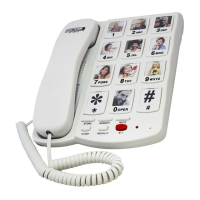
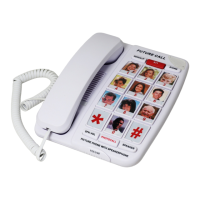
PICTURE PHONE WITH ONE TOUCH DIALING
MODEL: FC-0613
USER MANUAL
Please follow instructions for repairing if any otherwise do not alter or repair any
parts of device except specified.
IMPORTANT SAFETY INSTRUCTIONS
{
Before using your telephone equipment, basic safety precautions should always
be followed to reduce the risk of fire, electric shock and injury to persons including
the following:
{
1. Read and understand all instructions.
{
2. Follow all warnings and instructions marked on the product.
{
3. Unplug this product from the wall outlet before cleaning. Do not use liquid or
aerosol cleaners. Use a damp cloth for cleaning.
4. Do not use this product near water, for example, near a bath tub, wash bowl,
kitchen sink, or laundry tub, in a wet basement or near a swimming pool.
{
5. Do not place this product on an unstable cart, stand, or table. The product may
fall causing serious damage to the product.
{
Question and Answer IconNeed help?

Do you have a question about the Future Call FC-0613 and is the answer not in the manual?

Summary

User Manual

Important Safety Instructions

General Safety Precautions

Key safety precautions to reduce the risk of fire, electric shock, and injury.

Installation

Coil Cord Connection

How to connect the coil cord to the phone and handset.

Line Cord Connection

How to connect the line cord to the base unit and wall jack.

Operation

Last Number Redial;Pause Feature

Remembers and redials the last number dialed. Also functions as a pause key.

Ringer Switch

Adjusts ringer volume to High, Low, or Off.

Handset Volume Control

Adjusts received speech volume to VHI, HI, or MED.

Store ON-OFF Switch

Enables or disables storing memory numbers to prevent accidental input.

Normal;One Touch Dialing Switch

Switches between normal dialing and one-touch dialing modes.

Flash Key Function

Obtain a new line for dialing errors or answer call waiting.

Mute Key Function

Temporarily mutes the handset microphone during a call.

Store Key Function

Used for storing telephone numbers into memory.

Memory Feature

Programming Memory Numbers

Step-by-step guide for programming frequently dialed numbers.

Retrieving Memory Numbers

Instructions for retrieving stored numbers in Normal or One Touch mode.

Inserting Pictures

Guide to inserting custom pictures into memory key slots.

Consumer Information

FCC Compliance and REN

Details on FCC rules, product identifier, and REN for telephone line devices.

Telephone Network Service

Information on potential service changes and user rights regarding network issues.

Troubleshooting and Repair

Guidance on disconnecting equipment and authorized repair procedures.

Service and Warranty

Customer Support Hotline

Contact information for assistance, general inquiries, and warranty service.

Limited Warranty Terms

Details on product warranty, exclusions, and user rights.

Future Call FC-0613 Specifications

General IconGeneral
TypeCorded Phone
Volume ControlYes
ColorWhite
Hearing Aid CompatibleYes
Extra Loud RingerYes
RedialYes
Power SourceAC Adapter
FeaturesBig Button
Amplified HandsetYes

Related product manuals