If you're unable to pair the camera,
Please check below suggestions:
How to reset camera:
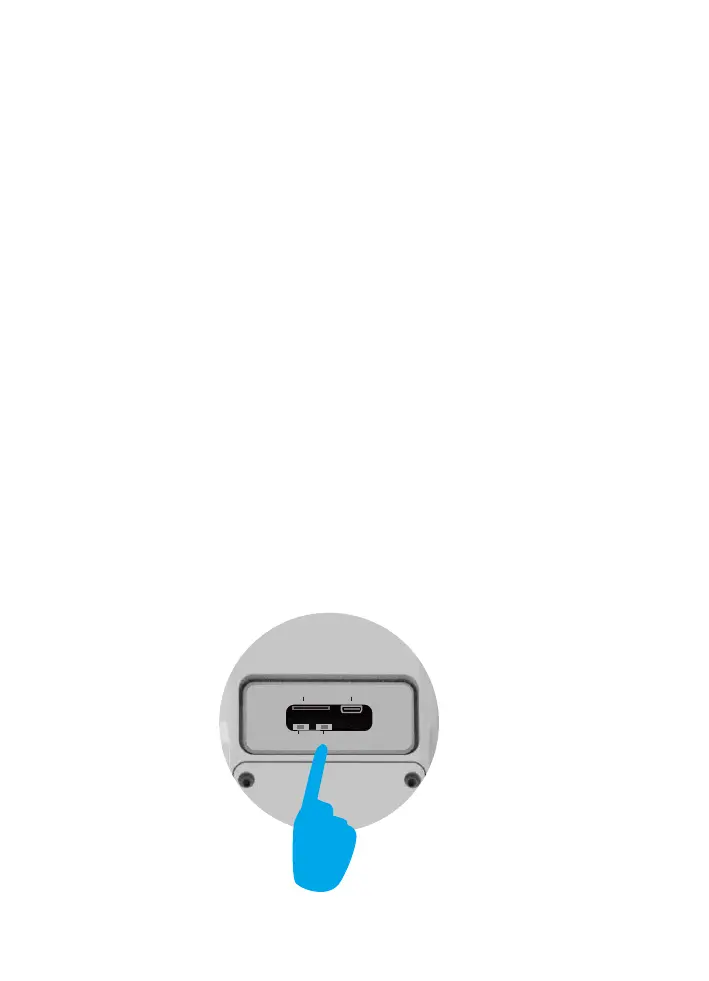
1.Please reset the camera (using the pin to reset the camera)
to default after you fully charged the camera.
2.Please turn up your phone volume to the maximum,since
the camera pair through sound wave.
3.Please put the camera,phone as near as to your router
(within 1.5 feet) to get a strong wifi signal strength.
4.Please click on the eye icon when you input your router wifi
password to make sure your wifi password CORRECT.
5.Please make sure your router setting is DHCP enabled,
otherwise your router will not send out WiFi signal for any
wireless device for pairing up.
Press and hold on the reset button for 7 seconds to reset the
device. Don’t release the button until you hear the voice"Di",
then you will hear "system reset".
TF
DC/5V
APP/WIFI
RST


 To Next Page