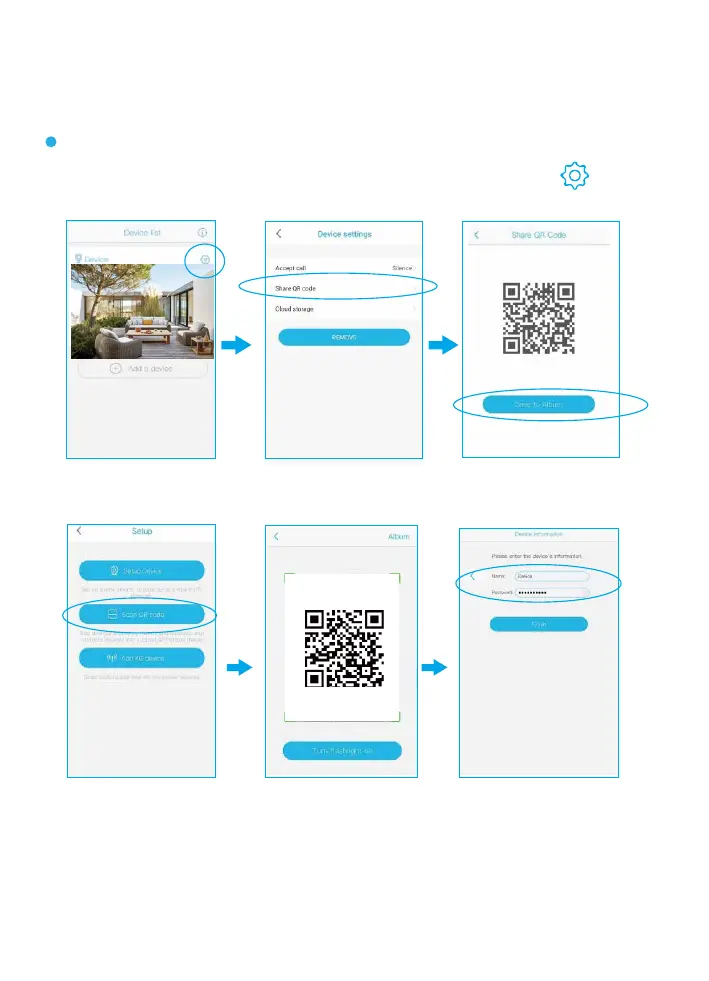
4.How to Share Your Camera And
Password with More Users
After you finish the connection with the App, click and
choose “Share QR code” .
Other users need to download the App first, and then scan
the below QR code.
Note:
1.Your camera password can be seen by the invited users,but they can
not modify it.
2.The invited users can change all the camera settings,so the camera
will work as per the last change made on the settings among all users.
3.If your camera does not work as you set before,please check
the settings from the invited users’ device.
Share QR code


 To Next Page