Original Bedienungsanleitung FUXTEC FX-IG13_de_en_fr_ita_rev04
30
16.3 Engine oil change
Switch off the machine before starting the engine oil change!
Drain the used oil quickly and completely while the engine is still warm.
For the purposes of environmental protection fill the oil in tight containers and dispose
the oil in a recycling center. Do not dispose it with household waste
•
Loosen the engine oil drain access cover screw and remove
the cover
•
Put a suitable container under the generator
•
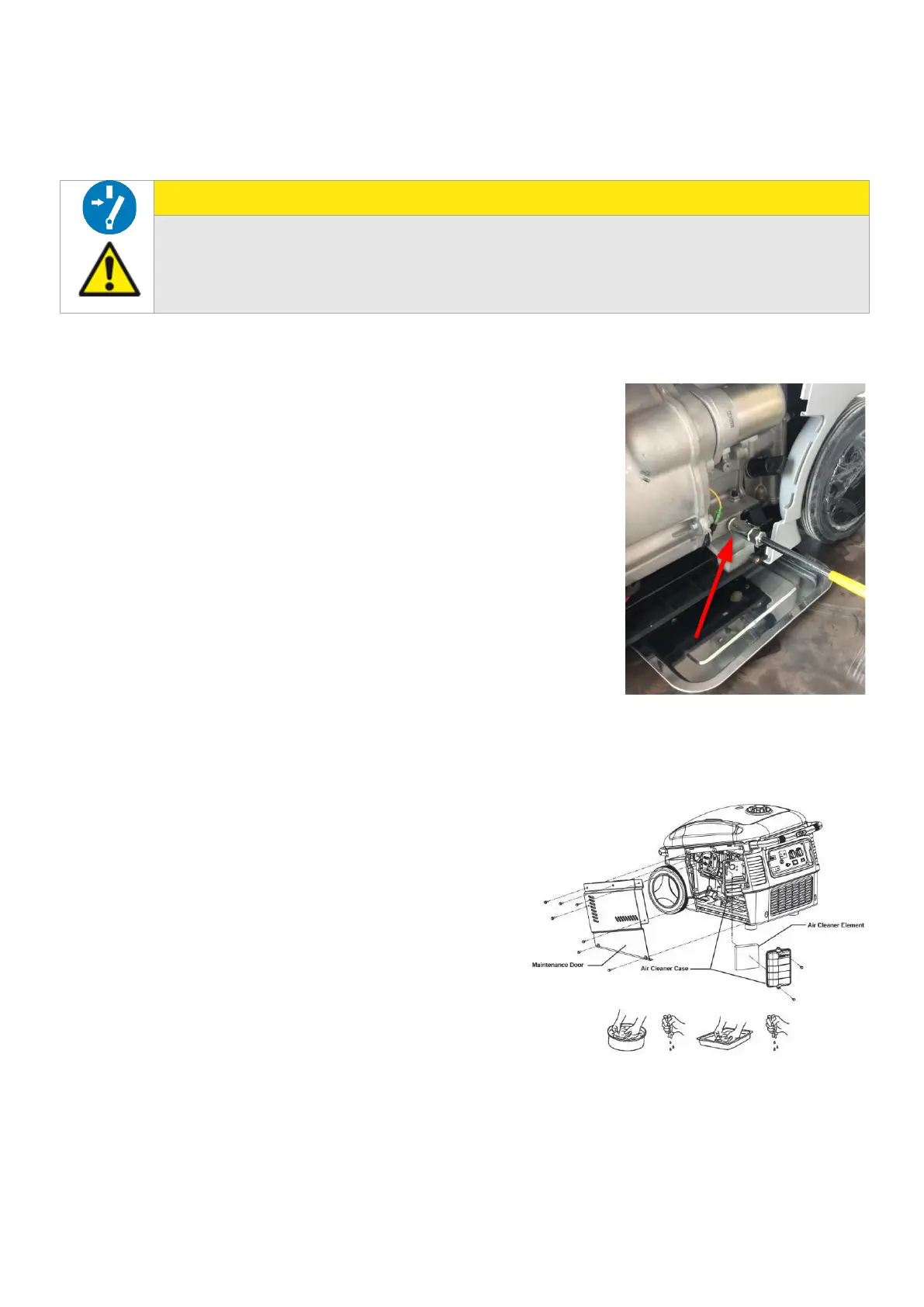
Open the screw (see image) to drain the old oil.
•
Drain the oil into the container
•
Close the screw after draining
•
Put the cover back and fix it with the screw
•
Loosen the screws of the engine oil filling opening and
remove the cover.
•
Unscrew the dipstick
•
Fill in new engine oil (15W40, 520ml) and check the oil level
with the dipstick
•
At the correct level (FULL) screw in the dipstick again and
close the cover again with the screws
•
Remove any oil residues with a rag
16.4 Air filter
•
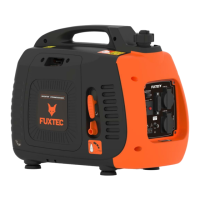
Loosen the right maintenance door screws and
remove the cover
•
Loosen the air cleaner case screws and remove
the air cleaner case
•
Remove the air cleaner
•
Clean the air filter with soapy water, then rinse
with clear water and let it dry thoroughly before
reassembling
•
Reassemble the air cleaner in reverse order


 To Next Page