Section 20 00-02-0185
2016-05-16 - 6 -
Sensitivity Adjustment
WARNING: REMOVE ALL POWER BEFORE OPENING THE
ENCLOSURE. IT IS YOUR RESPONSIBILITY TO HAVE A QUALIFIED
PERSON PERFORM ADJUSTMENTS AND MAKE SURE IT CONFORMS
TO NEC AND LOCAL CODES. DO NOT ADJUST SENSITIVITY WHILE
THE MACHINE IS RUNNING. STAND CLEAR OF THE MACHINE AT
ALL TIMES WHEN IT IS OPERATING.
All models of the VS2 and VS94 Series cover a wide range of sensitivity. Each model is
adjusted to the specific piece of machinery on which it is installed in a satisfactory location.
NOTE: The sensitivity of this device is affected by extreme temperatures.
Some adjustment may be necessary in extreme environments.
The sensitivity adjustment will be increased or decreased so that the switch does not trip
during start up or under normal operating conditions. Some machinery experiences a shock on
start up. Remote reset versions are available to hold the switch in reset during equipment start
up. This allows a more sensitive setting of the switch; however, it is not always practical.
Instructions are given for adjusting sensitivity to not trip on start up. This is typically done as
follows:
1. Replace all covers, lids and electrical enclosures.
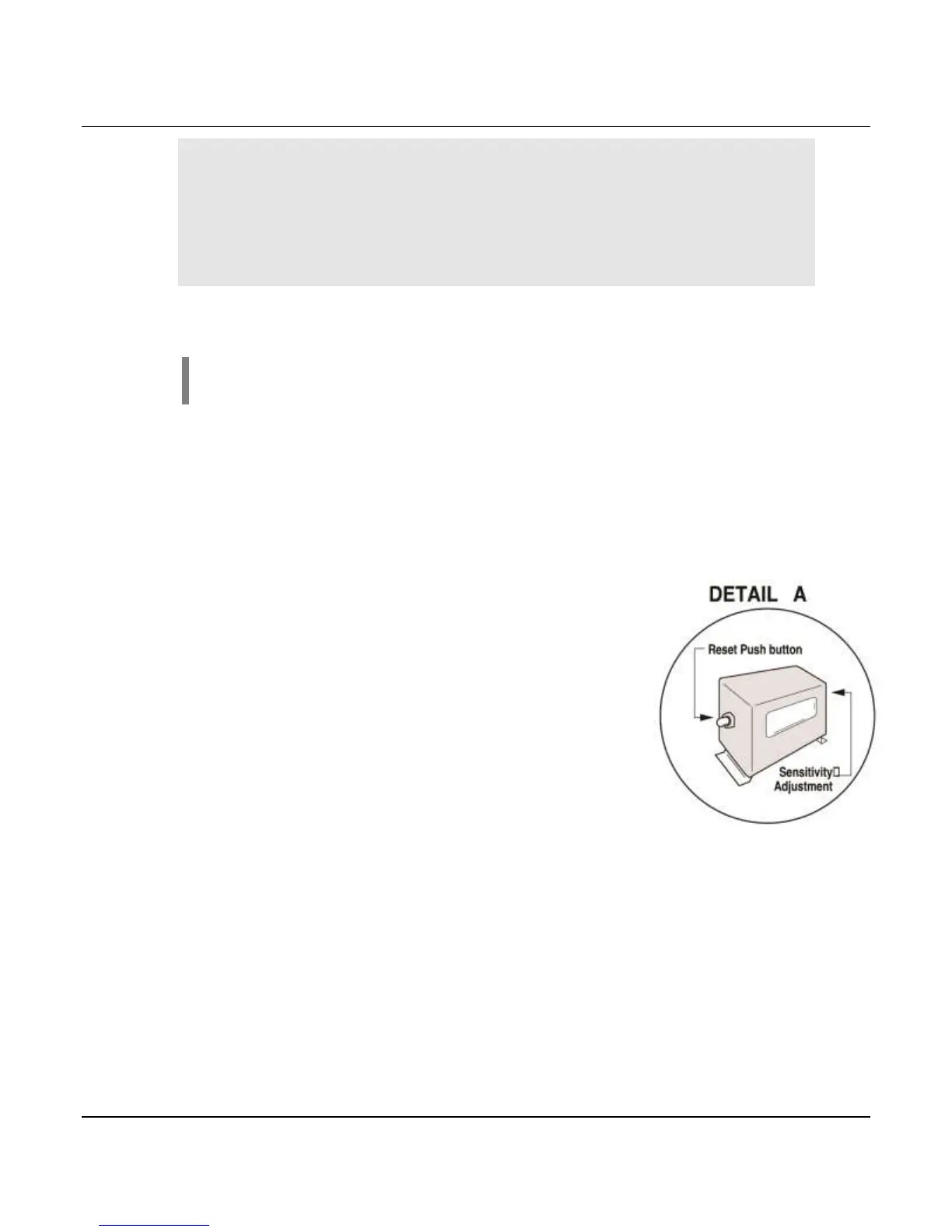
2. Press the reset push button to engage the magnetic latch.
To be sure the magnetic latch has engaged, observe latch
through the window on the VS2 and VS2C
(see DETAIL A).
On the VS2EX, VS94 Series the reset button remains
depressed meaning the magnetic latch has engaged.
3. Start the machine.
4. If the instrument trips on start up, allow the machine to
stop. Turn the sensitivity adjustment ¼ turn clockwise,
(adjustment for VS94 and VS2EXRB models is located
within the box, see DETAIL B).


 To Next Page