Need help?
Do you have a question about the FXA 501915307 and is the answer not in the manual?
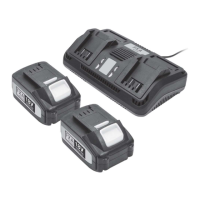
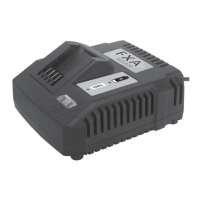
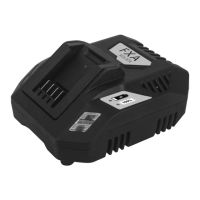
The FXA 80V Lithium-Ion Battery Charger, model 501915307/ZE80C2, is designed for recharging SMILODON 80V Lithium-Ion Batteries. This charger is intended for household use and offers a straightforward interface with LED indicators to communicate its operational status and the battery's charge level.
The primary function of this device is to safely and efficiently charge 80V Lithium-Ion batteries. It converts AC input power to DC output power suitable for the battery, ensuring proper voltage and current delivery for optimal charging. The charger incorporates status indicator lights to provide visual feedback on the charging process and any potential issues. It is crucial to use this charger exclusively for SMILODON 80V Batteries and never attempt to charge non-rechargeable batteries, as this could lead to damage or injury.
The FXA 80V Lithium-Ion Battery Charger operates within standard electrical parameters and is designed for specific battery types.
These specifications ensure compatibility with typical household electrical outlets in regions using 230V AC and 50-60Hz frequency. The charger's output is specifically tailored for 80V Lithium-Ion batteries, delivering a steady 2.5A current for a full charge within approximately 60 minutes.
The charger is designed for ease of use, with clear indicators for different operational states.
Initial Setup: To begin, plug the charger into a standard AC outlet (220-250V). The power cord can be adapted to suit local power sockets if necessary.
Battery Insertion: Insert the battery into the designated slots on the charger. Slide the battery into place until it securely locks.
Status Indicator Lights: The LED lights on the charger provide essential information about its status and the battery's charge:
Charging Process: Once the battery is correctly inserted and the charger is plugged in, the LED will flash green, indicating that charging has commenced. When the battery is fully charged, the LED will turn steady green.
Battery Removal: To remove the battery, press and hold the latch button while sliding the battery out of the charger. It is recommended to remove the battery once it is fully charged and not leave it on the charger indefinitely.
Important Usage Notes:
Proper storage of both the charger and battery is crucial for their longevity and performance.
Long-Term Storage (Charger and Battery):
By adhering to these usage and maintenance guidelines, users can ensure the safe and effective operation of the FXA 80V Lithium-Ion Battery Charger and prolong the life of their batteries.
 General
| Brand | FXA |
|---|---|
| Model | 501915307 |
| Category | Battery Charger |
| Language | English |


 To Next Page