EasyManua.ls Logo

FXA FXADL137218 G2 - User Manual

FXA FXADL137218 G2
34 pages
Print Icon
To Next Page IconTo Next Page
Loading...
502600881 FXADL137218 G2
Instruction manual (Original instructions) GB pg 4-7
Käyttöohje (Alkuperäisten ohjeiden käännös) FI pg 8-11
Bruksanvisning (Översättning av originalinstruktionerna) SE pg 12-15
Bruksanvisning (Oversettelse av de opprinnelige instruksjonene) NO pg 16-19
Kasutusjuhend (Tõlgitud originaaljuhendist) EE pg 20-23
Instrukcija
(Tulkojums no oriģinālvalodas) LV pg 24-27
Naudojimo instrukcija (Vertimas originali instrukcija) LT pg 28-31
Question and Answer IconNeed help?

Do you have a question about the FXA FXADL137218 G2 and is the answer not in the manual?

Overview

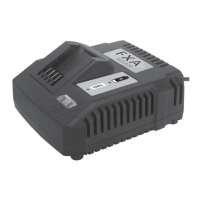
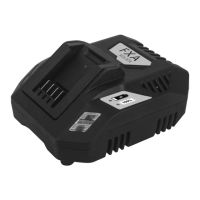
This document describes the FXA XCLICK 18V Lithium-Ion Cordless System charger, model FXADL137218 G2. It provides essential information for safe and effective use, maintenance, and disposal of the charger.

Function Description

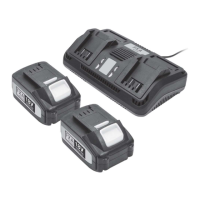
The FXA XCLICK 18V Lithium-Ion Cordless System charger is designed to recharge FXA XCLICK 18V lithium-ion battery packs. It is intended for domestic use and is not suitable for commercial or professional applications. The charger ensures optimal battery performance through a specific charging procedure that includes conditioning new batteries.

Important Technical Specifications

  • Model: FXADL137218 G2
  • Input Voltage: 220-240V~50Hz, 150W
  • Output Voltage: DC 21V, 6A
  • Compatible Batteries:
    • FXAJDB517418 2.0Ah
    • FXAJDB517518 4.0Ah
    • FXAJDB519418 G2 2.0Ah
    • FXAJDB519518 G2 4.0Ah
    • FXAJDB519520 G2 5.0Ah
    • FXAJDB519218 G2 8.0Ah
  • Charging Times (approximate):
    • 2.0Ah battery: 46-60 minutes
    • 4.0Ah battery: 66-130 minutes
    • 5.0Ah battery: 75 minutes
    • 8.0Ah battery: 106 minutes
  • Indicators: Red LED (charging in progress), Green LED (fully charged).
  • Safety Standards: Conforms to relevant safety standards (CE, RoHS).
  • Insulation: Double insulated for additional protection.
  • Operating Temperature: Thermal link with operating temperature 130°.
  • Intended Use: Indoor use only.

Usage Features

Charging Procedure:

  1. Initial Charge: For new NiCad and/or Li-Ion batteries, fully discharge the battery, then charge it for the time specified in the product manual plus an additional 30 minutes. Repeat this full discharge and full charge cycle once more. This conditioning process equalizes cell voltages and ensures optimal battery operation.
  2. Connecting the Charger: Plug the charger into a standard 230V~50Hz mains socket. The green LED on the front left side of the charger will illuminate.
  3. Inserting the Battery: Place the battery pack into the charger base. The battery has raised ribs, ensuring it fits in only one way.
  4. Charging Indication: The red LED on the front right side of the charger will illuminate to indicate that charging is in progress. Once the battery is fully charged, the green LED will illuminate.
  5. Cooling Down: When charging multiple batteries consecutively, allow the charger to cool down for at least 30-45 minutes between charges. If a battery has been discharged during heavy use, allow it to cool for 30-45 minutes before charging.
  6. Storage: Unplug the charger when not in use and store it in a suitable storage cabinet. Always remove the battery pack and store it safely when the tool is not in use.
  7. Environmental Conditions: Avoid charging in freezing conditions as charging power will be insufficient. The charger should be used indoors in a well-ventilated area, placed on a non-combustible surface, and its ventilation slots must not be blocked. Avoid storing or operating the charger in temperatures exceeding +40°C, near heat sources, or in closed cupboards, as this can lead to heat accumulation and damage.
  8. Safety Precautions:
    • Only charge FXA XCLICK lithium-ion rechargeable batteries with this charger. Other battery types may burst.
    • Do not use the charger outdoors or expose it to wet/damp conditions.
    • Ensure the mains cable and plug are undamaged before use.
    • Do not use the device if it has suffered heavy shock or jolting, or is otherwise damaged.
    • Do not operate the charger on combustible surfaces or in an inflammable environment due to heat generated during charging.
    • Do not cover ventilation slits.
    • Never disassemble the device yourself.
    • Pull the plug from the socket when not in use or when cleaning.
    • If no LEDs are lit during charging, remove the battery pack to prevent damage and do not insert another battery.

Maintenance Features

General Maintenance:

  • Service, testing, and repairs should only be carried out by authorized service centers.
  • Periodically clean the ventilation slots on the motor casing.
  • If the unit becomes defective, repairs must be performed by an authorized service agent.
  • When cleaning plastic parts, avoid using solvents. Most plastics are susceptible to damage from various commercial solvents. Use clean cloths to remove dirt, dust, oil, and grease.
  • Warning: Do not allow brake fluids, gasoline, petroleum-based products, penetrating oils, etc., to come into contact with plastic parts, as chemicals can damage, weaken, or destroy plastic, potentially leading to serious personal injury.

Storage:

  • Store the charger in a cool, dry place between 10°C and 25°C.
  • It is not recommended to leave the charger in a cold works van overnight.
  • Ensure no metal filings or swarf can fall into the vents during storage, as this may cause serious injury when the charger is next used.

Disposal:

  • This product should not be disposed of with household waste.
  • For environmentally responsible disposal, take the product to a local waste recycling center or other authorized collection facility.
  • Consult local waste authorities for information on available recycling and disposal options.
  • For business users in the European Union, contact your dealer or supplier for disposal information.
  • For disposal outside the European Union, contact local authorities or the dealer for the correct method.

FXA FXADL137218 G2 Specifications

General IconGeneral
BrandFXA
ModelFXADL137218 G2
CategoryBattery Charger
LanguageEnglish

Related product manuals