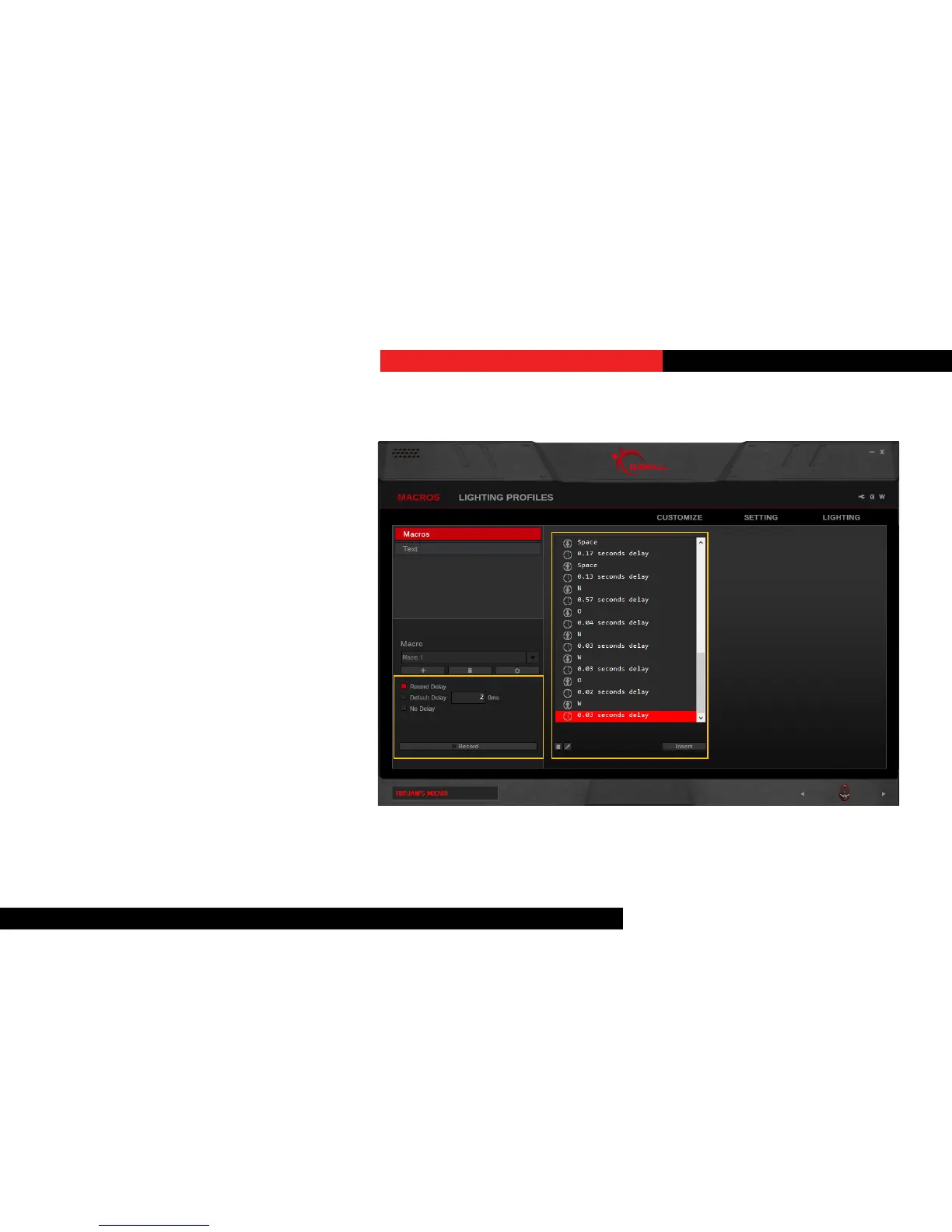
RecordaMacro
Click on the “Record” buon on the
boom of the le column. Macro will
begin recording automacally. The
recorded macro will appear in the middle
column.
Note: Before recording the macro, you
may choose to record the delay, use a
default delay, or no delays. Default delays
can be changed in 10ms increments. Type
“2” in the textbox for 20ms, and “20” for
200ms.
To end recording, click “Stop” on the
boom of the le column.
Macros (Keystroke)


 To Next Page