p.20
Maintenance for Your Drive
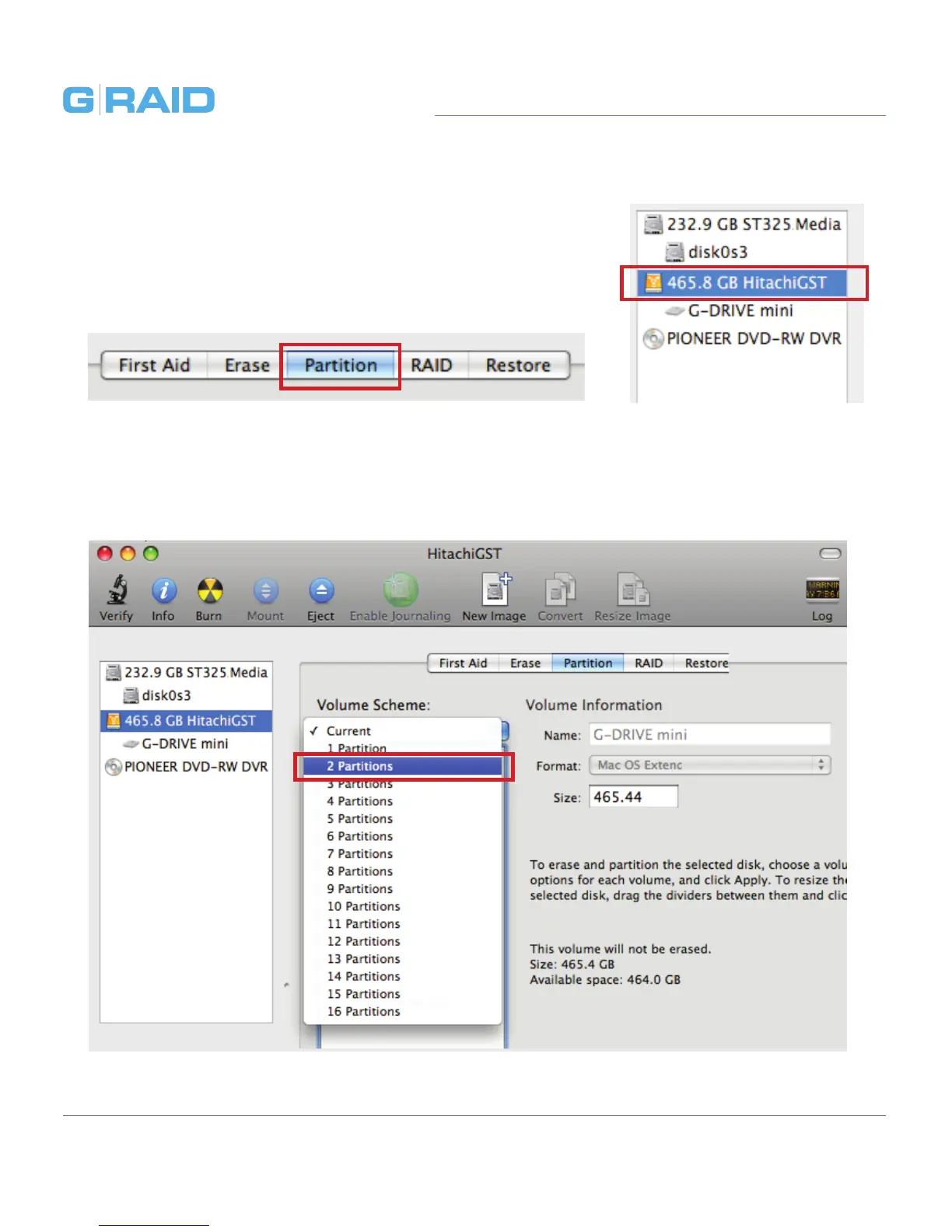
2. Select the FireWire or USB icon – not the G-Tech drive
icon – by clicking it in the left-side column.
3. Click on the Partition button in the main window.
4. Select the number of partitions you would like from the Volume Scheme menu.
Below, we have selected ‘2 Partitions’ to create two partitions.














 To Next Page