G-RAID Installation Guide
Pa
e 11
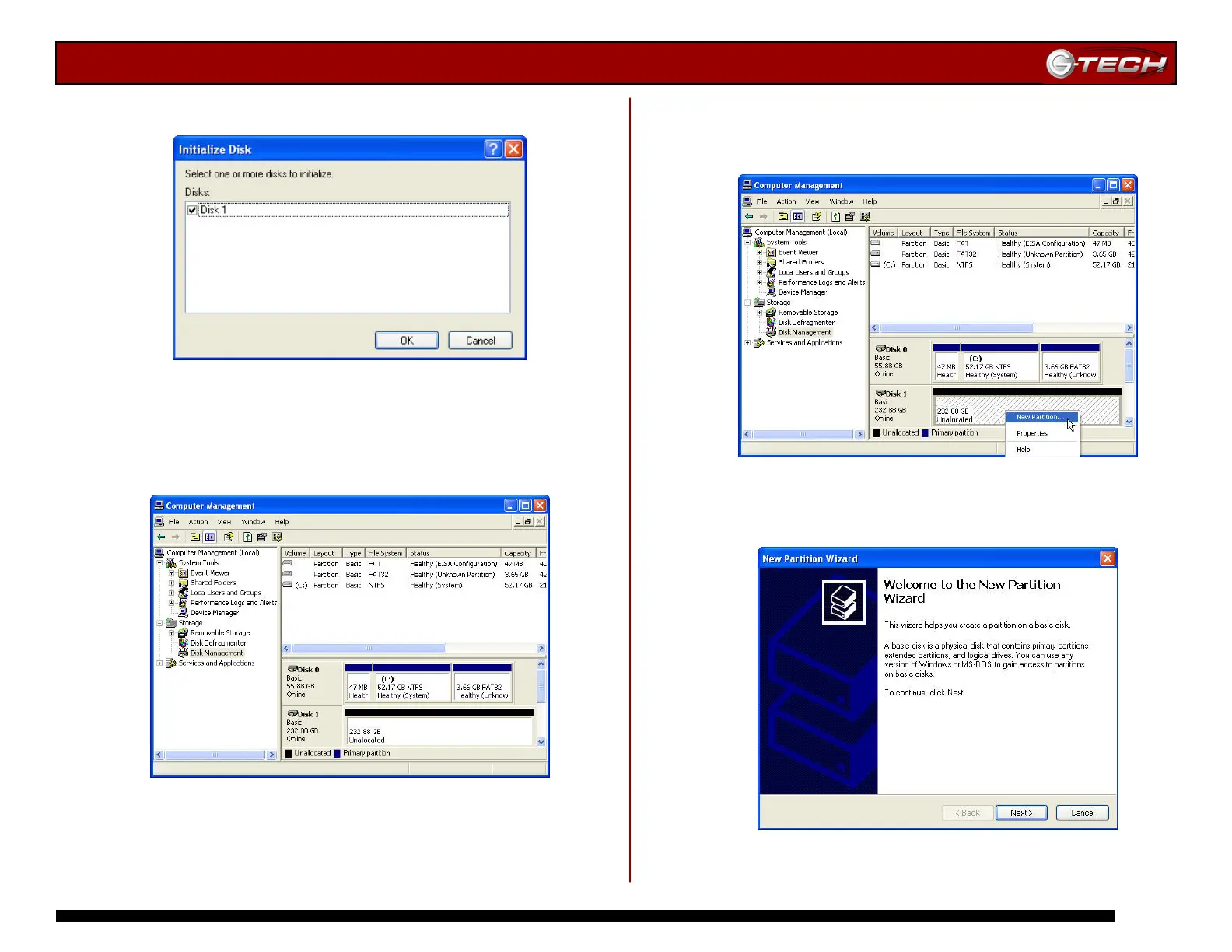
4. Click on the <OK> button to continue.
5. The following window will appear. G-RAID (Disk 1) is now
identified as Basic and Online.
6. Right-click on the Disk 1 “Unallocated” bar entry and
select New Partition… from the pull-down menu as shown
below.
7. The window shown below will appear. Click on the
<Next> button to continue.














 To Next Page