EasyManua.ls Logo

G-U BKS B-1993 Series - User Manual

G-U BKS B-1993 Series
116 pages
Go to English
Print Icon
To Next Page IconTo Next Page
Loading...
C
 | . | ES | Designed in Germany
TÜRTECHNIK | DOOR TECHNOLOGY
B-1993x - RWA
EN
14846
C!
EN
FR
ES
DE
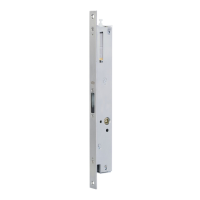
Motortreibriegelschloss für Rohrrahmensysteme
Installationsanleitung .................................................................... SEITE | 2
Motor-driven shoot-bolt lock for narrow stile systems
Installation instructions ................................................................PAGE | 28
Contre-serrure motorisée pour profilés tubulaires
Instructions de montage ................................................................PAGE | 54
Cerradura con pestillo motorizada para sistemas de
marcos tubulares
Manual de instalación ............................................................... PÁGINA | 80

Table of Contents

Questions and Answers

  • V
    Victor AndersonAug 3, 2025
    Why does my G-U Lock not unlock?
    • R
      ruizjoeAug 3, 2025
      Your G-U Lock might fail to unlock due to several reasons: * There could be a missing or faulty power supply. Ensure the controller receives at least 21V DC. * There might be no +24V control signal. Verify the control input I1 / I2. * The lock could be mechanically blocked. Inspect and remove any obstructions from the door leaf, frame, or active-leaf lock. Also, check the screws and shorten them if needed. * The control unit might be in programming mode. Exit or abort programming mode. * The test run may not have completed successfully. Perform a test run.
  • C
    cfloresAug 9, 2025
    What to do if my G-U Lock unlocks automatically?
    • M
      Mary TaylorAug 9, 2025
      If your G-U Lock is unlocking automatically, consider the following potential causes: * There might be a continuous signal at the control input. Check the control signal at terminal I1 + I2. * The cable assignment could be incorrect. * The controller might be defective. If this is the case, replace the controller.
  • D
    Daniel GreenAug 14, 2025
    What to do if "Locked" signal does not appear on my G-U Lock?
    • W
      Willie WalkerAug 14, 2025
      If the "Locked" signal doesn't appear on your G-U Lock, it could be due to these reasons: * The "Locked by motor" relay contact may not be assigned. Check the wiring of the signal input (BK, GY, BNGN) and signal output (terminal 41 + 51). * The lock might be unable to move to the initial position. Check the wiring.
  • L
    Laura SandovalAug 19, 2025
    What to do if "Unlocked" signal does not appear on my G-U Lock?
    • Z
      Zachary CunninghamAug 19, 2025
      If the "Unlocked" signal is not appearing on your G-U Lock, consider these possible causes: * The "Unlocked by motor" relay contact might not be assigned. Check the wiring of the signal input (BK, GY, RDBU, WHGN) and signal output (terminal 42 + 52). * The lock may be unable to move to the final position. Check the wiring.
  • B
    Brian LeeAug 23, 2025
    Why is latch monitoring without function on my G-U Lock?
    • K
      Kaitlin WrightAug 23, 2025
      If the latch monitoring is without function on your G-U Lock, it might be due to incorrect cable assignment. Check the wiring of the signal input (RD) and signal output (terminal 44 + 54).
  • M
    Michael CooleyAug 28, 2025
    How to initiate programming mode on G-U BKS B-1993 Locks?
    • T
      tcameronAug 28, 2025
      To initiate programming mode on G-U Locks: * Ensure the service plug is inserted into the controller. * If attempting a second programming procedure, make sure the service plug was removed after the previous one to exit programming mode. Another programming operation can only start after doing this.

Summary

Safety Instructions and Definitions

General Information

Provides essential information regarding the product's intended use and general guidance.

Warning Symbols Explained

Details the meaning of various warning symbols to ensure user safety.

Installation Precautions

Outlines critical precautions to follow before and during installation.

Product Description

Technical Specifications

Lists detailed technical data, including voltage, current, and environmental ratings.

Scope of Delivery Contents

Enumerates all components included in the product package.

Recommended Accessories

Lists additional accessories that complement the product's functionality.

Electrical Connections Overview

Illustrates and explains the wiring diagrams and connection points.

Installation Guide

Pre-Installation Steps

Details the necessary preparation and checks before physical installation.

Installation Procedure

Step-by-step instructions for mounting the lock in the door profile.

Functions and Applications

Manual Unlocking Function

Explains how to operate the lock manually.

Motor-Driven Release Modes

Describes the automated unlocking functions of the motor.

Behavior During Voltage Loss

Details how the lock operates when power supply fails.

Daytime Release Operation

Explains the function for permanent release during daytime.

Signal Output Terminals

Describes the function of the relay outputs for status signals.

Signalling and Alerts

Understanding Blink Codes

Explains error codes indicated by LED blinking patterns.

Acoustic Warning Signals

Describes audible signals emitted by the controller.

Programming and Testing

Entering Programming Mode

Steps to activate the controller's programming mode.

Exiting Programming Mode

Procedures for safely exiting programming mode.

Acknowledging Error Codes

How to clear active error codes after resolution.

Adjusting Hold-Open Time

Procedure for setting the duration the door remains unlocked.

Performing a Test Run

Guide for verifying correct operation after installation or changes.

Troubleshooting

Maintenance

Disposal

G-U BKS B-1993 Series Specifications

General IconGeneral
BrandG-U
ModelBKS B-1993 Series
CategoryLocks
LanguageEnglish

Related product manuals