EasyManua.ls Logo

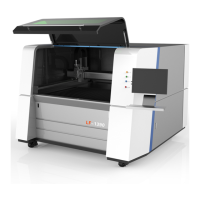
G-WEIKE LC Series - User Manual

Default Icon
75 pages
Print Icon
To Next Page IconTo Next Page
Loading...
LCLG Serial Machine
使
OPERATION MANUAL
This owner's manual is suitable for:
Laser machine designer
Laser machine operator

Table of Contents

Question and Answer IconNeed help?

Do you have a question about the G-WEIKE LC Series and is the answer not in the manual?

Summary

Copyright Statement

Disclaimer and Responsibility Statement

Foreword

Safety Precautions

Chapter 3 Machine Installation And Debugging

3.1 Machine Installation

Detailed steps for unpacking, preparing, and physically installing the machine.

3.2 Equipment Debugging

Procedures for testing and verifying machine components and functions after installation.

Chapter 5 Trouble Shooting

1.1 Instructions of Machine Model

1.2 Machine Compositions

1.2.1 Compositions of the Machine

Identification of the main parts of the machine as shown in the front view illustration.

1.2.2 Compositions of Movement Mechanism

1.2.2.1 Plane Movement Mechanism

Description of the X-axis and Y-axis movement mechanisms and their arrangement.

1.2.2.2 Lift Movement Mechanism

1.2.2.3 Rotary Device Mechanism

1.2.3 Optical Mechanism

1.2.4 Electric Dual-Laser Head Mechanism

1.2.5 Machine Visual Mechanism

1.2.6 Mesh Belt Feeder Type

Description of the mesh belt feeder system for automated material handling.

1.2.7 Working Platform

1.2.8 Auxiliary Parts

Details on essential auxiliary components like blowers, pumps, and water tanks.

1.2.9 Equipment Parameters

1.3 System Configuration

1.4 Operating Environment

Specifies humidity, temperature, power, and air pressure requirements for operation.

1.5 Suitable Materials

Lists materials compatible with CO2 laser processing.

1.6 Applicable Fields

Outlines industries and applications where the machine is used.

Chapter 2 Safety Rules

2.1 Product Safety

Conditions to ensure safe working practices and adherence to manual instructions.

2.2 Safe Equipment

Guidelines for using safety features and preventing unauthorized disassembly.

2.3 Safety Awareness

2.4 Requirements for Personnel

Defines user roles, qualifications, and responsibilities for operating the machine.

2.5 Special Product Risks

2.5.1 Laser Radiation Risk

Classification and risks of laser radiation, including different laser classes.

2.5.2 High Voltage Risk

2.5.3 Risk of Electric Shock

Details on the hazards of electric shock during operation and maintenance.

2.5.4 Hazard of Processing Outgrowth

2.5.5 Risk of Optical System

2.5.5.1 Routine Operation

Safe operation practices for optical components during normal use.

2.5.5.2 Warning for Fire Accident

Precautions and requirements for preventing fire accidents during operation.

2.5.7 Measures for Emergency

3.1.4 Steps of Installation

3.1.4.1 Laser Tube Installation

Instructions for mounting and connecting the laser tube to the machine.

3.1.4.2 Install Power Supply

3.1.4.3 Water Tank and Pump Connection

3.1.4.4 Air Pump Installation

3.1.4.5 Blower Installation

Steps for connecting the blower to the machine for exhaust ventilation.

3.1.4.6 Equipment Earthing

3.1.4.7 Removal of Fixation Block

3.1.4.8 Cutting Head Installation

Guidance on installing the cutting head after it has been packaged separately.

3.1.4.9 Software and Machine Drive Installation

3.1.4.10 Other Auxiliary Part Installation

Instructions for installing optional auxiliary parts like foot switches.

3.2 Equipment Debugging

3.2.1 Sequence of Power-On and Power-Off

3.2.2 Movement Debugging

Checking the normal movement status of each shaft, including resolution and limit settings.

3.2.2 Resolution Setup

3.2.2.3 Stroke, Limit and Reset

3.2.3 Laser Debugging

3.2.3.1 Light Emitting Test

Procedure to test if the laser is emitting light correctly from the laser tube.

3.2.3.2 Light Route Adjustment

3.2.4 Trial Operation of Processing

Chapter 4 System Maintenance

4.1 Mechanical Maintenance

Procedures for cleaning, lubricating, and maintaining mechanical parts like rails and belts.

4.1.1 Guide Rail and Shaft Maintenance

4.1.2 Synchronous Belt and Wheel Maintenance

Maintenance and adjustment of synchronous belts and wheels for proper movement transmission.

4.1.3 Fasten Screws and Coupling Maintenance

Checking and tightening screws and couplings in the movement system.

4.2 Electric Maintenance

4.2.1 Limit Switch Maintenance

Checking the functionality of limit switches for X and Y axes.

4.2.2 Button and Indicator Maintenance

Testing the operation of buttons and checking the status of indicators.

4.3 Light Route Maintenance

4.4 Auxiliary Parts Maintenance

4.4.1 Water Tank and Cooling System Maintenance

Steps for cleaning the water tank and replacing cooling water.

4.4.2 Blower Cleaning

Cleaning instructions for the blower and air pipes to ensure optimal performance.

4.4.3 Water Chiller Maintenance

Post

Summary

Copyright Statement

Disclaimer and Responsibility Statement

Foreword

Safety Precautions

Chapter 3 Machine Installation And Debugging

3.1 Machine Installation

Detailed steps for unpacking, preparing, and physically installing the machine.

3.2 Equipment Debugging

Procedures for testing and verifying machine components and functions after installation.

Chapter 5 Trouble Shooting

1.1 Instructions of Machine Model

1.2 Machine Compositions

1.2.1 Compositions of the Machine

Identification of the main parts of the machine as shown in the front view illustration.

1.2.2 Compositions of Movement Mechanism

1.2.2.1 Plane Movement Mechanism

Description of the X-axis and Y-axis movement mechanisms and their arrangement.

1.2.2.2 Lift Movement Mechanism

1.2.2.3 Rotary Device Mechanism

1.2.3 Optical Mechanism

1.2.4 Electric Dual-Laser Head Mechanism

1.2.5 Machine Visual Mechanism

1.2.6 Mesh Belt Feeder Type

Description of the mesh belt feeder system for automated material handling.

1.2.7 Working Platform

1.2.8 Auxiliary Parts

Details on essential auxiliary components like blowers, pumps, and water tanks.

1.2.9 Equipment Parameters

1.3 System Configuration

1.4 Operating Environment

Specifies humidity, temperature, power, and air pressure requirements for operation.

1.5 Suitable Materials

Lists materials compatible with CO2 laser processing.

1.6 Applicable Fields

Outlines industries and applications where the machine is used.

Chapter 2 Safety Rules

2.1 Product Safety

Conditions to ensure safe working practices and adherence to manual instructions.

2.2 Safe Equipment

Guidelines for using safety features and preventing unauthorized disassembly.

2.3 Safety Awareness

2.4 Requirements for Personnel

Defines user roles, qualifications, and responsibilities for operating the machine.

2.5 Special Product Risks

2.5.1 Laser Radiation Risk

Classification and risks of laser radiation, including different laser classes.

2.5.2 High Voltage Risk

2.5.3 Risk of Electric Shock

Details on the hazards of electric shock during operation and maintenance.

2.5.4 Hazard of Processing Outgrowth

2.5.5 Risk of Optical System

2.5.5.1 Routine Operation

Safe operation practices for optical components during normal use.

2.5.5.2 Warning for Fire Accident

Precautions and requirements for preventing fire accidents during operation.

2.5.7 Measures for Emergency

3.1.4 Steps of Installation

3.1.4.1 Laser Tube Installation

Instructions for mounting and connecting the laser tube to the machine.

3.1.4.2 Install Power Supply

3.1.4.3 Water Tank and Pump Connection

3.1.4.4 Air Pump Installation

3.1.4.5 Blower Installation

Steps for connecting the blower to the machine for exhaust ventilation.

3.1.4.6 Equipment Earthing

3.1.4.7 Removal of Fixation Block

3.1.4.8 Cutting Head Installation

Guidance on installing the cutting head after it has been packaged separately.

3.1.4.9 Software and Machine Drive Installation

3.1.4.10 Other Auxiliary Part Installation

Instructions for installing optional auxiliary parts like foot switches.

3.2 Equipment Debugging

3.2.1 Sequence of Power-On and Power-Off

3.2.2 Movement Debugging

Checking the normal movement status of each shaft, including resolution and limit settings.

3.2.2 Resolution Setup

3.2.2.3 Stroke, Limit and Reset

3.2.3 Laser Debugging

3.2.3.1 Light Emitting Test

Procedure to test if the laser is emitting light correctly from the laser tube.

3.2.3.2 Light Route Adjustment

3.2.4 Trial Operation of Processing

Chapter 4 System Maintenance

4.1 Mechanical Maintenance

Procedures for cleaning, lubricating, and maintaining mechanical parts like rails and belts.

4.1.1 Guide Rail and Shaft Maintenance

4.1.2 Synchronous Belt and Wheel Maintenance

Maintenance and adjustment of synchronous belts and wheels for proper movement transmission.

4.1.3 Fasten Screws and Coupling Maintenance

Checking and tightening screws and couplings in the movement system.

4.2 Electric Maintenance

4.2.1 Limit Switch Maintenance

Checking the functionality of limit switches for X and Y axes.

4.2.2 Button and Indicator Maintenance

Testing the operation of buttons and checking the status of indicators.

4.3 Light Route Maintenance

4.4 Auxiliary Parts Maintenance

4.4.1 Water Tank and Cooling System Maintenance

Steps for cleaning the water tank and replacing cooling water.

4.4.2 Blower Cleaning

Cleaning instructions for the blower and air pipes to ensure optimal performance.

4.4.3 Water Chiller Maintenance

Post

G-WEIKE LC Series Specifications

General IconGeneral
BrandG-WEIKE
ModelLC Series
CategoryCutter
LanguageEnglish

Related product manuals