14!
!
!
MODELS CM15
!
!
!
!
!
!
!
!
!
!
!
!
!
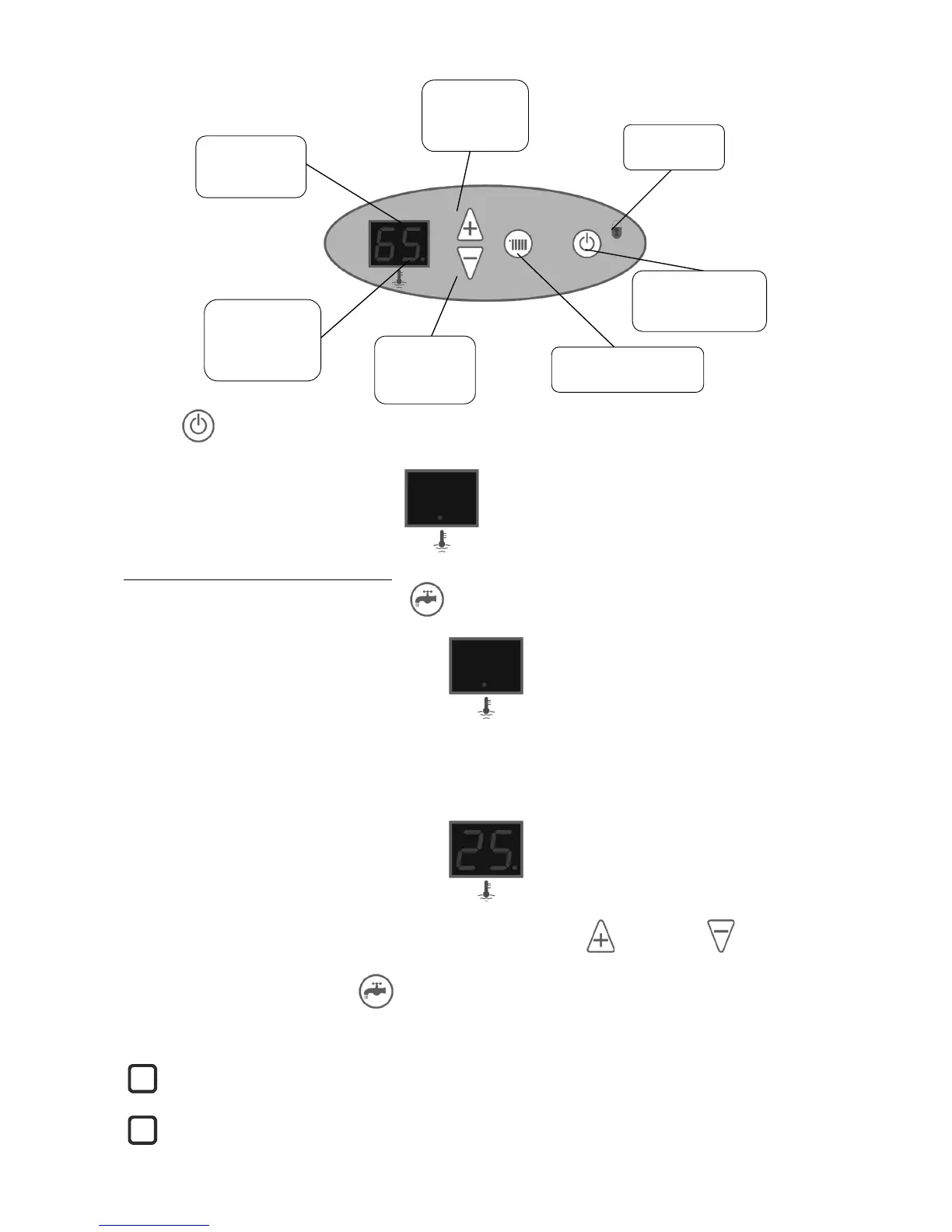
Push the button to start the boiler up. The same button will turn the boiler off when pushed again.
If the heating or DHW function
are not selected the relevant
screen will not display a value
but just a red dot.
6.3 DOMESTIC HOT WATER OPERATION
To select the DHW function push the press the button. Pushing again will switch the function off and return display
to just a red dot.
When the DHW mode is selected the display will show the actual temperature in the DHW accumulation tank. The
boiler will always give priority to DHW production over central heating until the selected DHW temperature is reached.
If heat is demanded by the DHW and the elements are energized a small red indicator is displayed to the right of the
temperature display.
This light will go out when the desired temperature is reached.
The setting of the DHW temperature can be modified by pushing either the button or the button and using
the same buttons to adjust the setting that flashes on the display. The modified setting will be stored automatically after a
few seconds, or instantly if we push the button.
The DHW setting can be varied between 20 and 55°C.
The DHW has priority over the central heating operation and so the outputs are never added together.
Water storage at maximum temperature will provide the best protection against the possible formation of
legionella bacteria.


 To Next Page