12
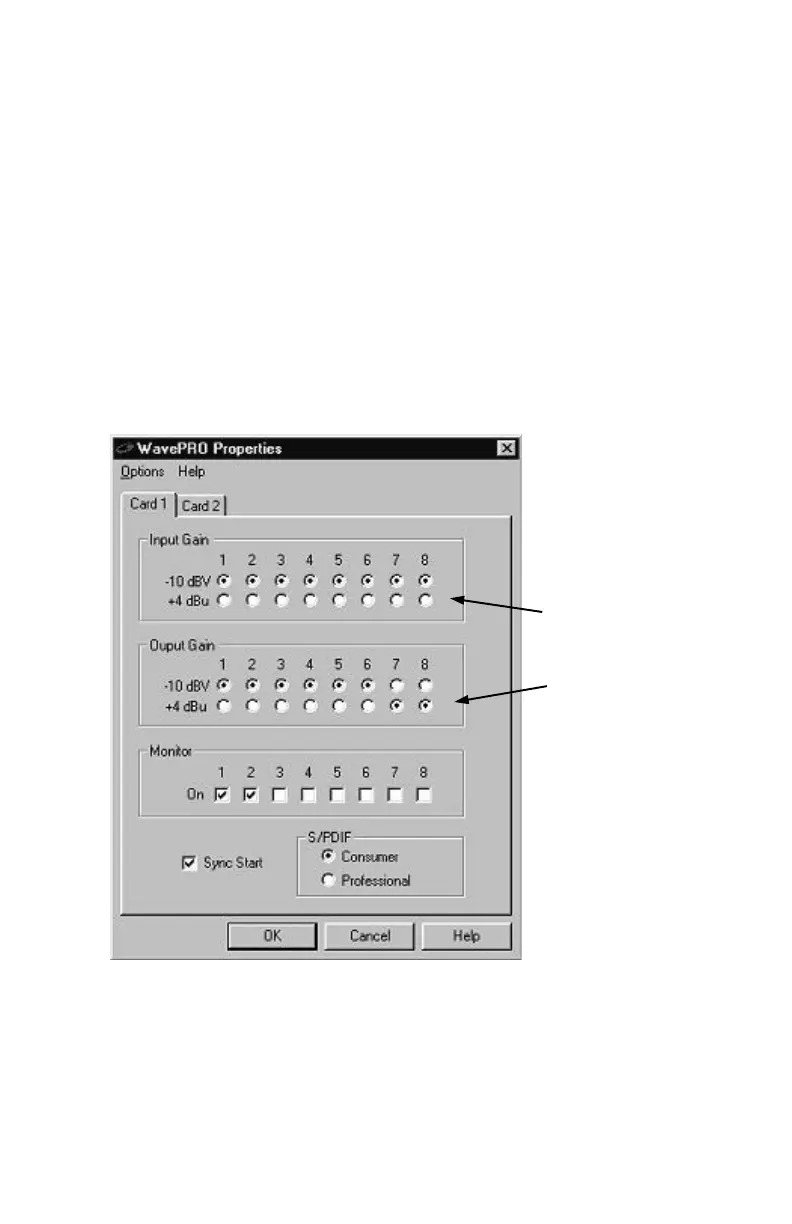
These settings help you match the signal level (sensitivity and
loudness) of the audio inputs and outputs of the Wave/824. The
difference in the 2 levels is about 12 dB.
Inputs: -10 dBV setting is more sensitive than the +4 dBu setting.
Outputs: +4 dBu output is louder than the -10 dBV setting.
TIP: by default, the gain levels are set to -10 dBV. This is most
common setting for music and audio gear. It's best to try out this
setting first and then, change the levels to +4 dBu if you need
more output gain from the Wave/824 or Wave/496.
TIP: If you are experiencing overloading on the audio inputs,
change the setting to +4 dBu to decrease the input sensitivity.
Setting Input
and Output
Gain on
Wave/824
&
Wave/496



 To Next Page