The Wave/824 and Wave/496 are designed to connect to virtually
any preamplified, line-level audio signal. The connection can be 3-
conductor, balanced or 2-conductor, unbalanced. Additionally, the
signal level can be professional +4dBu (higher, i.e. "louder") or -
10dBV, the standard for consumer audio equipment. The Control
Panel applet switches whether an input or output level is set to +4
or -10. The facilitation of either Balanced or Unbalanced signals is
automatic.
ADVANCED CONFIGURATION: WavePRO Control Panel
We've included a control panel software applet to select the input and
output levels of the WavePRO interfaces and control other features.
To start the WavePRO applet, select 'Start | Settings | Control Panel'
and double click on the 'WavePRO' icon. For quick access, the applet
can also reside Windows system tray. This feature is enabled under
the Options menu.
Input and Output Gain Settings
The settings for input and output sensitivity are unique to the
different Wave/PRO models.
11
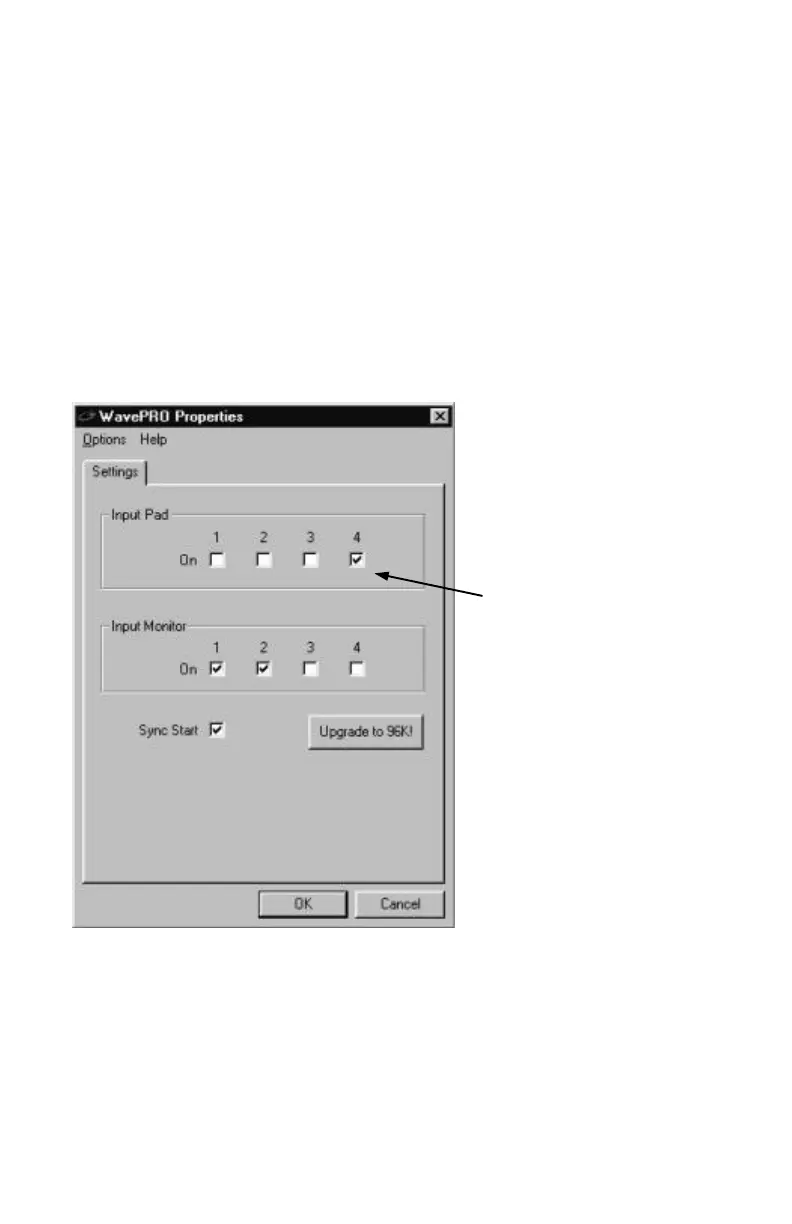
On the Wave/424, the
input and output levels
are set to the popular
consumer levels (-10
dBV nominal).
If audio being input to
the Wave/424 is
overloading and
distorting the inputs,
enable the Input Pad
settings by checking the
box next to the
appropriate channel



 To Next Page