
 Need help?
Do you have a question about the Gainwise SS91BV-M and is the answer not in the manual?
Lists the included items and their quantities with a visual representation.
Identifies the main components of the intercom unit, including speaker and microphone.
Illustrates the electrical connections for the intercom and its components.
Explains the meaning of different LED status lights on the intercom.
Guides through connecting SIM, antenna, door lock, power, and initial boot-up.
Outlines the three modes available within the system menu for operation.
How to activate and use the mode to listen to the intercom's surroundings.
How to activate the mode for controlling door access via password.
How to access the mode for configuring system settings.
Instructions for configuring the intercom settings using SMS commands.
Explains how to open doors remotely by calling or using caller ID recognition.
Explains using caller ID for remote door/gate opening.
How to check the current status of the door relay.
How to set or manage administrator phone numbers for restricted access.
Configures automatic sending of dial-in records via SMS.
Selects SMS or email for sending dial-in records.
Configures GPRS settings for data transmission.
Sets up email parameters for receiving records.
Specifies recipients for email notifications.
Command to force immediate sending of call logs.
Retrieves current configuration parameters.
Sets the mobile number to receive call logs via SMS.
Removes a previously set mobile number for SMS log reception.
Sets SIM card number for automatic time synchronization.
Removes the SIM card number used for time correction.
Accesses the system for programming via direct dialing.
Activates listening mode by calling the intercom.
Enters mode to trigger door relay via password.
Command to keep the door relay held open.
Command to release the door relay for closing.
Queries the current GSM signal strength.
Retrieves a list of programmed numbers.
Checks the current ON/OFF status of the relay.
Sends command to trigger the door relay.
Sends command to hold the door relay in an open state.
Sends command to release the door relay.
Commands for changing passwords and adjusting speaker/microphone volume.
Commands for call timing, relay operations, and door access methods.
Commands for managing phone numbers and resetting the device.
Instructions for programming call button phone numbers via SMS.
Instructions for programming dial-in numbers for door release via SMS.
Addresses bleeping on startup indicating network detection failure.
Solves issues with calls diverting too quickly or activating voicemail.
Troubleshoots caller ID failures and one-way audio problems.
Addresses poor audio quality or humming experienced on the remote phone.
Troubleshoots the non-functionality of '*' or '#' keys during calls.
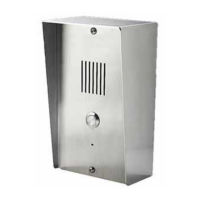
This document describes the SS91BV-M / SS1204AV-M GSM/WCDMA Intercom, an access control system designed to replace traditional door phones. It allows users to communicate with visitors at an entrance from a remote location via a mobile call and control access points.
The GSM Intercom SS91BV-M is an intercom system installed at a building's entrance. When a visitor presses the call button, the intercom establishes a mobile call with a pre-stored phone number. If the first number is busy or unanswered, the call diverts to subsequent numbers. During the call, the user can activate a relay to open a door or gate by pressing '*' on their mobile phone. The relay switches can also be temporarily or permanently switched on or off by pressing '#' and '1'.
The system offers three modes accessible via dial-in:
The device supports up to 100 telephone numbers for "ring in to open" functionality. It also supports storing up to 3 call button phone numbers.
Installation: The GSM Intercom is suitable for both flush and surface mounting. For surface mounting, a plastic enclosure must be removed before fitting the main station into the stainless steel cabinet.
SIM Card and Antenna: Before use, the SIM card must be registered with the network, have calling credit, and have its PIN request removed. The SIM card should be inserted with the power off. The external antenna should be installed as high as possible on a pillar for optimal reception.
LED Indicators:
Door/Gate Release (Ring in to Open): The intercom allows access via two methods:
Programming by Text Message (SMS):
This is the simplest way to customize settings and manage numbers. SMS commands must start with the passcode (default 1234) in the format *12*1234# followed by the command. A single SMS is limited to 140 characters, and multiple commands can be included in one message. Country codes should not be entered for call button numbers, but are required for dial-in door release numbers.
User Commands (SMS):
*20#: Check GSM signal strength (replies with signal level 0-31 and service provider name).*21#: Check stored numbers (replies with lists of call button numbers and dial-in to open numbers).*22#: Check relay status (replies with ON/OFF status and detect status).*33*password#: Momentary trigger relay.*34*password#: Hold relay (latch on).*35*password#: Release relay (unlatch).*12*password#01[new password]#: Change programming password.*12*password#02[new password]#: Change access control password.*12*password#03[new password]#: Change monitoring mode password.*12*password#1[Y][phone number]#: Store a call button phone number (Y=1, 2, or 3).*12*password#1[Y]*#: Delete a call button phone number.*12*password#3[volume]#: Set speaker volume (0-4).*12*password#4[volume]#: Set microphone volume (0-4).*12*password#51[time]#: Set relay time (1-9999 sec).*12*password#52[time]#: Set call no answer time (10-99 sec).*12*password#53[time]#: Set max call time (005-999 sec).*12*password#55[time]#: Set max monitoring time (00-60 mins, 00 for no limit).*12*password#61[X]#: Change relay trigger code (X=0-9, *, #).*12*password#63[X]#: Change relay hold code (X=0-9, *, #).*12*password#64[X]#: Change relay release code (X=0-9, *, #).*12*password#71[country code]#72[phone number]#...: Program dial-in door release numbers (up to 100).*12*password#73[phone number]#: Delete dial-in door release number.*12*password#73*#: Delete all dial-in door release numbers.*12*password#74[admin number]#: Add administrator phone number.*12*password#74*#: Delete administrator phone number.*12*password#999#: Reset to default settings.Log of Dial In and Dial Out Numbers: The system can save dial-in number records and automatically send them via email or SMS.
*12*password#83[N]#: Auto sending dial-in numbers record (N=0 for 100 numbers, N=1 for 200 numbers).*12*password#84[N]#: Way of sending dial-in numbers record (N=0 no saving, N=1 via SMS, N=2 via E-mail).*40*password#APN,auth_type,username,password#: GPRS parameters setting.*41*password#SMTP server,port,username,password,e-mail address,e-mail sender name#: E-mail parameters setting (Gmail not supported).*42*password#recipient e-mail address,recipient name,carbon copy e-mail address,carbon copy name#: Recipient & Carbon copy settings.*43*password#e-mail subject#: E-mail subject setting.*44*password#: Immediately send current dial-in numbers record via email or SMS.*4[N]*password#: Check parameters setting (N=0 GPRS, N=1 e-mail, N=2 recipient & carbon copy, N=3 e-mail subject).*12*password#85[mobile No.]#: Mobile number for receiving dial-in numbers record via SMS.*12*password#85*#: Delete mobile number for receiving dial-in numbers record via SMS.*12*password#86[SIM No of SS91VB-M]#: SIM card number for clock date and time correction.*12*password#86*#: Delete SIM card number for clock date and time correction.Troubleshooting:
*20#), consider changing SIM card/network, or purchasing a high-gain antenna.Resetting Hardware: To reset the hardware if the password is forgotten:
The device has a time clock that supports automatic date and time updates via NITZ information from the network. If NITZ is unavailable, it is recommended to set up the SIM card number for time correction to ensure accurate logging of dial-in numbers.
 General
| Brand | Gainwise |
|---|---|
| Model | SS91BV-M |
| Category | Intercom System |
| Language | English |

 To Next Page