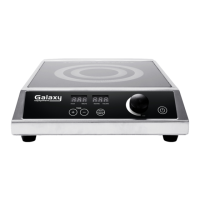
This document is a user manual for the Galaxy equipment 1800 Watt Countertop Wok Induction Range, model 177GIWC18.
Function Description:
The Galaxy Countertop Wok Induction Range is an electrical appliance designed for cooking using induction technology. It operates by generating an alternating electromagnetic field that directly heats the bottom of magnetic cookware, making it an efficient and fast cooking method. The device is intended for indoor use only. It features a control panel that allows users to adjust power levels, temperature, and set a cooking timer. The induction cooking plate itself remains relatively cool, with heat transferred directly to the cookware, which then heats the glass surface. This design minimizes heat loss compared to standard cooking plates and offers precise control over heat input. The appliance is equipped with safety functions such as automatic shut-off when cookware is removed, detection of suitable cookware, and boil dry protection to prevent overheating.
Important Technical Specifications:
- Model: 177GIWC18
- Dimensions: 13.39"W x 17.13"D x 4.73"H
- Wattage: 1800W
- Voltage: 120V
- Hertz: 60Hz
- NEMA Plug Type: 5-15P
- Temperature Range: 140-460°F
- Timer: 0-180 Minutes (adjustable in 5-minute steps)
- Body Material: Stainless Steel
- Power Levels: 1-10 (defaults to 5)
- Temperature Levels: 140, 160, 180, 200, 220, 240, 260, 460°F (defaults to 200°F)
- Cooking Plate Material: Tempered glass
Usage Features:
- Induction Cooking: Utilizes eddy currents to directly heat magnetic cookware, ensuring efficient and rapid cooking.
- Control Panel: Features intuitive buttons for "UP" (+), "DOWN" (-), "POWER," "TEMP," "TIMER," and "ON/OFF."
- Adjustable Settings: Users can select from 10 power levels, various temperature settings (140-460°F), and set a cooking timer up to 180 minutes.
- Standby Mode: The device enters standby mode when switched on, displaying "0000," and automatically switches off after cooking or when cookware is removed.
- Automatic Shut-off: If no timer is set, the appliance defaults to a 180-minute timer and shuts off for safety reasons.
- Cookware Detection: The device detects whether suitable magnetic cookware is placed on the cooking plate; if not, no energy is transmitted.
- Overheating Protection: A temperature sensor turns off the heating function if empty cookware is left on the plate and overheats (E2 error).
- Boil Dry Protection: Activates if cookware boils dry, locking up the unit and requiring a cool-down period before returning to standby mode.
- Power Surge Protection: The unit is designed to handle power surges (E3 error) and returns to normal function once current stabilizes.
- Error Codes: The LED display shows error codes (E0, E1, E2, E3) to indicate specific issues such as no cookware, temperature sensor malfunction, or overheating.
- Suitable Cookware: Requires magnetic cookware such as steel, cast iron, enameled iron, stainless steel, or flat-bottom woks (14" or smaller). Cookware with a spiral symbol engraved on the bottom is suitable.
- Unsuitable Cookware: Glass, ceramic, copper, or aluminum pans/pots, and rounded-bottom woks greater than 14" are not suitable.
Maintenance Features:
- Cleaning: The unit should be cleaned after each use to remove food residues. The plates and stainless steel surface should be wiped with a slightly damp cloth.
- Cooling Down: Always allow the appliance to cool down sufficiently before cleaning and storage.
- Avoid Immersion: Never immerse the cord, plug, or appliance in water or any other liquid to prevent electrical shock. Do not clean under running water or in a dishwasher.
- Gentle Cleaning: Do not use abrasive cleaners, cleaning pads, or sharp objects (e.g., metal scouring pads) to avoid damaging the glass surface.
- Storage: Store the device in a dry place, away from frost, excessive strain, heat, moisture, and out of reach of children.
- Cord Inspection: Regularly check the power cord for damages; do not use the appliance if the cord or appliance shows any signs of damage.
- Ventilation: Ensure the air supply and ventilation of the appliance are not blocked.
- Chemical Avoidance: Do not use petrol products, flammable acid, or alkaline materials near the device, as they can damage plastic parts, the control panel, or reduce the service life.
- Cookware Care: Ensure the bottom of the cookware does not scrape across the glass field.

 Need help?
 General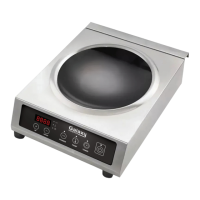

 To Next Page