Commissioning
1. The cover of the Fence Control housing can be opened upon delivery. Open it carefully.
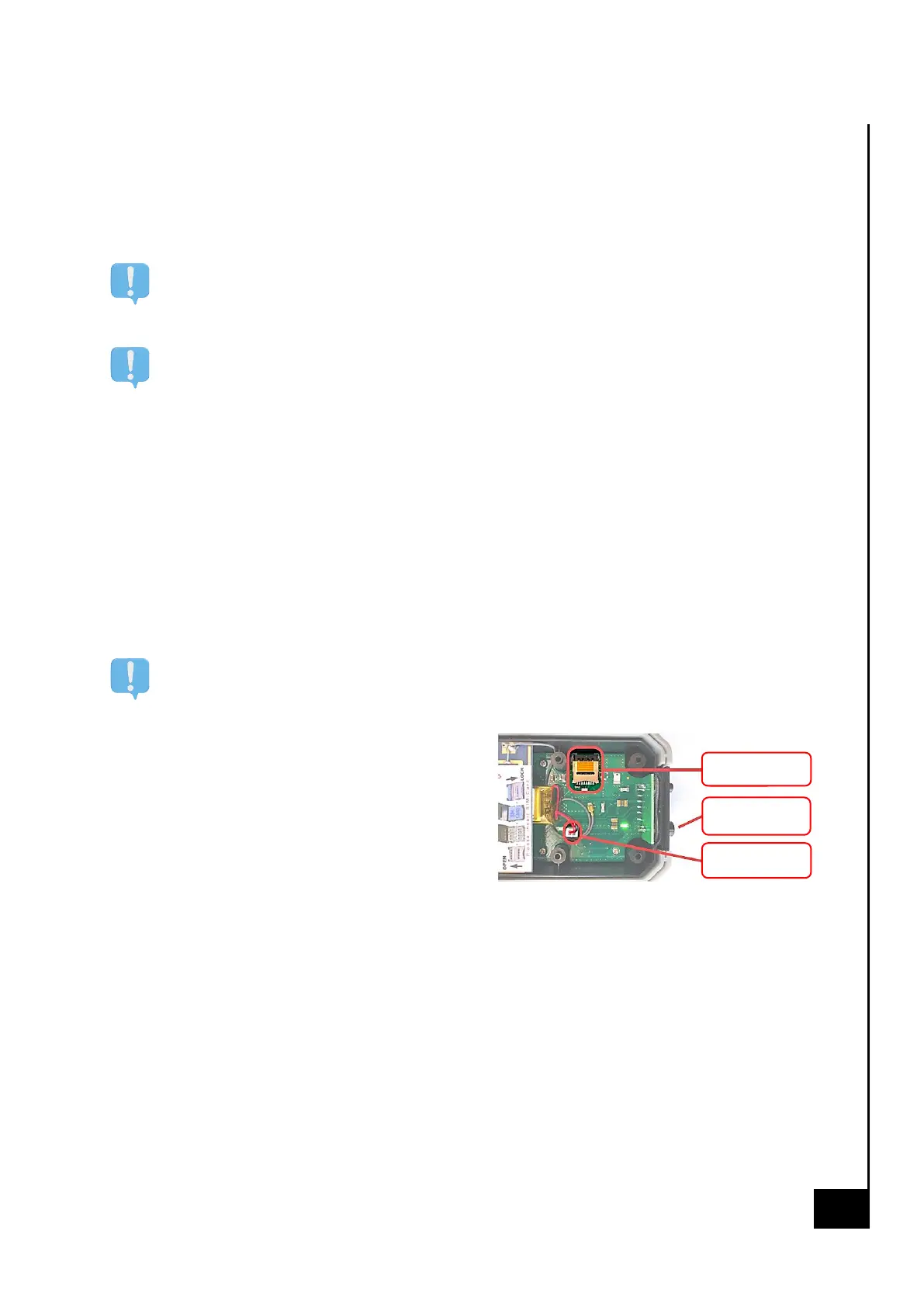
2. Insert the SIM card into the SIM card holder as described in the instrucons on the antenna.
Slide back the tab of the SIM card holder and open it.
SIM card must not have an acve PIN
SIM cards usually come with an acve PIN. You must remove the PIN on your SIM card before
you can use the SIM card for Fence Control. More on this on page 8.
Credit and acvaon
Make sure your mobile phone provider's SIM card is acvated. In the case of a prepaid card
tari, it must have sucient call credit.
3. The internal baery of the Fence control is disconnected on delivery. Connect the baery.
The Fence Control should now start. You can recognise this by the ashing paern of the 3
LEDs.
4. Carefully close the cover of the Fence control housing, making sure the seal is in place, and
screw down the housing with the six screws provided to ensure it is waterght.
5. Now connect the power supply (baery or mains adapter). The Fence Control indicates the
current status via an LED paern. You will nd a descripon of the LED paerns on page 4.
Wait unl the "Ready to use" LED paern appears before connuing.
Any SMS messages you send to the Fence Control before the "Ready to use" status is acve
will be deleted.
6. Send an SMS with the content "abo 1234" to
the mobile phone number of the inserted
SIM card. If you receive a reply, this number
is now registered in Fence Control and fence
voltage monitoring is acvated. Addional
conguraon opons can be found on page
9. Congratulaons - commissioning of the
Fence Control is now complete!
Selecng the preferred language
The Fence Control will automacally change the language to the country of origin of your SIM card.
If the language does not automacally switch to the correct one automacally, or you want to select
another language, you can always set it manually using one of the following SMS commands:
• language nl / de / fr / en (choose the desired language)


 To Next Page
 Loading...