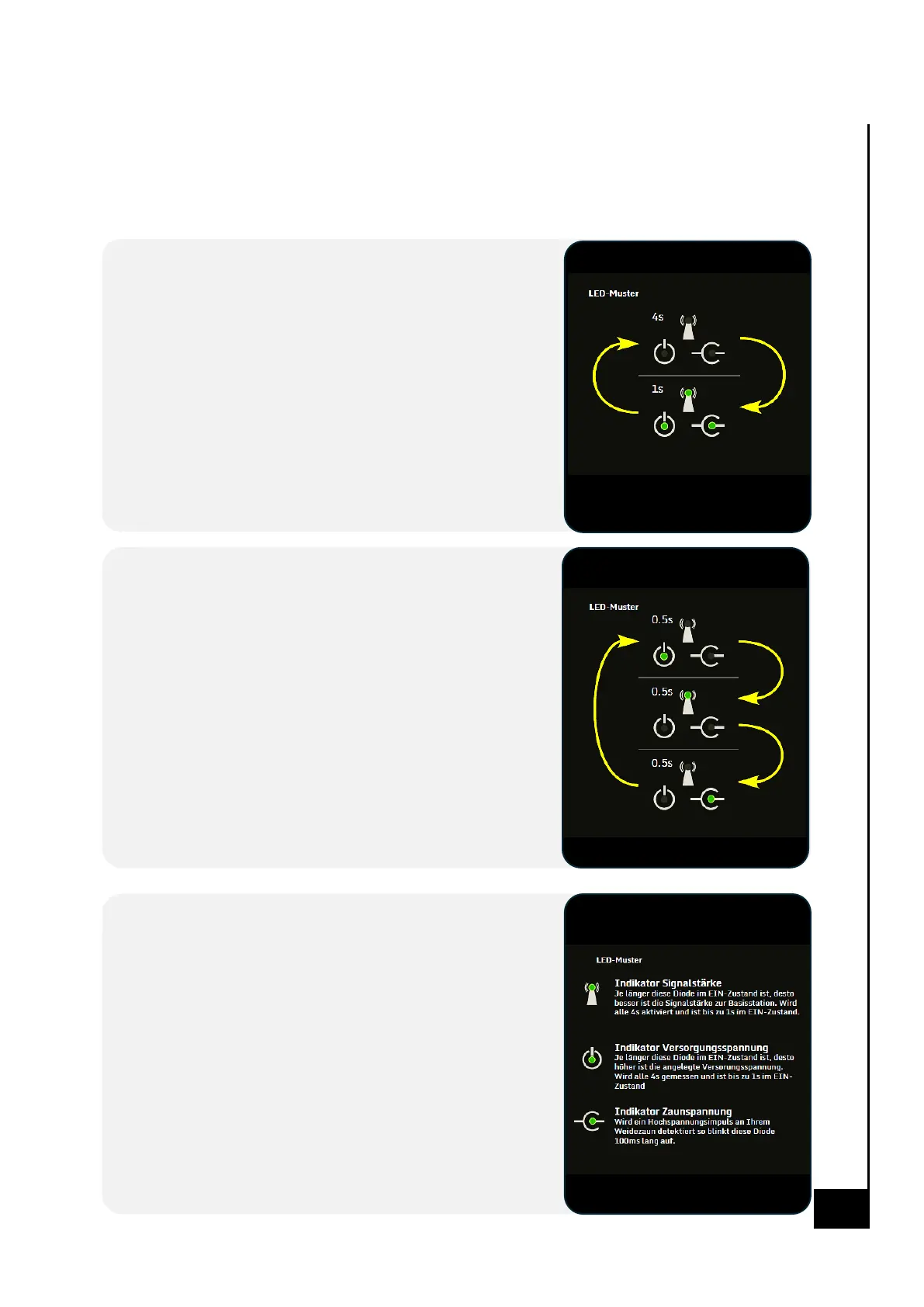
Ready to use - interpreng the LED ashing paern
You can tell the status of the device monitoring the fence from the light paerns of the 3 LEDs on the
front of the device. The Fence Control usually has one of the following three statuses:
Status Fence Control
Internal baery voltage too low
Indicates that the Fence Control's internal baery is not
suciently charged for use. Feed the Fence Control with power
and wait unl the Fence Control switches to "Network Search"
status.
• This is oen the case when the Fence control is put into use
aer a long me.
• Charging me is up to 2 hours.
• This voltage is not the same as the supply voltage of your
energizer.
Status Fence Control
Network search
In this status, the Fence Control searches for available mobile
phone base staons and tries to connect to them. Once a
connecon to a base staon has been established, the Fence
Control switches to the "Ready to use" status.
• Make sure a supported and acvated SIM card with
deacvated PIN is inserted.
• Signing up usually takes up to ve minutes.
• If problems occur during this step, you can look for
suggested soluons on page 8.
Status Fence Control
Ready to use
The Fence Control is connected to a mobile phone base staon
and can now be congured and queried via SMS. In this status,
each of the 3 LEDs must be evaluated separately.
• Make sure your phone number is registered in Fence
Control's phone list (see "abo" command on page 9).
• While receiving and sending an SMS, the signal strength
indicator ashes 5 mes in a very short me.
• Other ashing paerns may also occur during a rmware
update


 To Next Page
 Loading...