SMS commands - Installaon
The Fence Control is operated, congured and alerted via SMS. The following pages describe all
supported commands and their response. If you send the Fence Control a text message that it cannot
interpret, it will not send a reply back.
The SMS consists of commands and <parameters>. They are not case-sensive.
Response me can vary widely.
As a rule, the response me of the Fence Control should not exceed 15 seconds. Depending
on the strength of the recepon signal of your mobile phone and the Fence Control and the
use of the mobile network, a reply SMS may take longer in exceponal cases (several hours).
As long as your phone number is not in the phone list, the Fence Control will accept
only the command "abo" - and only if you enter the correct PIN as a parameter. No other commands
are responded to in this case.
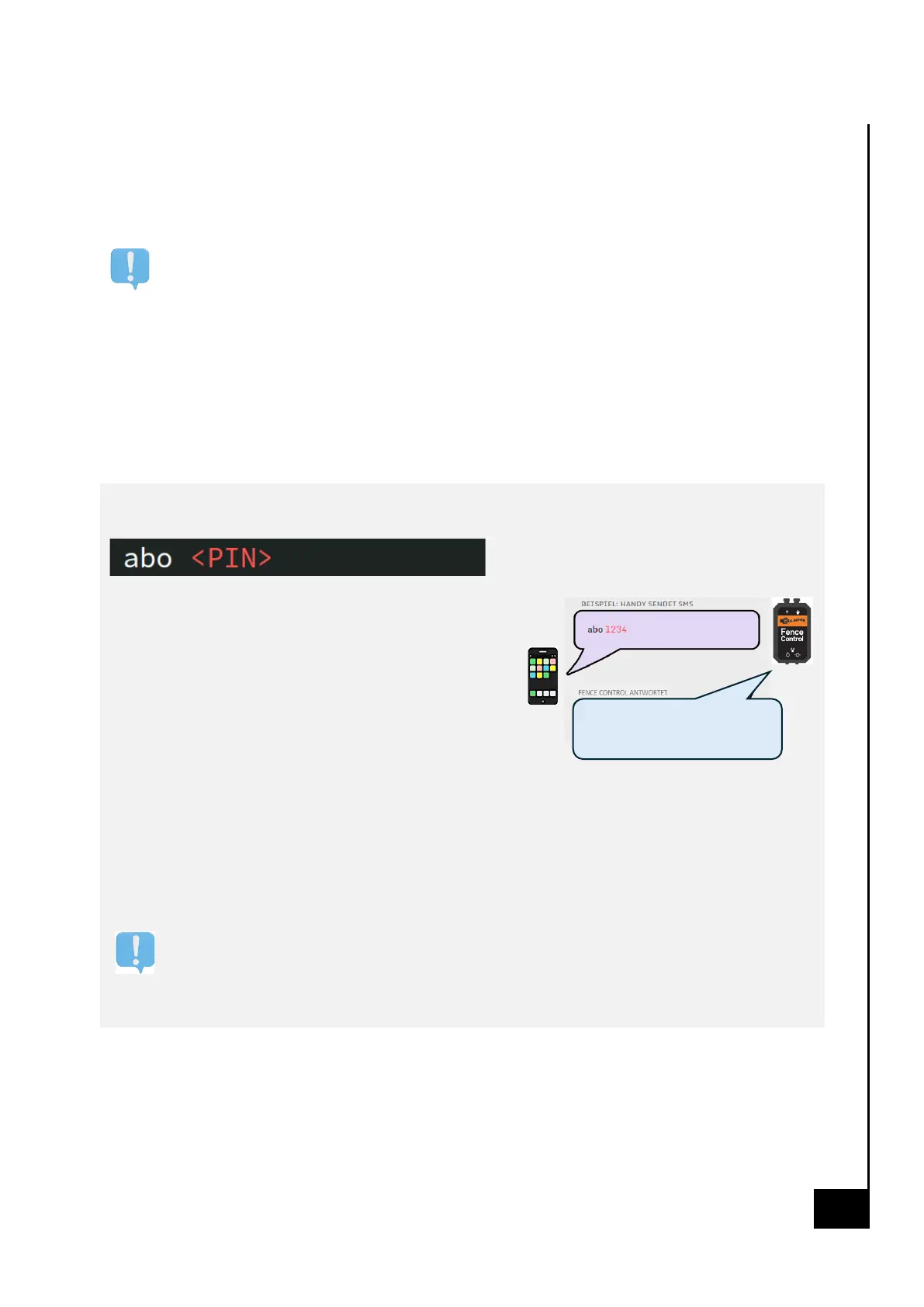
So the rst step is always:
Register a phone number
Stores the phone number that sent this SMS command at in
Fence Control's phone list.
If the Fence Control has not yet stored a phone number,
this phone number is stored as the administrator.
Up to 5 phone numbers can be stored.
The <PIN> is preset to 1234 on delivery from the factory.
For all other SMS commands, you must
telephone number in the Fence Control phone list
registered.
Parameter descripon
<PIN> ... alphanumeric password of 4 to 15 digits
For security reasons, it is recommended to change your PIN aer logging in for the rst me
using the "pin new" command.


 To Next Page
 Loading...