EasyManua.ls Logo

Galls st280 - User Manual

Galls st280
20 pages
Print Icon
To Next Page IconTo Next Page
Loading...
PLITSTR311 REV. G 7/25/14
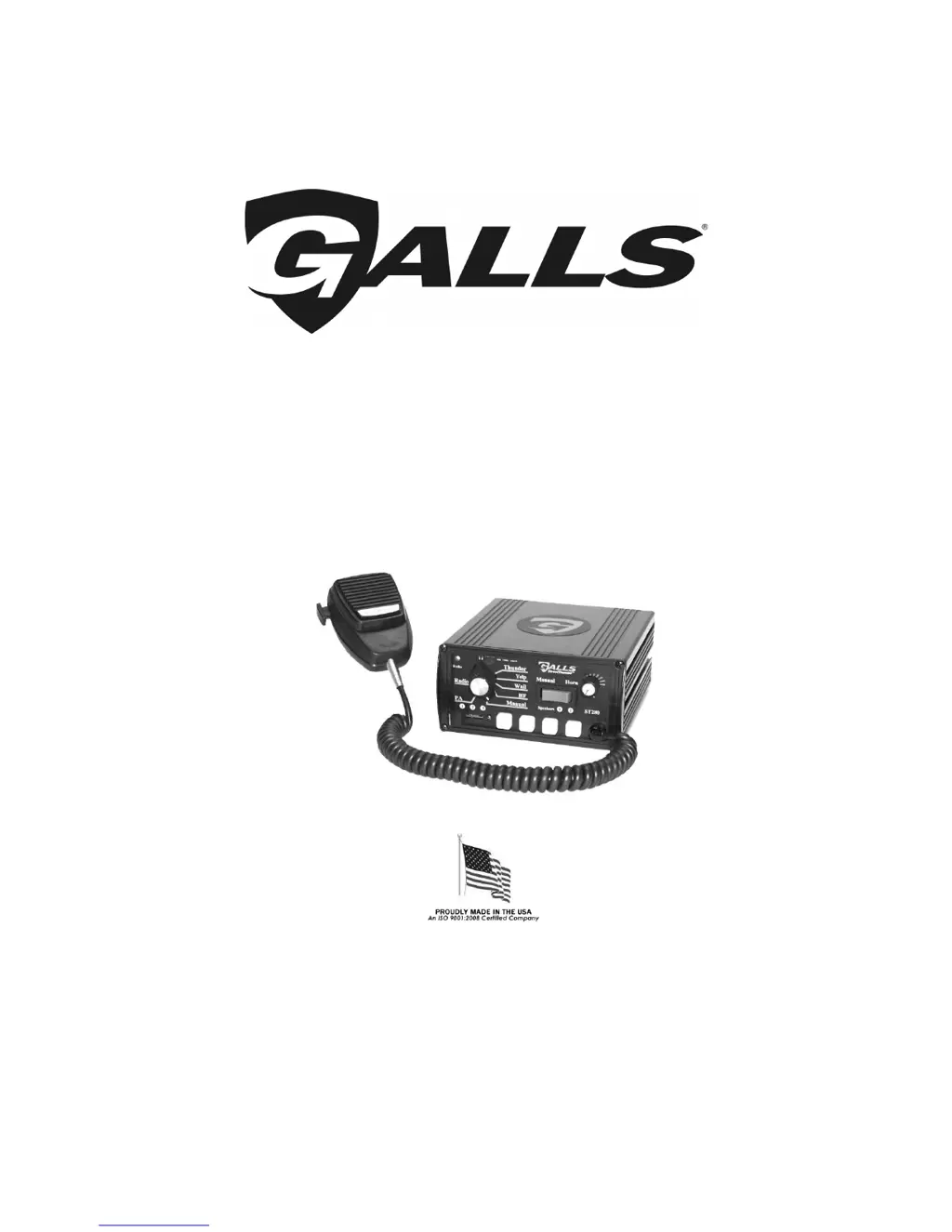
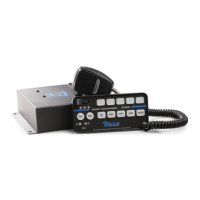
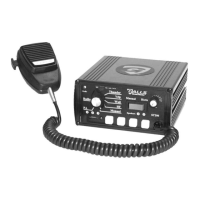
ST280
SIREN AMPLIFIER & LIGHT CONTROLLER
INSTALLATION AND OPERATING INSTRUCTIONS
1340 Russell Cave Road / P.O. Box 54308 Lexington, KY 40505
Tel: (800) 477-7766 Fax: (800) 944-2557
www.galls.com
Street Thunder™
Street Thunder™Street Thunder™
Street Thunder™

Questions and Answers

  • A
    Allison CoxAug 16, 2025
    What to do if my Galls Amplifier has no power?
    • V
      veronicajohnsonAug 16, 2025
      If your Galls Amplifier has no power, make sure the On/Off PA Vol. Knob is not in the OFF position. Also, check if the yellow wire is connected to switched +12VDC, examine the connector, and verify that the power is not hooked up backwards. Ensure that it is not a positive ground vehicle. Check if an external fuse or circuit breaker is used and confirm that the negative leads are connected to a good ground.
  • D
    David McleanAug 18, 2025
    Why is the siren tone not working on my Galls st280 Amplifier, but the PA does?
    • T
      thomasperezAug 18, 2025
      If the siren tone isn't working on your Galls Amplifier while the PA system is functional, the input voltage must be less than 16 volts and greater than 10V with the siren turned on. Check if the microphone button releases properly, and verify that the PK jumper option is correctly configured. See if the siren works when the Park Kill input is disconnected. Also, check for shorts or opens, and ensure the PA Vol. is ON and turned up.
  • D
    Daniel BergerAug 21, 2025
    Why is the siren sound distorted on my Galls st280?
    • J
      John JonesAug 22, 2025
      If you are experiencing a distorted siren sound on your Galls Amplifier, check if the speaker bell or tip is loose. Also, verify if the Aux. Input is used and wired properly, and ensure the input voltage is between 10-16 volts while the siren is on.
  • M
    Maria HartmanAug 25, 2025
    What causes an intermittent siren tone in my Galls st280 Amplifier?
    • D
      Dillon KingAug 26, 2025
      An intermittent siren tone on your Galls Amplifier could be due to several factors. Check if the vehicle voltage regulator is working properly, ensure the connector is tight on the back of the unit, and inspect for loose connections on the power lead. The input must be greater than 10V with the siren turned on. Make sure nothing is lying on the microphone, verify that a circuit breaker with at least a 50A rating is used, and check the speaker for water damage or pinched wires.
  • C
    Christopher GonzalezAug 28, 2025
    What to do if the horn, manual, or thunder function is stuck on my Galls st280 Amplifier?
    • L
      lewisterranceAug 28, 2025
      If the horn function, manual, or thunder is stuck on your Galls Amplifier, ensure the switch returns fully when released. Check if the Aux. Input is used and wired properly, and verify that the AUX jumper option is properly configured.
  • B
    beckchristinaAug 31, 2025
    How to troubleshoot if one light output is not working on my Galls st280 Amplifier?
    • L
      lisa47Aug 31, 2025
      To troubleshoot a non-functional light output on your Galls Amplifier, check the output fuses inside the unit.
  • M
    michael35Sep 3, 2025
    How do I fix my Galls Amplifier if the PA isn't working?
    • T
      tmurphySep 3, 2025
      If the PA is not working on your Galls Amplifier, try turning the PA volume control.
  • D
    David BookerSep 6, 2025
    What to do if there is no radio on my Galls st280 Amplifier?
    • J
      Justin MooreSep 6, 2025
      If there is no radio on your Galls Amplifier, ensure the radio is connected properly to the unit and that you can hear the radio in the vehicle. Also, check if you have tried turning the Radio volume control and verify that the radio wires are connected to the correct polarity from the radio output.
  • P
    Patricia RamirezSep 9, 2025
    What to do if my Galls st280 is producing the wrong siren tone?
    • A
      Amber GarzaSep 9, 2025
      If your Galls Amplifier is producing the wrong siren tone, check if the TT jumper option is properly configured and verify that the AUX jumper option is also configured properly.
  • M
    Mrs. Melissa TurnerSep 12, 2025
    Why is the thunder function not working on my Galls st280?
    • A
      amy08Sep 12, 2025
      If the thunder function is not working on your Galls Amplifier, verify that the TD jumper option is configured properly.

Summary

General Description

Installation Notes

Essential steps for safe and reliable operation, read before installation.

Installer Selectable Options (Jumper Settings)

Park Kill Input Polarity

Configures how the park kill input is activated (positive or negative voltage).

Auxiliary Input Polarity

Sets activation for the auxiliary input (positive or negative voltage).

Auxiliary Input Function

Defines the auxiliary input's function, typically horn or manual control.

Thunder and Tone Options

Options for Thunder tone replacement, disabling, or Two-Tone activation.

Mounting

SAFETY PRECAUTIONS

Crucial safety measures for installation to prevent damage, injury, or death.

Wire Size and Termination

Recommendations for selecting appropriate wire gauge and making connections.

Electrical Connections

WIRING GUIDE

Details terminal functions, wire colors, and recommended wire gauges.

Mandatory Electrical Connections For Siren Functions

Explains essential wiring for power, ground, ignition, backlighting, and speakers.

Optional Connections for Siren Functions

Input From Radio

Connects to radio speaker for sound amplification and re-broadcast.

AUX or Horn Ring

Enables remote manual or horn control for siren functions.

Park Kill (Cut-off)

Deactivates the siren when the vehicle door is opened.

Testing

Instructions for testing all siren and light functions after installation.

Siren Wiring Diagram

Electrical Connections For Lighting Control

9-Pin Connector

Details the function of each pin in the 9-pin connector for lighting control.

ButtonLabel Insertion

Guide for inserting labels into the push button switches.

Lighting Connection Wiring Diagram

Operation

General

Overview of the unit's design for easy operation during high-speed pursuits.

On;Off

Controls unit power and PA volume, located on the front face.

Lighting Slide Switch

Enables quick pursuit mode operation and controls light sets.

Pursuit Mode

Describes the function of the third position of the slide switch for full pursuit.

Lighting Push Button Switches

Selector Switch

Rotary switch that controls the primary operating function of the siren.

Siren Tone Modes

Describes primary siren operating modes like Thunder, Yelp, Wail, and HF.

Manual and PA Operation

Details silent modes for Public Address, Manual, and Horn functions.

Radio Mode

Amplifies radio speaker input for re-broadcast outside the vehicle.

Manual;Horn Momentary Rocker Switch

Manual

Momentary switch for quicker tones or manual Wail operation.

Air Horn

Simulated air-horn tone that overrides all other siren tones.

Volume Controls

Microphone

Noise-canceling microphone for public address and override functions.

Auxiliary Input

Connects to horn ring or switch for remote operation.

Park Kill (Cut-Out)

Turns off siren tone when vehicle door is opened.

Speaker Diagnostics

Uses LEDs to indicate speaker status: steady, flashing, or off.

Service

Fuses

Details internal and external fuses protecting the unit from electrical issues.

Cover Removal

Instructions for removing the unit's cover to access internal components.

Troubleshooting

Specifications

Limited Warranty

No Hassle Guarantee

Galls' promise to repair, replace, or refund unsatisfied customers.

To Return Merchandise...

Procedures for returning merchandise within the first 60 days and after.

Galls st280 Specifications

General IconGeneral
BrandGalls
Modelst280
CategoryAmplifier
LanguageEnglish

Related product manuals