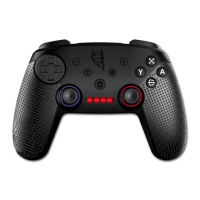
FAQ for Trident Controller for Nintendo Switch
TM
console (Endast Engelska)
If the controller does not work with the Nintendo Switch
TM
console:
1. Some games are not compatible with the Pro Controller or the Trident PRO-S Controller.
2. For other games:
<a> If using the Nintendo Switch
TM
with the dock: both the Pro Controller and the Trident PRO-S Controller are
compatible when connected to a TV.
<b> If using the Nintendo Switch
TM
in handheld mode: Joy-Con
TM
needs to be switched off or removed in order to
use the Pro Controller or the Trident PRO-S Controller.
Other remarks:
1) Using the HOME button on the Trident PRO-S Controller will NOT turn on the console.
2) Motion control and NFC functions are not supported on Game Devil Nintendo Switch
TM
Trident PRO-S
3) Please try to reset the controller if it gets stuck at any time. You will nd the reset button in a small
hole on the back of the controller.
4) To hard boot your console, press and hold the POWER button for 12 seconds.
Instructions for the 4 LED lights on the Nintendo Switch
TM
Controller:
1. Connecting the controller to the games console:
A) When the HOME button is pressed to connect, the four LED lights will ash quickly. Once connected the relevant
LED will stay ON
B) When the HOME button is pressed to connect but connection is unsuccessful, the four LED lights will ash slowly
2. LED light indications:
When connected, the rst LED light on the left will be on (indicating Player 1). The second LED light on the left indicates
Player 2, and so on.
3. Charging indication: All four LED lights will ash slowly. If the controller is charging whilst playing, only one LED
will ash slowly.
4. Low battery alert: If the controller battery is low, the relevant LED light will ash slowly
FÖRSIKTIGHETSÅTGÄRDER
• Utsätt INTE produkten för varma eller kalla temperaturer eller nära värmekällor såsom element, ugnar eller direkt
solljus, hög luftfuktighet
• Använd den INTE på platser med hög luftfuktighet eller om den är våt av vatten eller andra vätskor
• Öppna eller bänd den INTE för att försöka modiera den på något sätt då detta kan orsaka elchock,
brand eller skada.
• Rengör den endast med en mjuk, torr trasa, använd inte någon typ av lösningsmedel eller kemikalier
HÄLSOVARNINGAR
• Om du upplever obehag när du använder produkten bör du sluta använda den och söka läkarhjälp.
Om det orsakas av produktens vibrationsfunktion kan du stänga av den i din konsols inställningar.
Om det orsakas av starkt ljus, sluta spela och stäng av konsolen och sök läkarhjälp
• Glöm inte bort att göra pauser när du spelar under en längre tid
KUNDSUPPORT/TEKNISK SUPPORT
Email: support@game-devil.com
Hemsida: www.game-devil.com


 To Next Page