© 2021 GAME GOLF by Game Your Game, Inc. All rights reserved.
ON-COURSE SETUP
GET STARTED SETUP TROUBLESHOOT UPDATE SMART CADDIE
14
EDIT IN-ROUND & ADD
PENALTIES
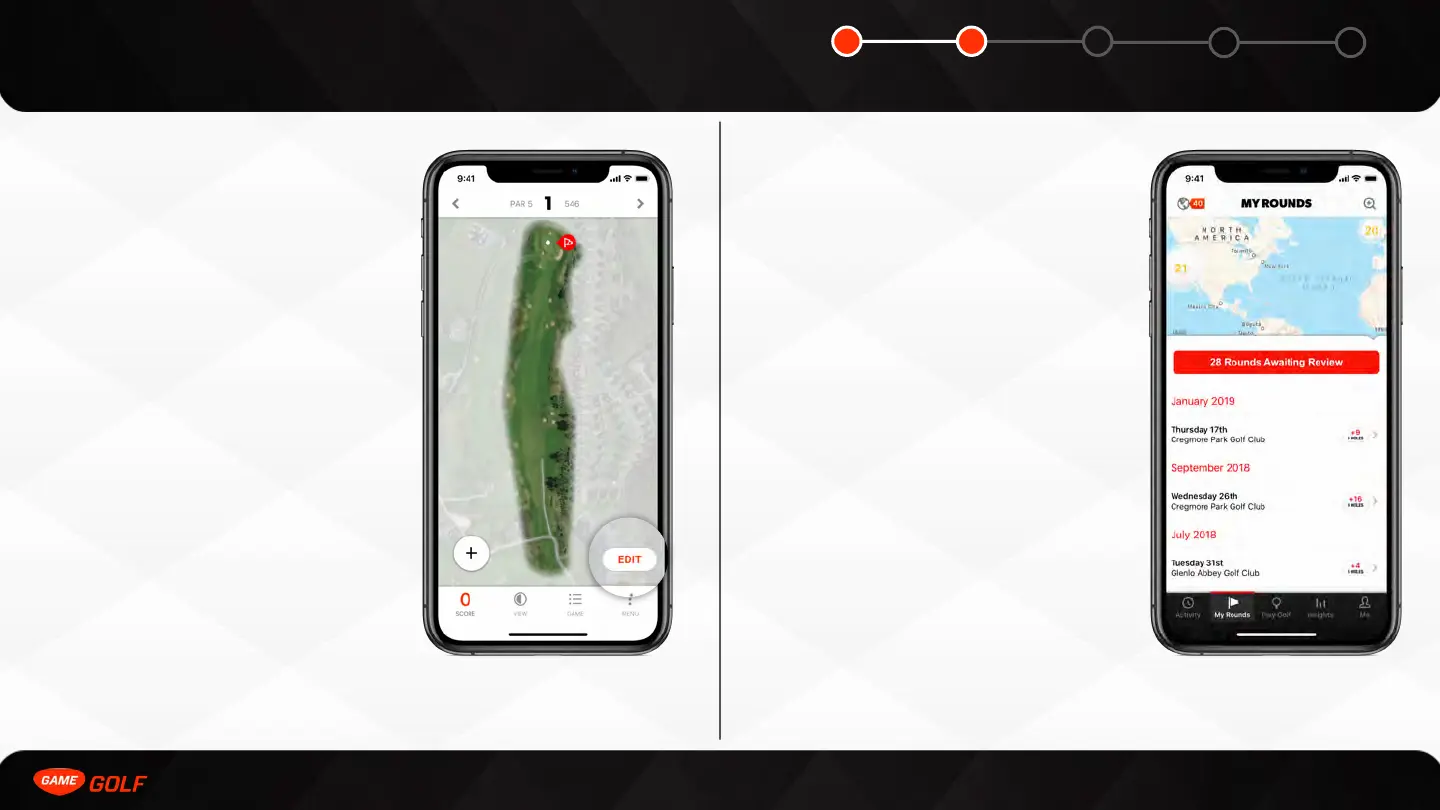
You can make edits to your round by
selecting the “EDIT” button on the round
screen. In edit mode, you can edit the club
type and location for a particular shot. You
can also delete shots and add new shots.
The pin location is also editable. When you
edit the pin location it is saved for all users
for 24 hours. After that it reverts back to the
centroid of the green.
You can add penalties by selecting a shot and
selecting the penalty button at the bottom of
the screen. You can add both 1-shot and 2-
shot penalties.
EDIT ROUNDS AFTER
UPLOAD
You can retrospectively edit your rounds by
doing the following:
For unsigned rounds
1. Go to ”My Rounds” tab
2. Select “Rounds awaiting” button
3. Select the round you wish to edit
For signed rounds
1. Go to ”My Rounds” tab
2. Select the round you wish to edit



 To Next Page