© 2021 GAME GOLF by Game Your Game, Inc. All rights reserved.
UPDATE SOFTWARE
GET STARTED SETUP TROUBLESHOOT UPDATE SMART CADDIE
25
UPDATING YOUR MEDALLION
Firmware updates will have product enhancements and improvements so if your
device does not have the latest firmware, update it as soon as possible for the best
user experience.
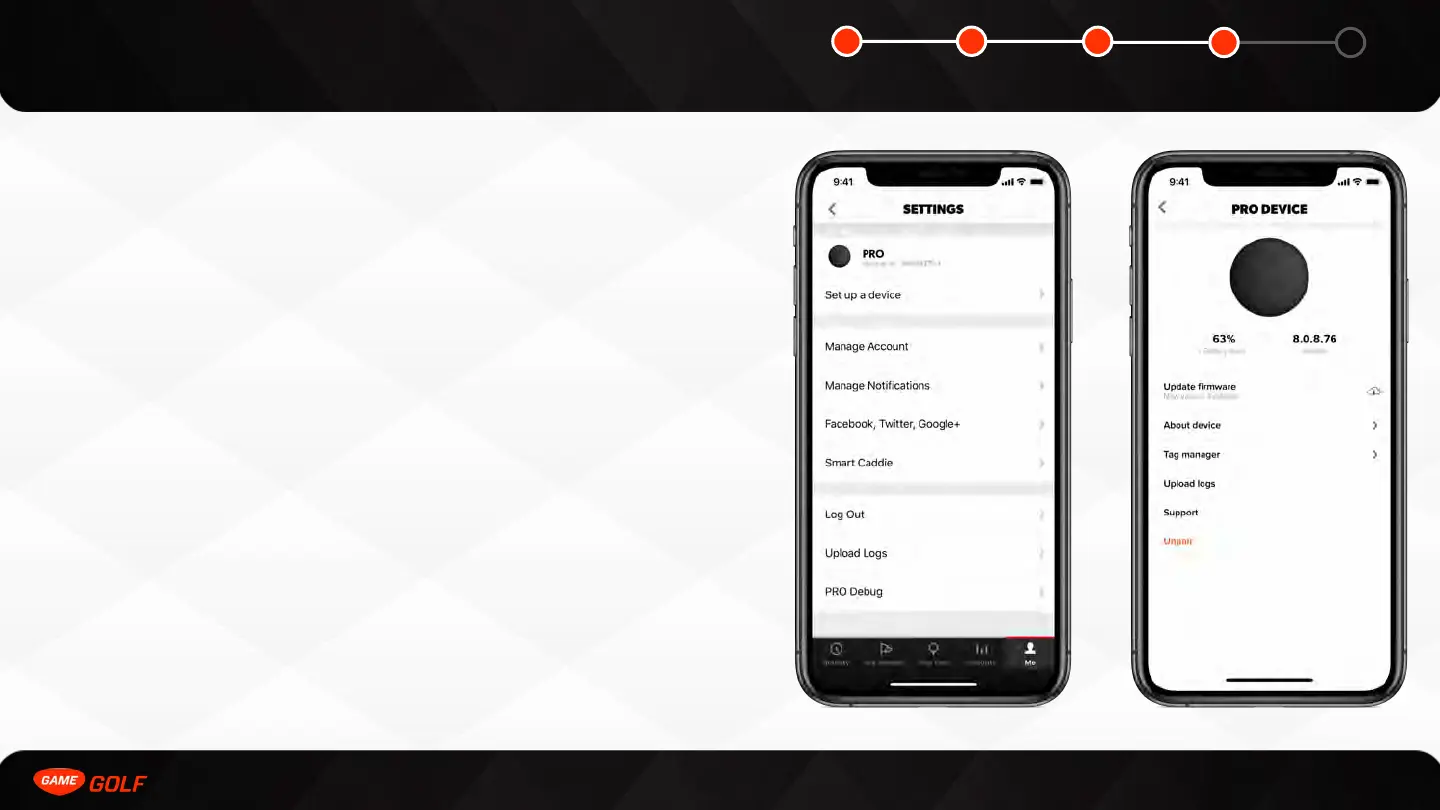
To update the medallion firmware, turn on your medallion and go to the PRO device
settings screen:
1. Go to ”ME” tab
2. Open “Settings”
3. Tap on ”PRO”
If your medallion needs to be updated, the Update Firmware button will appear -
firmware update should take 3-5 minutes.



 To Next Page