© 2021 GAME GOLF by Game Your Game, Inc. All rights reserved.
TROUBLESHOOTING
GET STARTED SETUP TROUBLESHOOT UPDATE SMART CADDIE
24
APP SETTINGS & UPLOADING LOGFILES
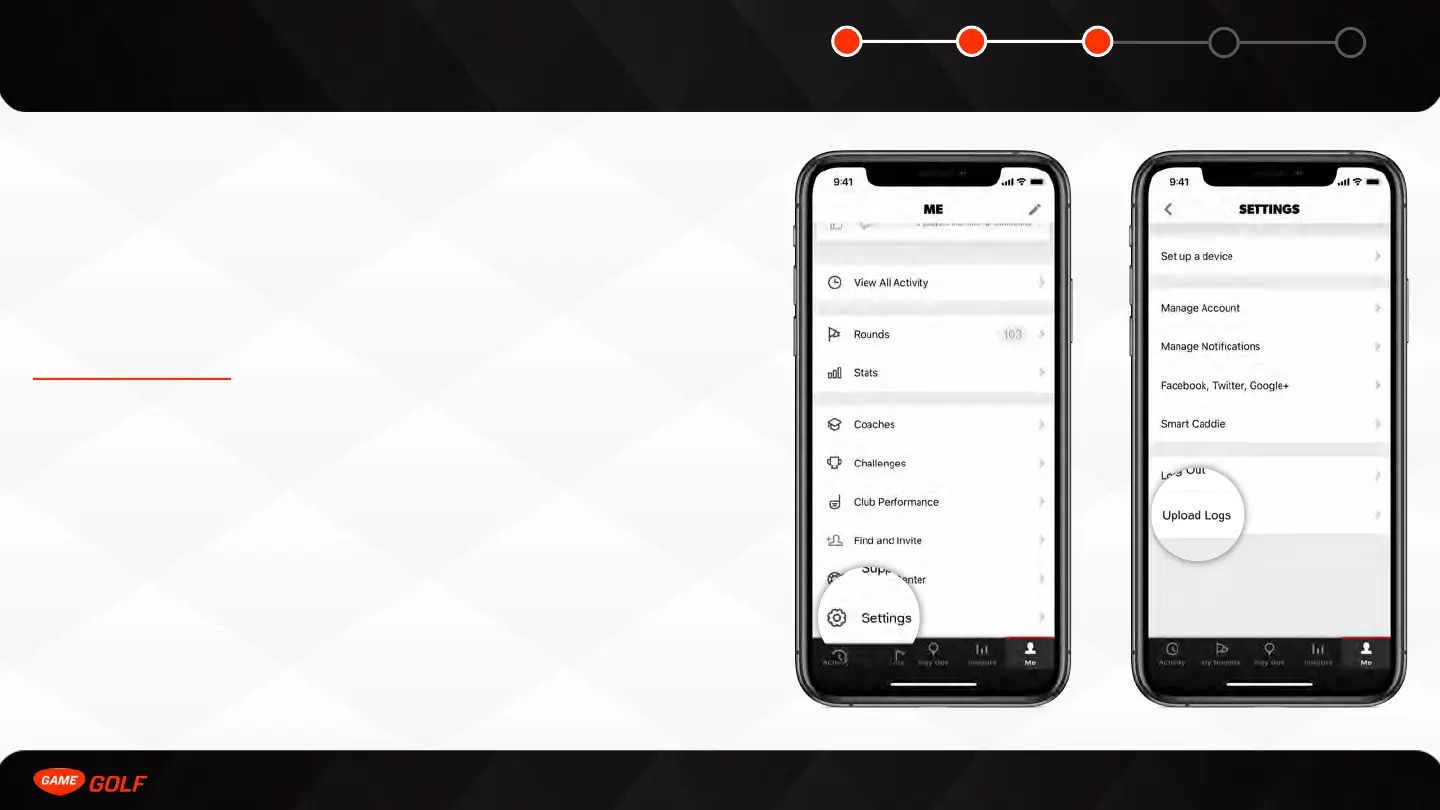
The app settings interface allows you to edit your account information and tailor the
app’s features to your personal preferences. Access the settings menu by selecting
the “ME” tab on the main app menu bar located at the bottom of the screen. Scroll
up and down to navigate the settings menu, and tap to toggle or edit the various
options.
If you are having issues during your round, please upload your log files and contact
support@gamegolf.com.
To upload your logs:
1. Go to ”ME” tab
2. Open “Settings”
3. Tap on ”Upload Logs”



 To Next Page