© 2021 GAME GOLF by Game Your Game, Inc. All rights reserved.
TROUBLESHOOTING
GET STARTED SETUP TROUBLESHOOT UPDATE SMART CADDIE
23
REPLACING A
TAG
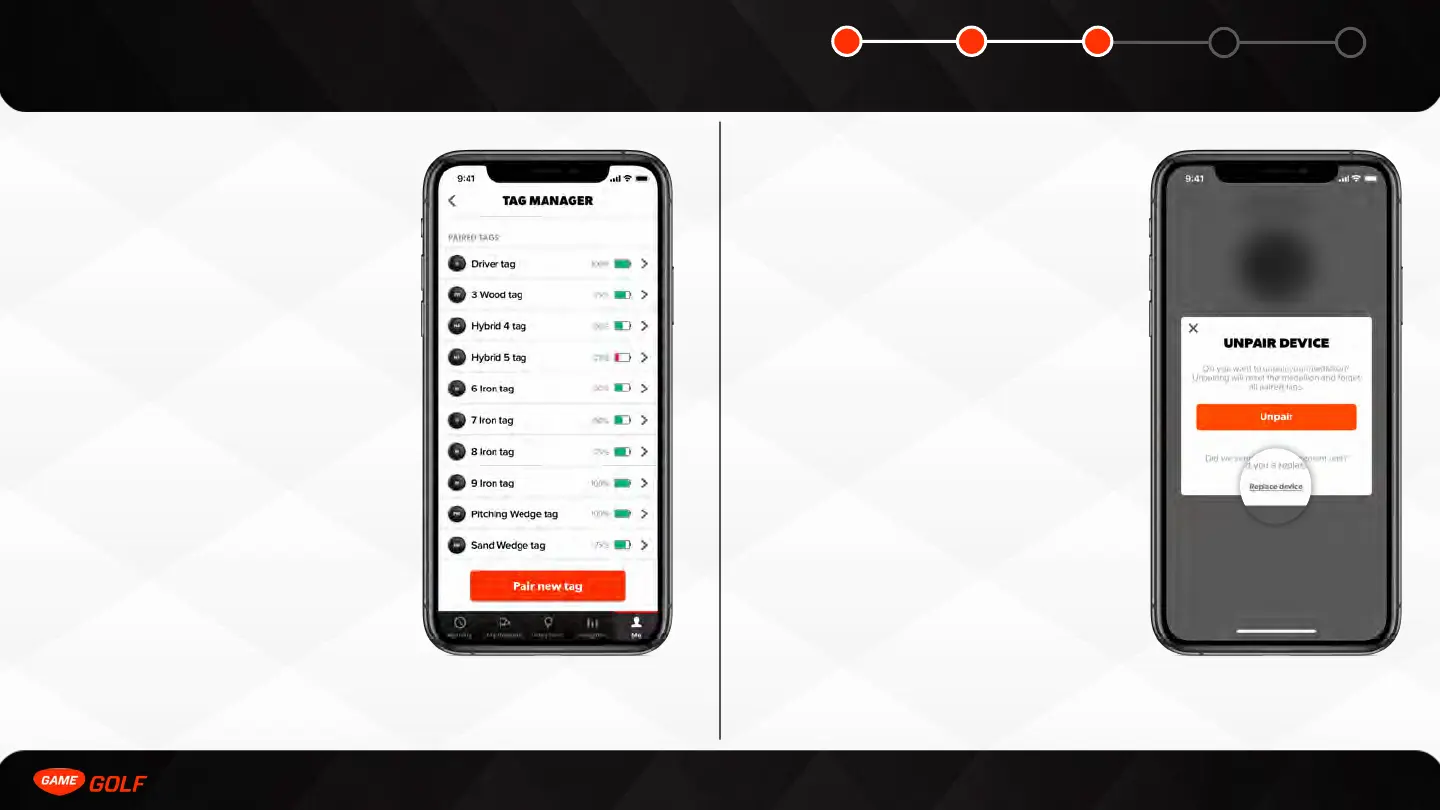
If you receive a replacement tag you can add
it to your golf bag in the Tag Manager.
You can access your Tag Manager by doing
the following:
1. Go to ”ME” tab
2. Open “Settings”
3. Tap on ”PRO”
4. Click “Tag Manager”
To add a replacement tag, select the “Pair
New Tag” button and select a club to pair to.
REPLACING A
MEDALLION
If you receive a replacement medallion you
can add it to your account in device settings.
You can access your device settings by doing
the following:
1. Go to ”ME” tab
2. Open “Settings”
3. Tap on ”PRO”
To replace a medallion, select the “Unpair”
button and then “Replace device” button.
You can then select the new PRO medallion.



 To Next Page