© 2021 GAME GOLF by Game Your Game, Inc. All rights reserved.
TROUBLESHOOTING
GET STARTED SETUP TROUBLESHOOT UPDATE SMART CADDIE
22
NEW PHONE – EXPRESS SETUP
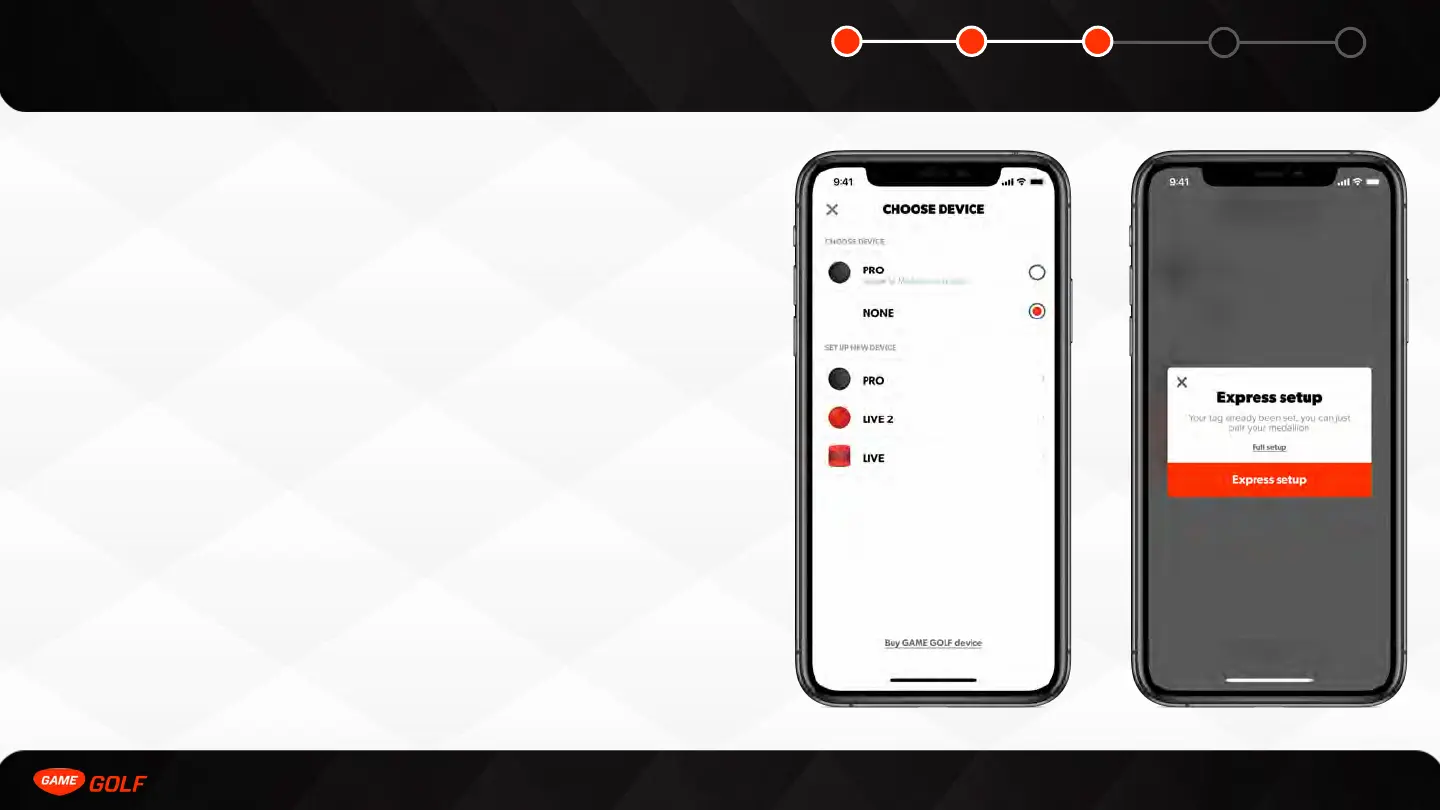
We save your tags on our GAME GOLF servers so you can change phones without
setting up a device from scratch. You do however, have to factory reset your
medallion and then complete an Express Setup on your new phone. Express Setup
allows you to skip to the medallion pairing step.
To complete the Express Setup:
1. Go to ”ME” tab
2. Open “Settings”
3. Tap on ”PRO”
4. Click “Express setup”
5. Select your medallion



 To Next Page