© 2021 GAME GOLF by Game Your Game, Inc. All rights reserved.
TROUBLESHOOTING
GET STARTED SETUP TROUBLESHOOT UPDATE SMART CADDIE
21
FACTORY RESET OF MEDALLION
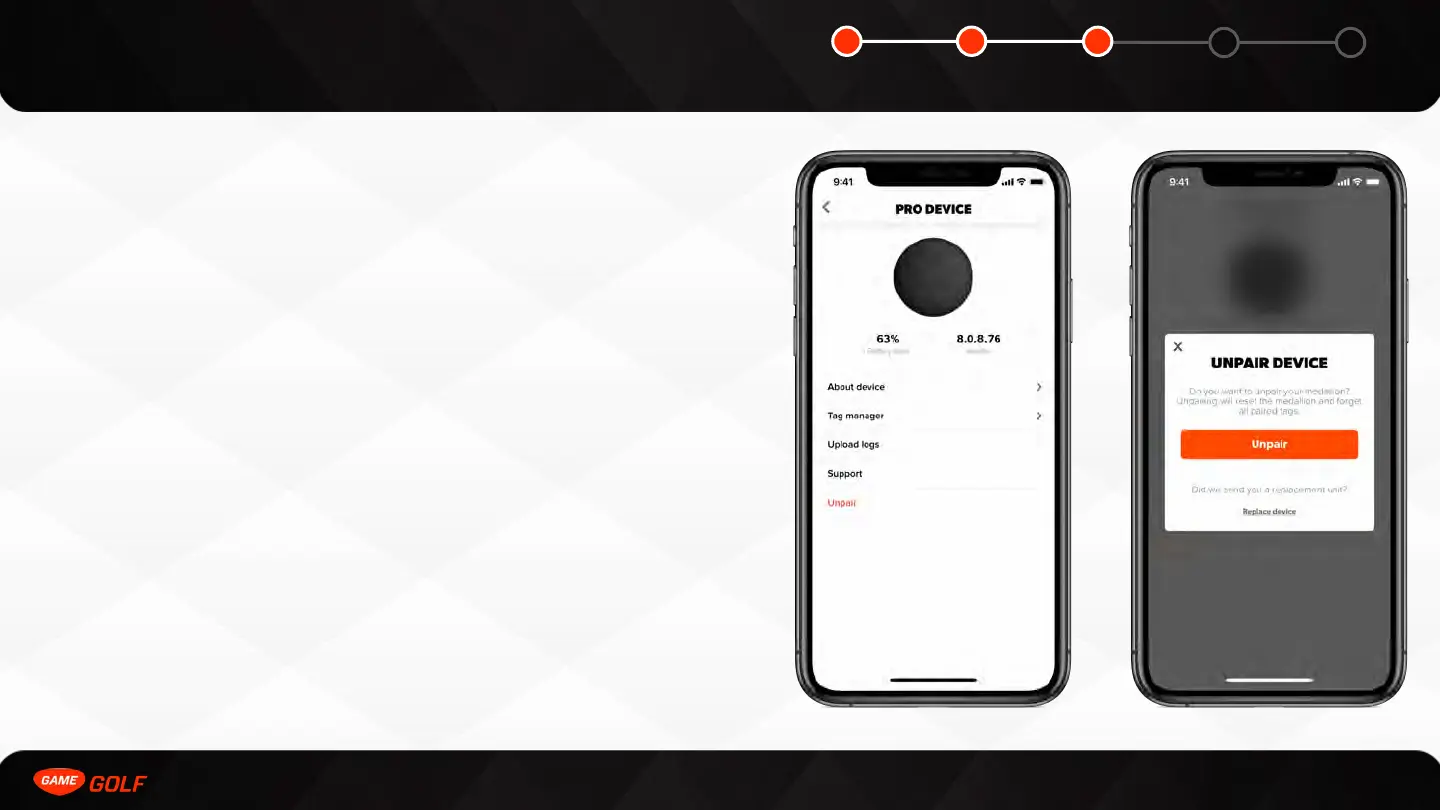
A factory reset will forgot all pairings and device data. There are two ways to factory
reset a medallion.
Software reset
A factory reset can be performed in the app by navigating to PRO device settings and
doing the following:
1. Go to ”ME” tab
2. Open “Settings”
3. Tap on ”PRO”
4. Click “Unpair”
Hard reset
A hard reset can be performed by doing the following:
1. While holding down the power button, press the reset button (note: the reset
button can be accessed by inserting a pin or paperclip into the tiny circular hole
above the micro-usb port) and the red light should start flashing
2. Continue to hold down the power button until a solid green light comes on
3. The factory reset is complete when you see the ”disco“ lights on the medallion



 To Next Page