© 2021 GAME GOLF by Game Your Game, Inc. All rights reserved.
UPDATE SOFTWARE
GET STARTED SETUP TROUBLESHOOT UPDATE SMART CADDIE
26
UPDATING YOUR TAGS
The shot detection algorithms are continuously being refined and improved. If your
tags don’t have the latest firmware, update it as soon as possible for the best user
experience. There are two methods for updating the firmware.
Manual Process
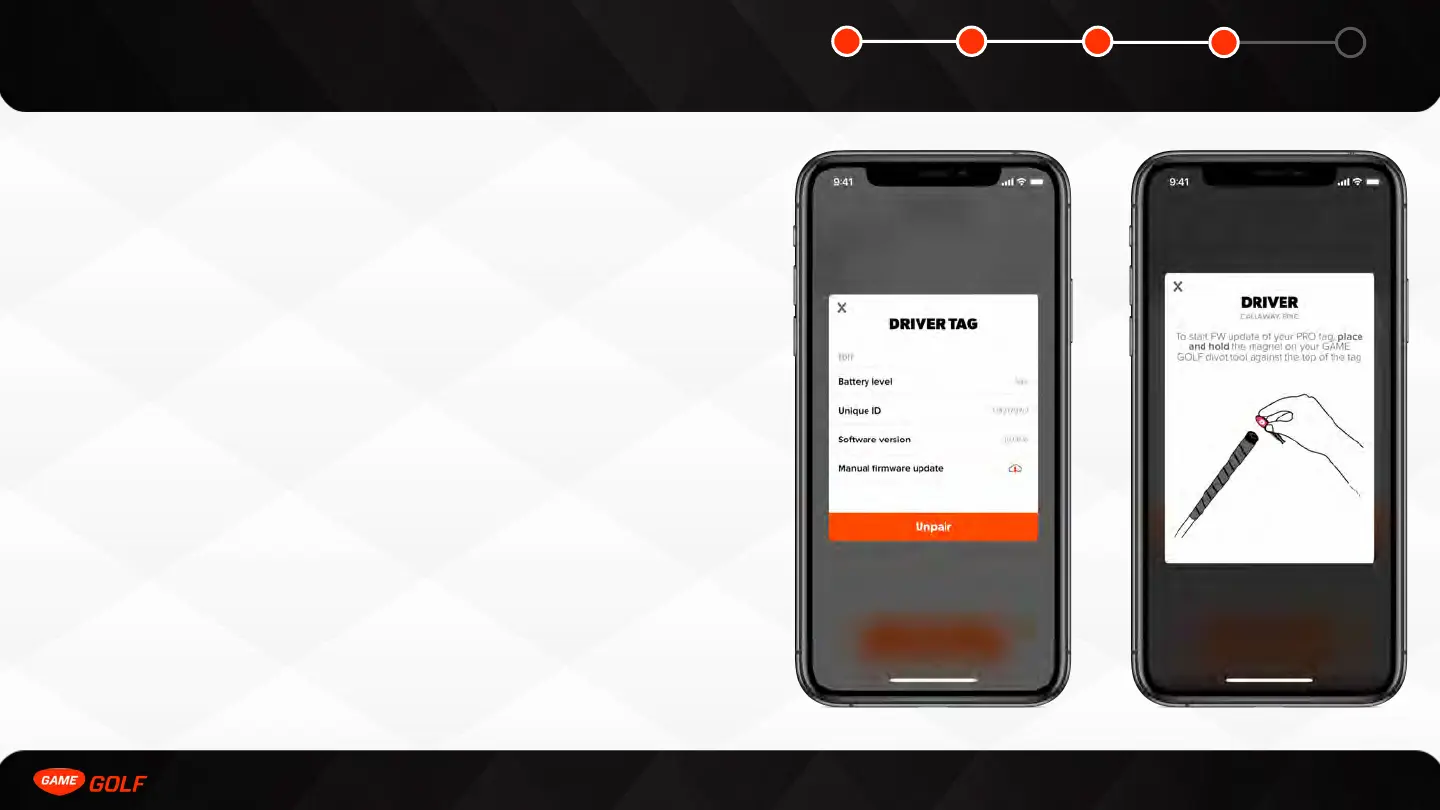
To manually update the firmware you need to go to the Tag Manager.
You can access your Tag Manager by doing the following:
1. Go to ”ME” tab
2. Open “Settings”
3. Tap on ”PRO”
4. Click “Tag Manager”
Select the tag you wish to update and press the “Update Firmware” button. Hold the
divot tool against tag to trigger the update. The update takes 1-3 minutes to
complete.
Automatic Process
The tags will automatically update on the course as you play too. The new tag
firmware is stored on the medallion as part of the medallion update. The tags will
then update the next time you take a shot. Again, it takes 1-3 minutes to update.



 To Next Page