© 2021 GAME GOLF by Game Your Game, Inc. All rights reserved.
GETTING STARTED
GET STARTED SETUP TROUBLESHOOT UPDATE SMART CADDIE
9
PRO DEVICE SETTINGS
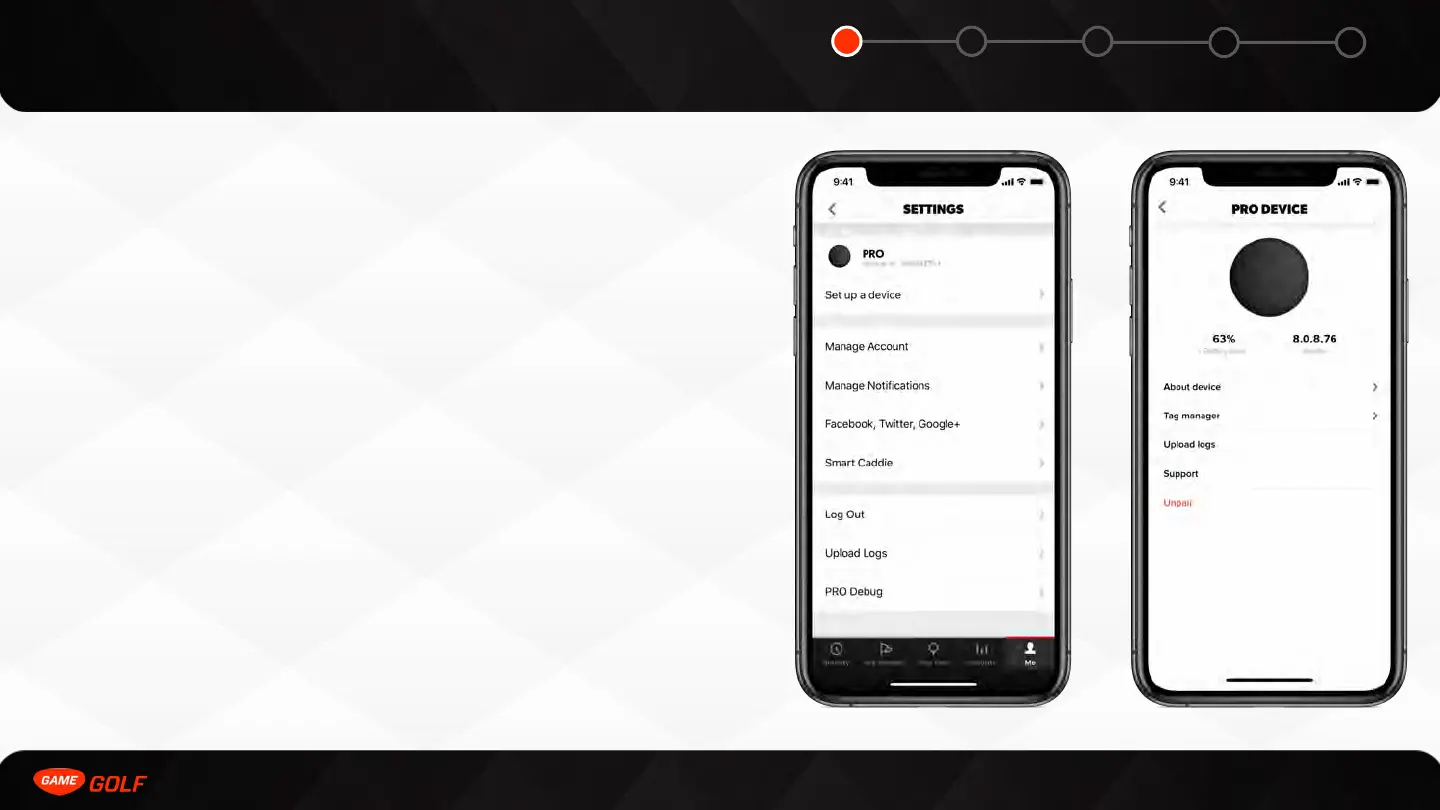
You can find PRO device settings by doing the following:
1. Go to ”ME” tab
2. Go to “Settings”
3. Click on “PRO”
In the device settings you can do the following:
• Update the firmware
• Upload offline rounds
• About Device - firmware version, battery life etc.
• Tag Manager - Manage your PRO tags
• Upload Log Files - upload medallion log files
• Support - go to support.gamegolf.com
• Haptic Feedback - Enable vibration of the device when shot is detected
• Unpair - Factory Reset and Unpair the device



 To Next Page