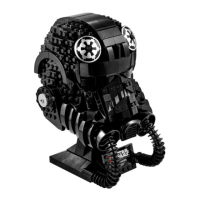
This document is an instruction manual for a light kit designed for the LEGO TIE Fighter Pilot Helmet (set 75274). The light kit enhances the visual appeal of the LEGO model by adding illumination.
Function Description:
The light kit provides a way to illuminate the LEGO TIE Fighter Pilot Helmet, specifically highlighting areas such as the "eyes" or visor of the helmet with green lights, as depicted on the cover. The kit is designed to create a "hidden-line effect," meaning the wires are intended to be as inconspicuous as possible once installed. The manual outlines the installation process, which involves integrating the light components with the existing LEGO bricks of the helmet. There are two versions of the light kit: a Classic Version and a Standard Version, each with slightly different installation steps for connecting to a power source.
Important Technical Specifications:
- Wire Type: The kit utilizes "severely thin aviation-grade wire" engineered for high tension and pressure tolerance. This thinness is crucial for achieving the hidden-line effect and allowing the wires to be routed discreetly within the LEGO model.
- Power Source (Maximum Voltage): The light kit is designed to be connected to a battery box (not explicitly detailed in the provided pages but implied as the primary power source). If an alternative power source is used, it must not exceed a maximum voltage of 6V.
- Versions: The light kit comes in two versions:
- Classic Version: This version appears to involve a USB connection for power, as shown in Step 3. The manual instructs users to skip to page 12 if they have the Standard Version, indicating distinct power connection methods.
- Standard Version: This version includes an IR Sensor Switch, which can be installed in multiple positions, as shown in Step 4. This suggests a remote control or sensor-based activation for the lights. The power connection for this version also appears to be via USB.
- Components: The kit includes various light strips and wires, organized into bags (Bag 1, Bag 2, Bag 4 for Standard Version) to facilitate the installation process. The images show small LED light strips and connecting wires.
Usage Features:
- Enhanced Display: The primary usage feature is to illuminate the LEGO TIE Fighter Pilot Helmet, making it a more dynamic and eye-catching display piece. The green lights mimic the glowing visor of the TIE Fighter Pilot.
- Installation Process: The manual provides a step-by-step guide with clear images, demonstrating how to integrate the light components into the LEGO helmet. This involves carefully routing wires and attaching light strips to specific parts of the model.
- Version-Specific Installation: Users need to identify whether they have the Classic or Standard Version of the kit, as the installation steps for connecting the power source differ. The Standard Version offers the additional feature of an IR Sensor Switch for potentially more flexible control over the lights.
- Power Connection: The kit connects to a battery box (or an alternative 6V power source) to power the lights. The Classic Version shows a direct USB connection, while the Standard Version incorporates an IR sensor switch before the USB connection.
Maintenance Features:
- Wire Handling: Due to the thin nature of the aviation-grade wires, users are cautioned to handle them with care during installation to prevent cutting or shearing. It is also advised not to press brick pieces down directly on the wires, which could damage them.
- Warranty/Support: The manufacturer, Game of Bricks, offers 2 years of free light kit maintenance. Users facing challenges during installation or operation are encouraged to contact support via email (support@gameofbricks.eu). This provides a safety net for users in case of issues with the product.

 Need help?
 General



 To Next Page