POWERING ON/OFF
Press “ “ button. A tone will sound, and light show and speaker
will turn on/o.
PAIRING YOUR DEVICE
1. Press “ “ button. A tone sounds and light show will turn on.
2. The indicator light will ash blue while searching for Bluetooth®
devices.
3. Select the searching mode on your device (refer to your
device’s owner’s manual for details).
4. When your device nds “GAME BT,” select it and connect.
5. The indicator light will turn solid blue when your device is connected.
MUSIC CONTROL
1. Press “ ” button to play/pause music.
2. Hold “ / ” button for 1 second to change song forward/backwards.
3. Press “ / ” button for volume control.
LIGHT SHOW
1. Press “ “ button to turn light show on/o.
RECHARGING
NOTE: Charging the device while using is not recommended.
IMPORTANT: NEVER charge product while it is in water or wet! Serious and/or fatal injury may result.
1. The indicator light will ash red when the product needs recharging.
2. Follow the “GETTING STARTED” steps to recharge the product.
IMPORTANT:
• Remove from pool when not in use to avoid damage from skimmers or other devices.
• Do not submerse unit in water over 1 foot as water pressure could damage the speaker
and/or sound quality.
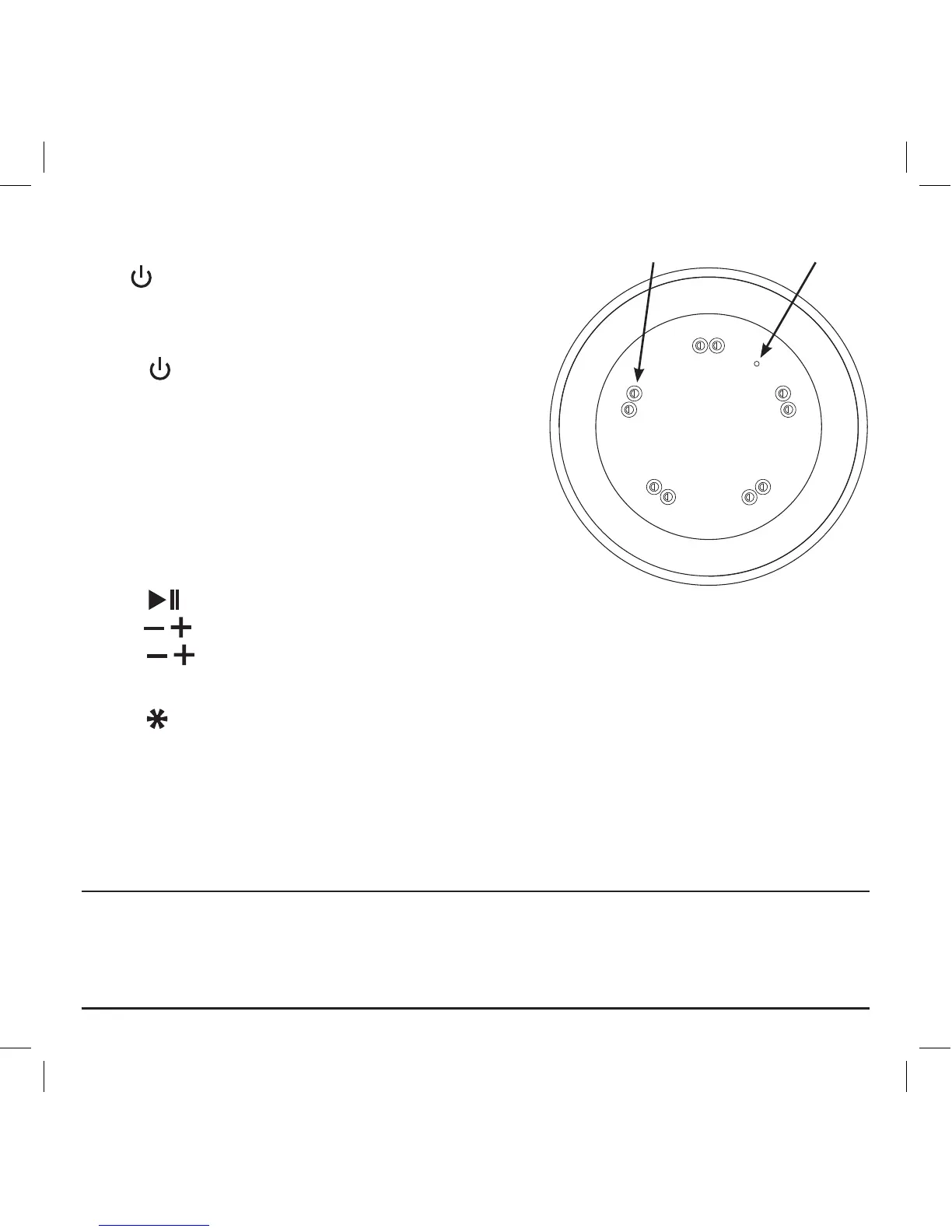
Indicator LightLED Lights
View of Bottom


 To Next Page