6 7
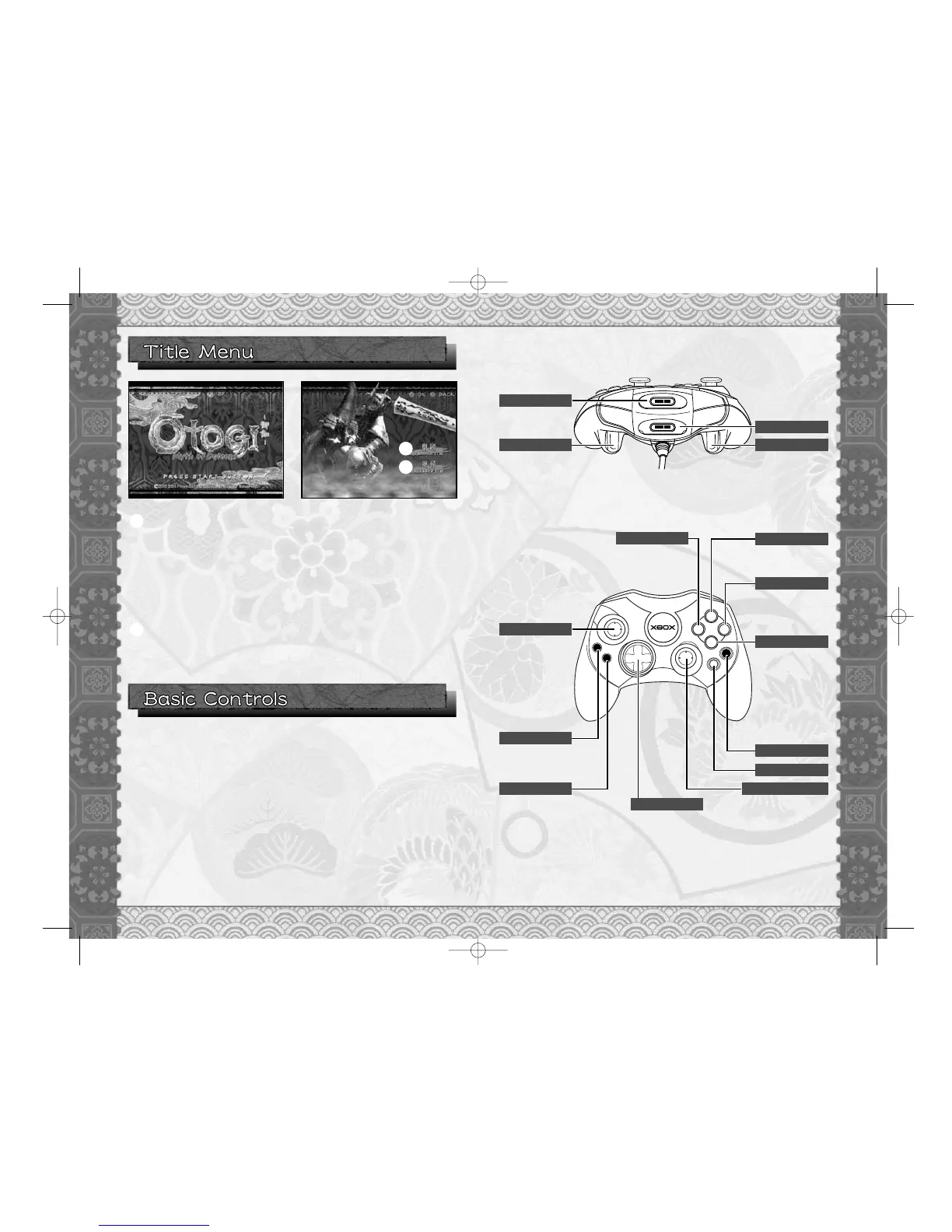
NEW GAME
Start a game from the beginning. Select where to
create a save file upon starting a new game. Use
Directional Pad qm to select the location and
press the a button or START button to create
game data. To return to the Menu screen, press
the b button or BACK button.
❊ In this game you can save up to 16 games.
❊ All button assignments shown are default control configuration.
Connect the Xbox Controller to any Controller Ports of the Xbox console.
For detailed-controls on the Xbox Controller, refer to either this software
instruction manual or onscreen in-game controls. When turning on the
Xbox, please do not move the Left and Right thumbsticks or the Left and
Right triggers as this may disrupt the calibration of the controller and
cause malfunctions.
❊ Control details can be modified in Options. (p.20)
G:Heavy Attack
M:Cancel
G:Light Attack
❊ In the controller diagram on p.7, M indicates “On the Menu Screen” and
G indicates “During the game.”
1
LOAD GAME
Load the game previously saved and resume the
game.
2
1
2




 To Next Page